
 NeoForge
 Forge
 Fabric
 Quilt
Expert Weapons & Tools [Fabric | Forge] మోడ్ గురించి
Similar to my Expert Armor mod, this expands on the vanilla crafting of Weapons & Tools, in an attempt to make it more frustrating engaging, as well as slowing the progression somewhat.
Each item will now require double the normal amount of base material to craft.
This may seem harsh, especially at Netherite tier, but its end game equipment and currently it is far too easy!
Information as follows :
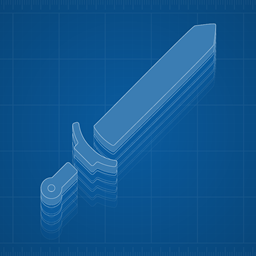
Weapons & Tools are now split in to 3 parts.
The Hilt (weapons) / Handle (tools)
The Guard / The Fastener (its a nail)
The Blade (weapon) / Head (tools)
The Blade & Heads are crafted as a 'Dull' initially,
You can craft a complete sword / tool using the dull items, but it only has half durability (apart from Gold) and cannot be enchanted.
However, you can sharpen the dull blade/head using a whetstone in the Smithing Table at an additional cost. (each tier has its own whetstone, it is a 1 time use item)
Once sharpened, you can craft the vanilla sword.
If you cannot afford to do that immediately, you can upgrade a completed dull sword/tool using the same method at your leisure.
Currently this covers : Iron, Golden, Diamond & Netherite.
To Do :
Wood and Stone tiers, but require a bit more thought.
Better whetstone textures.. if you wanted to offer, please do 😃
Achievements
Recipe achievements
Better mod description page..
Expert Weapons & Tools [Fabric | Forge] ఎలా ఇన్స్టాల్ చేయాలి
With Millida Launcher
Install Millida Launcher
The launcher is free: download it at millida.net/launcher and sign in with any nickname.
Click “Install” on this page
The launcher opens and installs the mod for Minecraft 1.19–1.19.2 on Fabric, Forge, NeoForge or Quilt automatically.
Launch the game
A profile with it appears in the launcher: click “Play”.
Manually
Install Fabric, Forge, NeoForge or Quilt
The loader must match the game version of the mod file, for example Minecraft 1.19.2. After installing it, a separate profile appears in your launcher.
Download the file for your version
In the version list above, pick the file expert_weapons-2.1.7.jar (401 KB) for your game version and loader.
Put it in the mods folder
The folder is inside .minecraft (Windows: %appdata%\.minecraft\mods). If it does not exist, create it.
Launch the loader profile
Open “Mods” in the main menu: Expert Weapons & Tools [Fabric | Forge] should be in the list.
Minecraft 1.19.2 runs on Java 17: with a different Java version the game may close right after launch.
వెర్షన్లు
డిపెండెన్సీలతో
| Minecraft | లోడర్ | ఫైల్ | తేదీ | చర్యలు |
|---|---|---|---|---|
| 1.19.2 | NeoForge, Forge | ExpertWeapons-Forge-2.1.7+1.19.2401 KB | ||
| 1.19.2 | Fabric, Quilt | ExpertWeapons-Fabric-2.1.6+1.19.2778 KB |
FAQ
Which Minecraft versions does Expert Weapons & Tools [Fabric | Forge] work on?
There are files for 1.19.2, 1.19.1, 1.19. The newest is 1.19.2.
Is Expert Weapons & Tools [Fabric | Forge] for Forge or Fabric?
There are files for Fabric: 1.19–1.19.2, for Forge: 1.19.2, for NeoForge: 1.19.2 and for Quilt: 1.19–1.19.2.
Does Expert Weapons & Tools [Fabric | Forge] need other mods?
The author lists no required dependencies: the Fabric, Forge, NeoForge or Quilt loader is enough.
Which Java does Expert Weapons & Tools [Fabric | Forge] need?
Minecraft 1.19.2 runs on Java 17. If the game closes right after launch, the usual cause is the wrong Java version in the profile settings.
Where can I download Expert Weapons & Tools [Fabric | Forge] safely?
On this page: the file expert_weapons-2.1.7.jar (401 KB) is stored on Millida’s server, with no link shorteners. SHA-1 checksum: 503d686b1dfd683875ace9f12a43dcb2fbccf13b.
సమీక్షలు
Expert Weapons & Tools [Fabric | Forge]కు మొదటి రేటింగ్ ఇవ్వండి


