
Minecraft 1.21.1, 1.21 కోసం EnhancedTooltips మోడ్
టూల్టిప్లను పూర్తిగా మార్చి, కొంత అదనపు సమాచారాన్ని జోడించే మోడ్.
 NeoForge
 Fabric
 Quilt
QuiltEnhancedTooltips
A mod that overhauls tooltips, and adds some extra information.
Features
Highly Configurable
Animated Tooltips
- Tooltip Pop-up Animation
- Item Preview Bouncing Animation
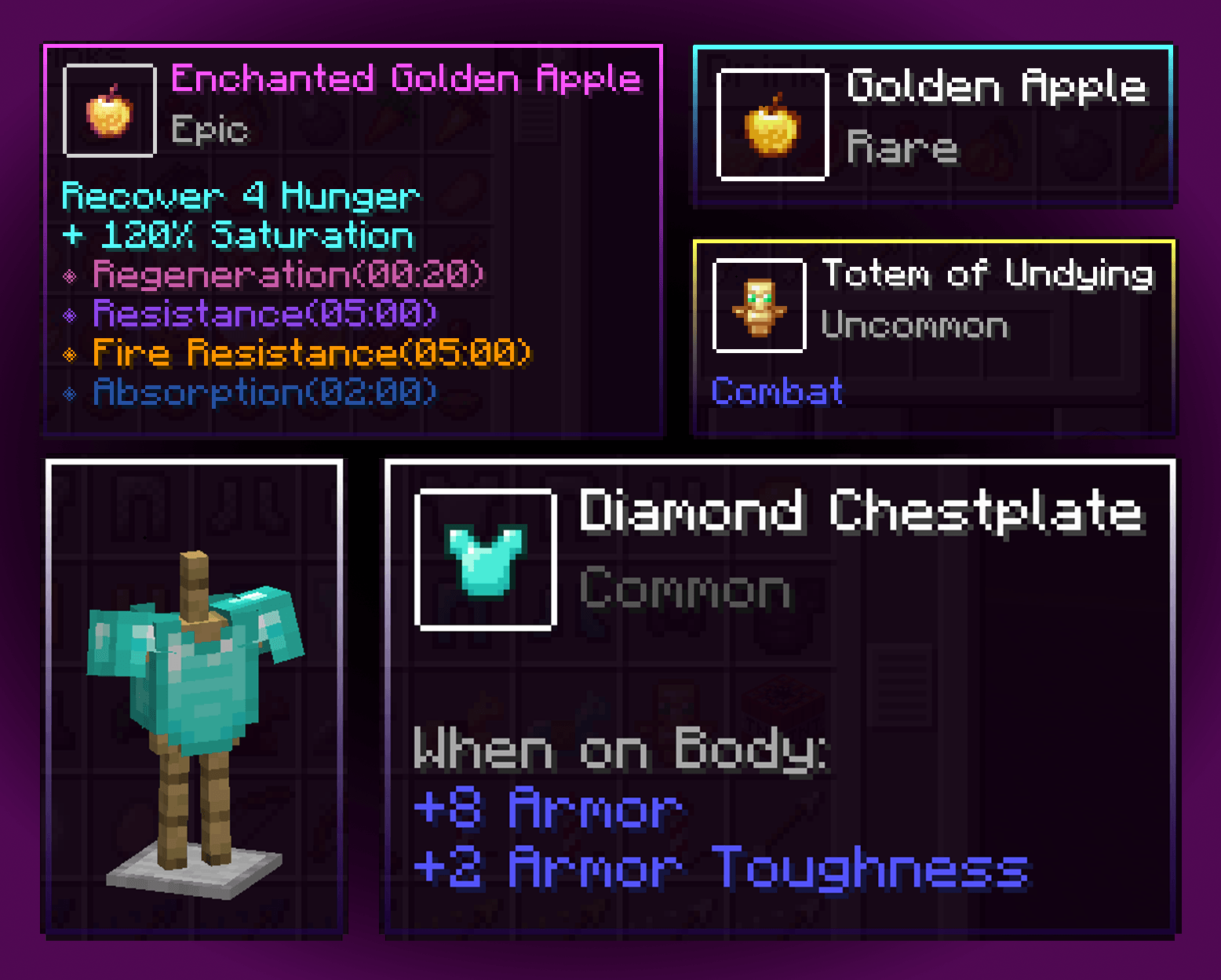
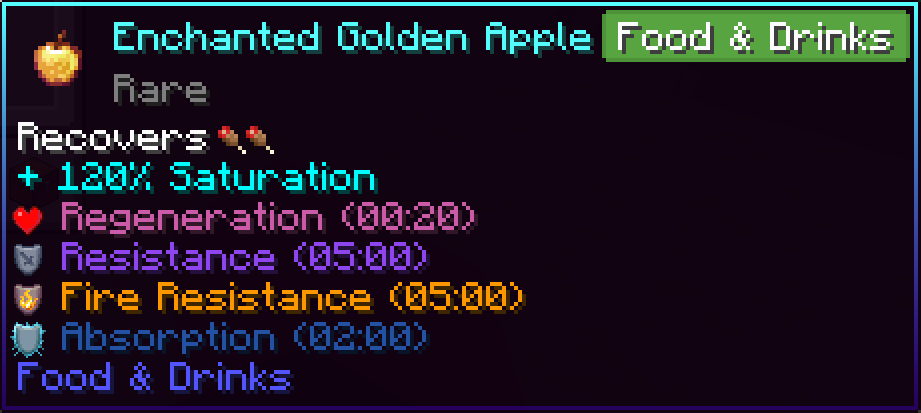
Food Item Tooltip
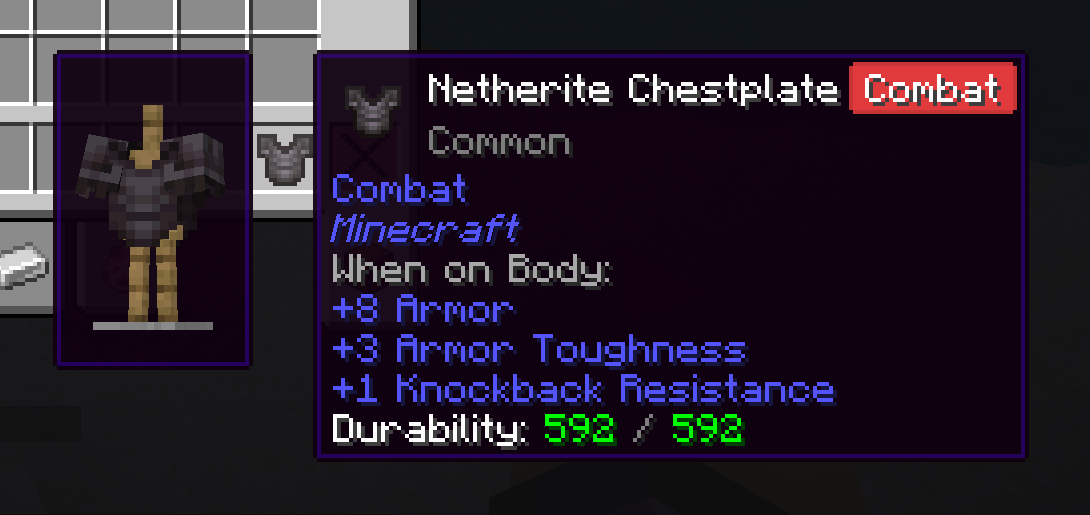
Armor Tooltip
Bucket Entity Tooltip

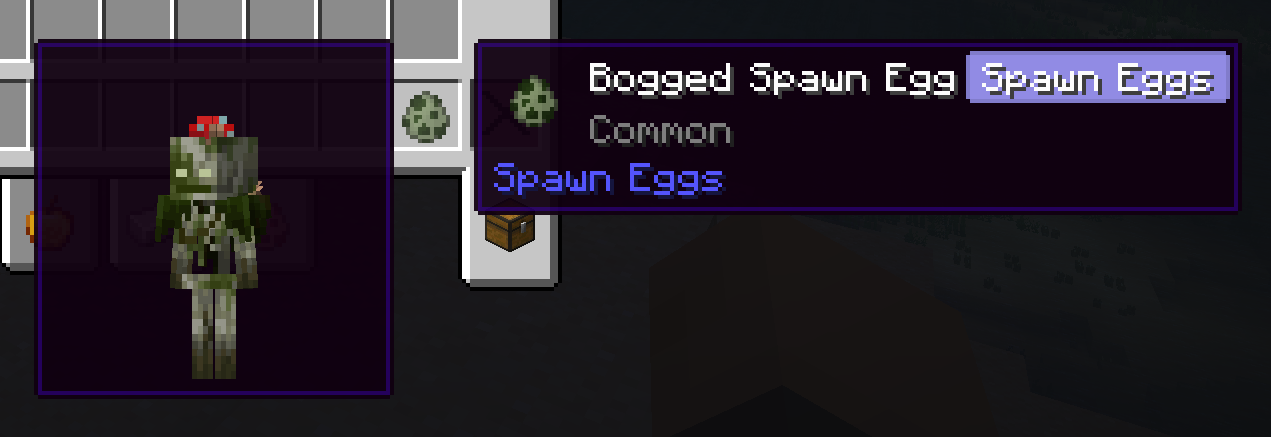
Spawn Egg Preview
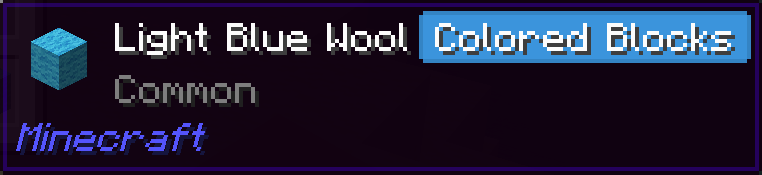
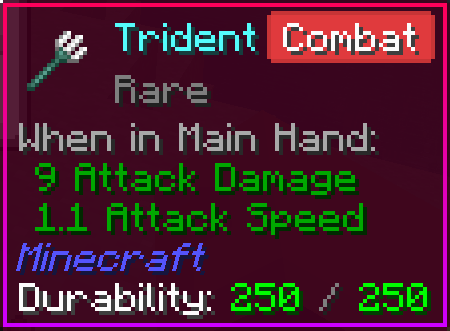
Tooltip Badges
(Displays mod name if the item is not in vanilla)
Map Tooltip Preview
Painting Tooltip Preview
Durability Tooltip
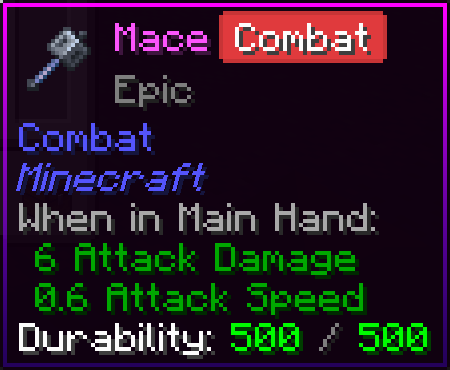
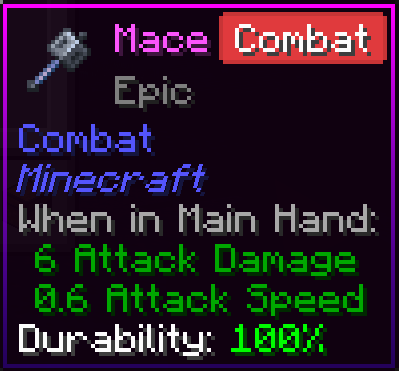
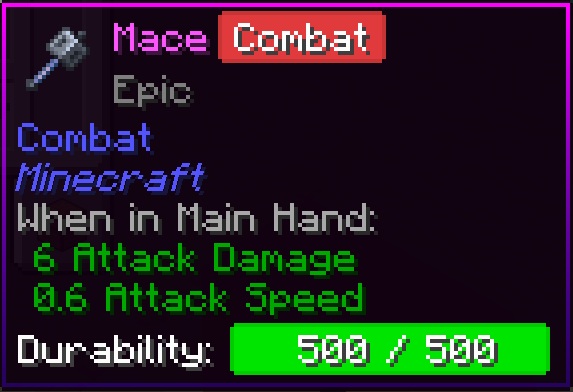
Custom Colors
EnhancedTooltips ఎలా ఇన్స్టాల్ చేయాలి
With Millida Launcher
Install Millida Launcher
The launcher is free: download it at millida.net/launcher and sign in with any nickname.
Click “Install” on this page
The launcher opens and installs the mod for Minecraft 1.21–26.2 on Fabric, NeoForge or Quilt automatically.
Launch the game
A profile with it appears in the launcher: click “Play”.
Manually
Install Fabric, NeoForge or Quilt
The loader must match the game version of the mod file, for example Minecraft 26.2. After installing it, a separate profile appears in your launcher.
Download the file for your version
In the version list above, pick the file EnhancedTooltips-1.10.0+neoforge.26.2.jar (229 KB) for your game version and loader.
Put it in the mods folder
The folder is inside .minecraft (Windows: %appdata%\.minecraft\mods). If it does not exist, create it.
Launch the loader profile
Open “Mods” in the main menu: EnhancedTooltips should be in the list.
వెర్షన్లు
డిపెండెన్సీలతో
| Minecraft | లోడర్ | ఫైల్ | తేదీ | చర్యలు |
|---|---|---|---|---|
| 26.2 | NeoForge | EnhancedTooltips 1.10.0+neoforge.26.2229 KB | ||
| 26.2 | Fabric, Quilt | EnhancedTooltips 1.10.0+fabric.26.2232 KB 4 | ||
| 1.21 | Fabric, Quilt | EnhancedTooltips 1.8.0-beta+fabric.1.21.1204 KB | ||
| 1.21.9 | NeoForge | EnhancedTooltips 1.8.0-beta+neoforge.1.21.10205 KB |
సమీక్షలు
EnhancedTooltipsకు మొదటి రేటింగ్ ఇవ్వండి


