
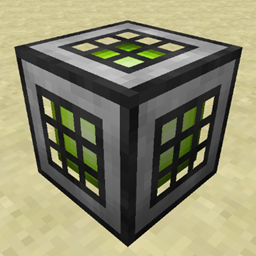
Energy Converters మోడ్ గురించి
ఈ మోడ్ ఆలోచన PowerCrystals "Power Converters" మోడ్ ఆధారంగా రూపొందించబడింది.
మీరు మీ బేస్ను ప్రారంభించినప్పుడు, sag mills లేదా arc furnaces వంటి RF ఆధారిత యంత్రాలతో పూర్తిగా అలంకరించబడిన అనుభూతి మీకు బహుశా తెలుసు... ఆ తర్వాత మీ జెట్ప్యాక్ తయారు చేయడానికి ఆ ఒక ఇండస్ట్రియల్ క్రాఫ్ట్ యంత్రం మీకు అవసరం అవుతుంది. ఈ మోడ్ ఒక శక్తి రకం (అంటే Redstone Flux) నుండి మరొక రకం (IndustrialCrafts EU) కు మార్చడం ద్వారా అవసరమైన శక్తిని ఉత్పత్తి చేయడంలో మీకు సహాయపడుతుంది. మీరు కావాలంటే EU నుండి EU కు కూడా మార్చవచ్చు... ఏదో కారణంతో మీరు అలా చేయాలనుకుంటే...
Energy Converters మీకు 3 విభిన్న బ్లాక్ రకాలను అందిస్తాయి: Energy Consumers, Energy Producers మరియు Energy Bridge.
Energy Consumer ఒక శక్తి మూలం నుండి శక్తిని తీసుకొని దానిని పక్కనున్న Energy Bridge లో నిల్వ చేస్తుంది. Energy Producer ఆ శక్తిని మరొక రకంగా మారుస్తుంది - కేబుల్ లేదా ఏదైనా యంత్రాన్ని ప్రొడ్యూసర్కు కనెక్ట్ చేయండి, మీరు సిద్ధం.
ఒకే Energy Bridge గరిష్ఠంగా 6 కన్స్యూమర్లు మరియు/లేదా ప్రొడ్యూసర్లను (ఒక వైపుకు 1) మద్దతు ఇస్తుంది - కానీ ఏ కన్స్యూమర్/ప్రొడ్యూసర్ అయినా ఒకసారి ఒకే బ్రిడ్జ్కు మాత్రమే కనెక్ట్ కావాలి!
ఈ మోడ్ ప్రస్తుతం మద్దతు ఇస్తుంది
- Redstone Flux (RF)
- IC2 EU (Lv, Mv, Hv, Ev, Iv)
- Tesla
- Forge Energy (FE)
- TechReborn కోసం ప్రత్యేక మద్దతు (1.10.2 మాత్రమే, TR దాని FE మద్దతును మెరుగుపరచినందున 1.11.2 లో అవసరం లేదు)
- Buildcraft (MJ)
మార్పిడి రేటు ప్రస్తుతం 1 Eu : 4 RF : 4 Tesla.
వంటకాలు
Energy Bridge
IC2 Energy Producer (ఈ సందర్భంలో LV, దాని సంబంధిత శ్రేణి కోసం Transformer ను ఏదైనా ఇతర ట్రాన్స్ఫార్మర్తో భర్తీ చేయండి)
Energy Consumer పొందడానికి, ఏదైనా ప్రొడ్యూసర్ను క్రాఫ్టింగ్ గ్రిడ్లో ఉంచండి, మీకు సంబంధిత కన్స్యూమర్ లభిస్తుంది.

మోడ్ప్యాక్ అనుమతులు
అవును.

Energy Converters ఎలా ఇన్స్టాల్ చేయాలి
With Millida Launcher
Install Millida Launcher
The launcher is free: download it at millida.net/launcher and sign in with any nickname.
Click “Install” on this page
The launcher opens and installs the mod for Minecraft 1.12–1.12.2 automatically.
Launch the game
A profile with it appears in the launcher: click “Play”.
Manually
Download the file for your version
In the version list above, pick the file energyconverters_1.12.2-1.3.7.30.jar (155 KB) for your game version.
Put it in the mods folder
The folder is inside .minecraft (Windows: %appdata%\.minecraft\mods). If it does not exist, create it.
Launch the loader profile
Open “Mods” in the main menu: Energy Converters should be in the list.
Minecraft 1.12.2 runs on Java 8: with a different Java version the game may close right after launch.
వెర్షన్లు
డిపెండెన్సీలతో
| Minecraft | లోడర్ | ఫైల్ | తేదీ | చర్యలు |
|---|---|---|---|---|
| 1.12.2 | — | energyconverters_1.12.2-1.3.7.30.jar155 KB | ||
| 1.12.2 | — | energyconverters_1.12.2-1.2.1.11.jar159 KB | ||
| 1.12 | — | energyconverters_1.12-1.0.0.1.jar155 KB |
FAQ
Which Minecraft versions does Energy Converters work on?
There are files for 1.12.2, 1.12. The newest is 1.12.2.
Which Java does Energy Converters need?
Minecraft 1.12.2 runs on Java 8. If the game closes right after launch, the usual cause is the wrong Java version in the profile settings.
Where can I download Energy Converters safely?
On this page: the file energyconverters_1.12.2-1.3.7.30.jar (155 KB) is stored on Millida’s server, with no link shorteners. SHA-1 checksum: ec35d6517e2a819fdf6c1413812d66159ef889c2.
సమీక్షలు
Energy Convertersకు మొదటి రేటింగ్ ఇవ్వండి


