
 Fabric
 NeoForge
 Forge
Cooking for Blockheads మోడ్ గురించి
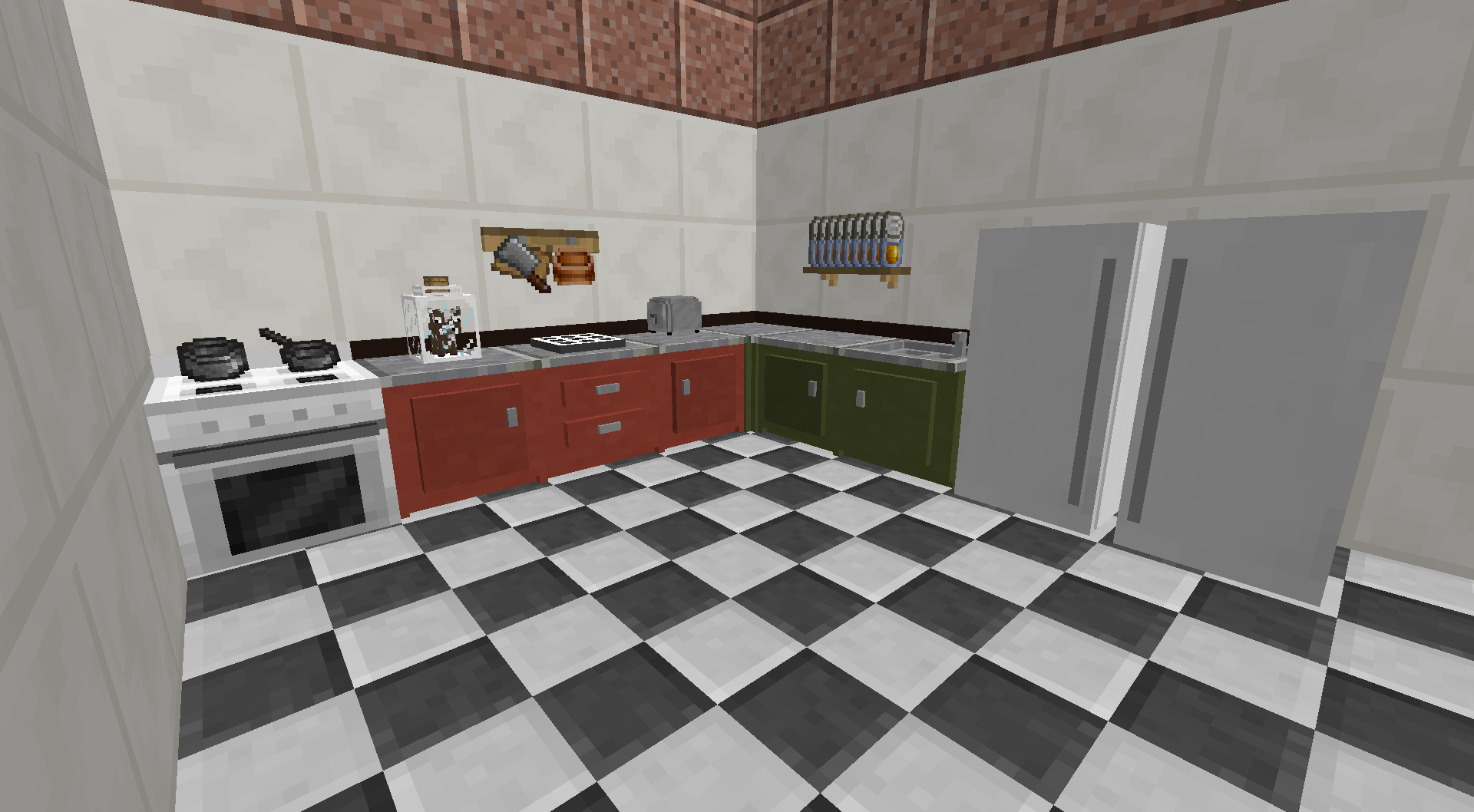
ఈ మాడ్ Minecraft కు పని చేసే వంటగదిని జోడిస్తుంది. మీ దగ్గర ప్రస్తుతం ఉన్న పదార్థాలతో ఏమి వండవచ్చో తెలుసుకోవడానికి Cooking Table ఉపయోగించండి, మరియు ఒకే క్లిక్తో వెంటనే వంట ప్రారంభించండి.
ఈ వంటగది మాడ్యులర్, మరియు అదనపు బ్లాక్ల ద్వారా అప్గ్రేడ్ చేయవచ్చు, ఉదాహరణకు విస్తరించిన నిల్వ కోసం కప్బోర్డ్లు, అనంతమైన నీటి కోసం సింక్, లేదా ఓవెన్తో సమర్థవంతమైన వంట. కొంతమంది అనంతమైన పాలు పొందడానికి Cow in a Jar ను పట్టుకోవడం వరకు వెళ్ళారు!

ఈ మాడ్ కు Balm అవసరం, ఇది మాడ్తో పాటు ఇన్స్టాల్ చేయాలి.
- అనేక భాగాలతో కూడిన Multiblock Kitchens, ప్రతి ఒక్కటి కొత్త సామర్థ్యాలను అన్లాక్ చేస్తుంది
- మీ దగ్గర ఉన్న పదార్థాలతో మీరు తయారు చేయగల ఆహార వంటకాలను బ్రౌజ్ చేయండి
- అన్ని ఆహార వస్తువుల వంటకాలను సరళంగా చూపించడానికి NoFilter పుస్తకం (మీ దగ్గర ఏ పదార్థాలు ఉన్నా సరే)
- మీరు తయారు చేయగల అత్యంత పోషకమైన ఆహారాలను చూడటానికి సార్టింగ్ ఎంపికలు
- Pam's Harvestcraft తో పాటు అనేక ఇతర ఆహార మాడ్లకు మద్దతు ఇస్తుంది
Cooking for Blockheads ఎలా ఇన్స్టాల్ చేయాలి
With Millida Launcher
Install Millida Launcher
The launcher is free: download it at millida.net/launcher and sign in with any nickname.
Click “Install” on this page
The launcher opens and installs the mod for Minecraft 1.7.10–26.3 on Fabric, Forge or NeoForge automatically.
Launch the game
A profile with it appears in the launcher: click “Play”.
Manually
Install Fabric, Forge or NeoForge
The loader must match the game version of the mod file, for example Minecraft 26.3. After installing it, a separate profile appears in your launcher.
Download the file for your version
In the version list above, pick the file cookingforblockheads-fabric-26.3-26.3.0.1.jar (1.7 MB) for your game version and loader.
Put it in the mods folder
The folder is inside .minecraft (Windows: %appdata%\.minecraft\mods). If it does not exist, create it.
Launch the loader profile
Open “Mods” in the main menu: Cooking for Blockheads should be in the list.
వెర్షన్లు
డిపెండెన్సీలతో
| Minecraft | లోడర్ | ఫైల్ | తేదీ | చర్యలు |
|---|---|---|---|---|
| 26.3 | Fabric | cookingforblockheads-fabric-26.3-26.3.0.1.jar1.7 MB 474 | ||
| 26.3 | NeoForge | cookingforblockheads-neoforge-26.3-26.3.0.1.jar1.6 MB 30 | ||
| 1.21.1 | Forge | cookingforblockheads-forge-1.21.1-21.1.24.jar1.2 MB 43 | ||
| 1.17.1 | — | cookingforblockheads-10.0.0+0.jar635 KB 2 | ||
| 1.16.2 | — | CookingForBlockheads_1.16.2-9.1.1.jar641 KB 1 | ||
| 1.7.10 | — | cookingbook-mc1.7.10-1.02.jar35.2 KB 2 |
FAQ
Which Minecraft versions does Cooking for Blockheads work on?
There are files for 26.3, 1.21.1, 1.17.1, 1.16.2, 1.7.10. The newest is 26.3.
Is Cooking for Blockheads for Forge or Fabric?
There are files for Fabric: 26.3, for Forge: 1.21.1 and for NeoForge: 26.3.
Does Cooking for Blockheads need other mods?
The author lists no required dependencies: the Fabric, Forge or NeoForge loader is enough.
Where can I download Cooking for Blockheads safely?
On this page: the file cookingforblockheads-fabric-26.3-26.3.0.1.jar (1.7 MB) is stored on Millida’s server, with no link shorteners. SHA-1 checksum: 42f4318254c60ca16ba7f69a2270f6148994631b.
సమీక్షలు
Cooking for Blockheadsకు మొదటి రేటింగ్ ఇవ్వండి


