
Minecraft 1.20.1, 26.3 కోసం Chance Globe మోడ్
దానిని ఉంచినప్పుడు యాదృచ్ఛిక బ్లాక్ లేదా ఐటమ్ను స్పాన్ చేస్తుంది!
 Fabric
 Quilt
Quilt NeoForge
 Forge
ForgeFunctionality
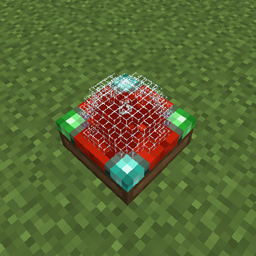
The Chance Globe is a block that, when placed down, will, similar to loot boxes in some other games, generate a random block or item out of all available blocks and items and place the block/drop the item after 10 seconds in its place. Note, that you can get any block or item, so you could end up with a useless stick, a dirt block, or even a nether star or diamond block! It's purely based on chance...so good luck! Do note that in 1.19.3, content that is part of experimental datapacks can only be received when the corresponding datapack is enabled.
You can craft the Chance Globe as follows (yes, you will receive 5 when crafting). All plank and glass types work:
## Configuration
There are 4 configuration options:
- filtered_blocks - Blocks whose registry names (e.g. minecraft:grass) are in this list will be filtered.
- filtered_items - Items whose registry names (e.g. minecraft:stick) are in this list will be filtered.
- filter_mode - Set to 0 to filter with a blacklist, meaning all blocks/items in the lists above cannot be used for randomization by the Chance Globe. Set to 1 to filter with a whitelist, meaning that only blocks/items in the lists above will be used for randomization by the Chance Globe.
- enable_filter - Set to true to enable filtering the blocks/items in the lists using the given filter mode, false to not filter anything and let the Chance Globe randomize using every block and item.
By default, filters are enabled and set to blacklist. The lists contain blocks/items such as bedrock, command blocks, barriers etc.
Showcase
You are allowed to use this mod in any modpack.
Come join me on Discord! https://discord.gg/kgZUAxK
Follow me on Twitter for mod updates and other shenanigans! https://twitter.com/bl4ckscor3
Chance Globe ఎలా ఇన్స్టాల్ చేయాలి
With Millida Launcher
Install Millida Launcher
The launcher is free: download it at millida.net/launcher and sign in with any nickname.
Click “Install” on this page
The launcher opens and installs the mod for Minecraft 1.20–26.3 on Fabric, Forge, NeoForge or Quilt automatically.
Launch the game
A profile with it appears in the launcher: click “Play”.
Manually
Install Fabric, Forge, NeoForge or Quilt
The loader must match the game version of the mod file, for example Minecraft 26.3. After installing it, a separate profile appears in your launcher.
Download the file for your version
In the version list above, pick the file chanceglobe-fabric-26.3-1.5.jar (97 KB) for your game version and loader.
Put it in the mods folder
The folder is inside .minecraft (Windows: %appdata%\.minecraft\mods). If it does not exist, create it.
Launch the loader profile
Open “Mods” in the main menu: Chance Globe should be in the list.
వెర్షన్లు
డిపెండెన్సీలతో
| Minecraft | లోడర్ | ఫైల్ | తేదీ | చర్యలు |
|---|---|---|---|---|
| 26.3 | Fabric, Quilt | chanceglobe-fabric-26.3-1.5.jar97.1 KB | ||
| 26.3 | NeoForge | chanceglobe-neoforge-26.3-1.5.jar95.9 KB | ||
| 1.20.1 | Forge | chanceglobe-1.20.1-1.3.7.jar27.7 KB |
FAQ
Which Minecraft versions does Chance Globe work on?
There are files for 26.3, 1.20.1, 1.20. The newest is 26.3.
Is Chance Globe for Forge or Fabric?
There are files for Fabric: 26.3, for Forge: 1.20–1.20.1, for NeoForge: 26.3 and for Quilt: 26.3.
Does Chance Globe need other mods?
The author lists no required dependencies: the Fabric, Forge, NeoForge or Quilt loader is enough.
Where can I download Chance Globe safely?
On this page: the file chanceglobe-fabric-26.3-1.5.jar (97 KB) is stored on Millida’s server, with no link shorteners. SHA-1 checksum: 7b748bbcf15e6c34054c4fc19aac2991ec398860.
సమీక్షలు
Chance Globeకు మొదటి రేటింగ్ ఇవ్వండి


