
Minecraft 1.19.4 కోసం Cauldron Dyeing మోడ్
Bedrock యొక్క కాల్డ్రన్ ఆధారిత ఆర్మర్ డైయింగ్ను Java Edition కు తీసుకురండి.
 Fabric
 Quilt
Quilt⚠️ This mod is no longer being updated on CurseForge!
The latest versions of Cauldron Dyeing can now be downloaded on Modrinth instead.
Cauldron Dyeing
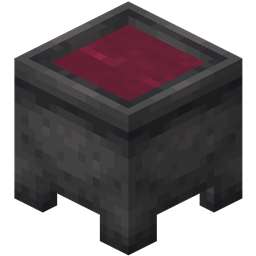
This mod adds Bedrock's ability to dye leather armor or leather horse armor with cauldrons to Java Edition.
The usage is the same as in Bedrock, using dye on a cauldron with water will color the water, adding dye multiple times will blend the dyes same as in a crafting table. When you use a dyeable item on the cauldron, it will add the current color in the cauldron to the item. Using a water bucket on a cauldron with dyed water will reset the color.
Using a dyed item on an un-dyed water cauldron will still remove its color.
Installation
Make sure you have the latest version of Fabric Loader or Quilt Loader installed. To install, just drag the mod jar into your mods folder along with either FAPI or QFAPI.
Compatibility
Cauldron Dyeing is ensured to be compatible with (Quilted) Fabric API, CaffeineMC mods, and Iris, if any incompatibility is found please report it on the issue tracker.
Note: The current method of displaying dyed water is not compatible with shaders that customize water color such as Complementary's Realistic-ish and RTX-ish settings.
Issues
Report any bugs, crashes, or other issues that may arise on the issue tracker.
Cauldron Dyeing ఎలా ఇన్స్టాల్ చేయాలి
With Millida Launcher
Install Millida Launcher
The launcher is free: download it at millida.net/launcher and sign in with any nickname.
Click “Install” on this page
The launcher opens and installs the mod for Minecraft 1.19.4 on Fabric or Quilt automatically.
Launch the game
A profile with it appears in the launcher: click “Play”.
Manually
Install Fabric or Quilt
The loader must match the game version of the mod file, for example Minecraft 1.19.4. After installing it, a separate profile appears in your launcher.
Download the file for your version
In the version list above, pick the file cauldron-dyeing-1.0.9.jar (34 KB) for your game version and loader.
Put it in the mods folder
The folder is inside .minecraft (Windows: %appdata%\.minecraft\mods). If it does not exist, create it.
Launch the loader profile
Open “Mods” in the main menu: Cauldron Dyeing should be in the list.
Minecraft 1.19.4 runs on Java 17: with a different Java version the game may close right after launch.
వెర్షన్లు
డిపెండెన్సీలతో
| Minecraft | లోడర్ | ఫైల్ | తేదీ | చర్యలు |
|---|---|---|---|---|
| 1.19.4 | Fabric, Quilt | Cauldron Dyeing 1.0.933.7 KB |
సమీక్షలు
Cauldron Dyeingకు మొదటి రేటింగ్ ఇవ్వండి


