
Minecraft 1.20.1 కోసం Bygone Nether మోడ్
నెదర్ డైమెన్షన్కు కొత్త బయోమ్-నిర్దిష్ట నిర్మాణాలు మరియు మాబ్లను జోడిస్తుంది
- డౌన్లోడ్లు
- 13 డౌన్లోడ్లు
- వ్యూలు
- 49 వ్యూలు
- అప్డేట్ చేయబడింది
- అప్డేట్ చేయబడింది 29.10.2026
- 1.20 — 1.20.1
 Forge
Forge
Bygone Nether మోడ్ గురించి
📖 గురించి:
Minecraft 1.16.5+ కోసం ఒక నెదర్ నిర్మాణ మోడ్, నెదర్ డైమెన్ వెనుక ఉన్న కథను ముందుకు తీసుకెళ్లడం, అలాగే సర్వైవల్ గేమ్ మోడ్లో అదనపు సవాళ్లు మరియు ఆకర్షణీయమైన గేమ్ప్లేను అందించడం లక్ష్యంగా పెట్టుకుంది.
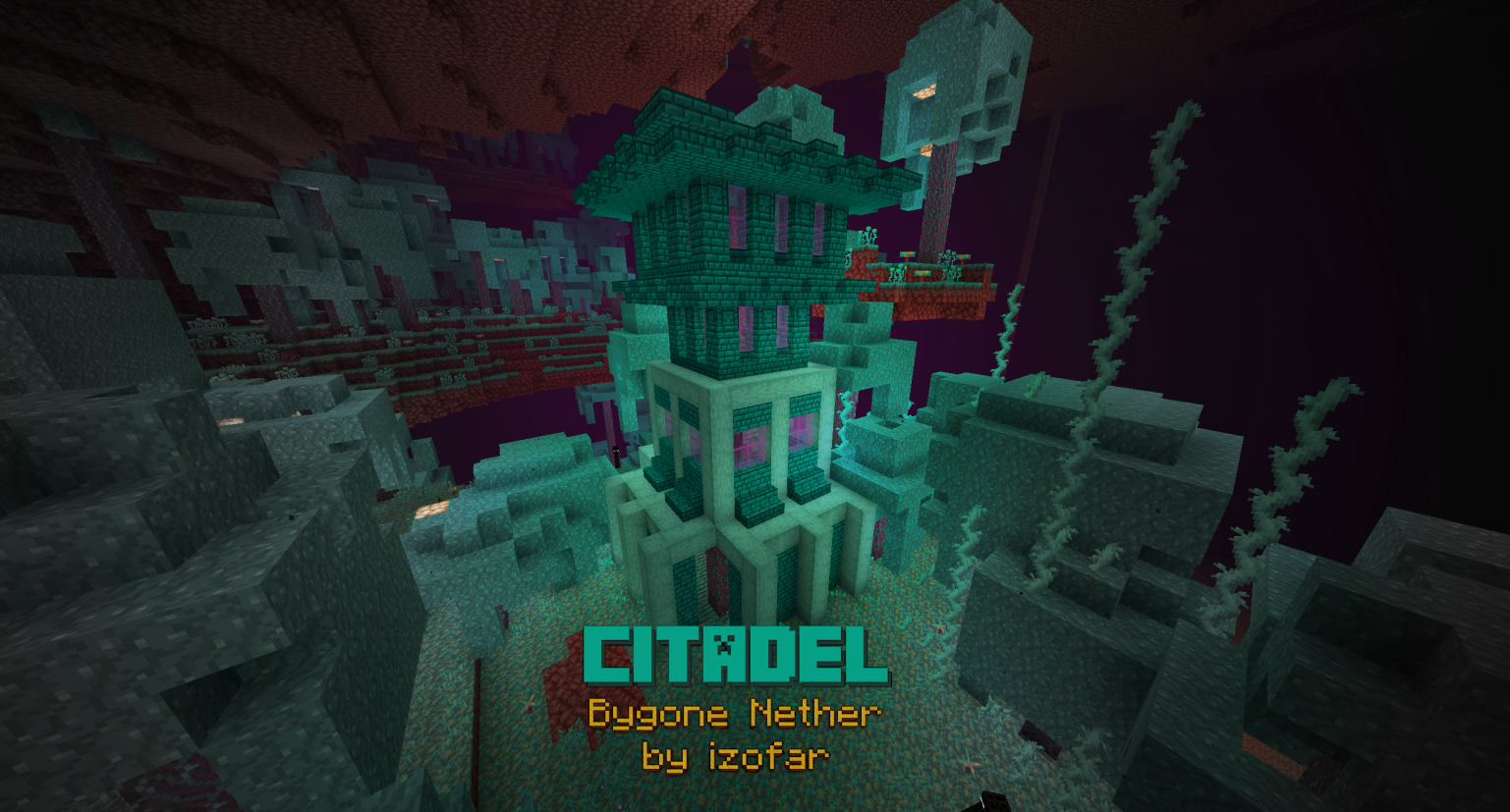
ప్రతి నెదర్ బయోమ్కు ప్రత్యేకమైన కొత్త నిర్మాణాలను, అలాగే వాటిలో నివసించే కొత్త మాబ్లను అన్వేషించండి. కోటల పునర్నిర్మాణం మరియు బసాల్ట్ డెల్టాస్కు బాస్టియన్ రెమ్నెంట్స్ జోడించడం ఇందులో ఉన్నాయి. స్పాయిలర్ల కోసం ఇమేజెస్ ట్యాబ్ చూడండి!
SoundCloudలో సౌండ్ట్రాక్ వినండి. ఇది రిలీజ్లో నా మొదటి మోడ్. నా ఇతర మోడ్లను కూడా చూడండి, మరిన్నింటి కోసం కన్ను వేయండి! దయచేసి క్రింద నన్ను సపోర్ట్ చేయడం గురించి ఆలోచించండి, అది అప్డేట్లు మరియు ఫిక్స్ల కోసం నాకు ఎక్కువ సమయం ఇస్తుంది.
💸 డొనేట్ & సపోర్ట్
🎥 వీడియోలు:
🍳 రెసిపీలు:
Gilded Netherite (Smithing Table):
Wither Summoning (Block Place):
❗ డిపెండెన్సీలు:
ఇతర మోడ్ డిపెండెన్సీలు లేవు!
📦 ఇతర మోడ్లతో ఇంటిగ్రేషన్లు:
Amplified Nether ✔️ ✔️ ✔️
Better Nether Reforged ✔️
Biomes O'Plenty ✔️ ✔️ ✔️ ✔️
Cinderscapes Reforged ✔️ ✔️
Create ✔️ ✔️ ✔️ ✔️
Incendium ✔️ ✔️ ✔️
Infernal Expansion ✔️ ✔️ ✔️ ✔️
Oh The Biomes You'll Go ✔️ ✔️ ✔️ ✔️
Quark ✔️ ✔️ ✔️ ✔️
🕷 క్రింద బగ్లను రిపోర్ట్ చేయండి

✔️ పాత సమస్యలకు ఫిక్స్లు ( tldr: Bygone Nether మరియు Forge రెండింటినీ అప్డేట్ చేయండి ):
- సమస్య: Amplified Nether గేమ్ను క్రాష్ చేస్తుంది; ఫిక్స్: మోడ్ను v1.3.1 లేదా తరువాత వరకు అప్డేట్ చేయండి
- సమస్య: Piglin prisoners hoglins పై దాడి చేయవు; ఫిక్స్: మోడ్ను v1.2.2 లేదా తరువాత వరకు అప్డేట్ చేయండి
- సమస్య: Withered Debris netherite కంటే ఎక్కువ టైర్లతో బ్రేక్ చేయబడదు; ఫిక్స్: మోడ్ను v1.2.2 లేదా తరువాత వరకు అప్డేట్ చేయండి
- సమస్య: నిర్మాణాలు నిరంతరం ఓవర్ల్యాప్ అవుతాయి; ఫిక్స్: మోడ్ను v1.2.2 లేదా తరువాత వరకు అప్డేట్ చేయండి
- సమస్య: Cobbled blackstone రెసిపీలు విరిగినట్లు కనిపిస్తాయి; ఫిక్స్: మోడ్ను v1.2.2 లేదా తరువాత వరకు అప్డేట్ చేయండి
- సమస్య: chiseled deepslate క్రాఫ్ట్ చేయలేము; ఫిక్స్: మోడ్ను v1.2.1 లేదా తరువాత వరకు అప్డేట్ చేయండి
- సమస్య: wither స్పాన్ చేయలేము; ఫిక్స్: మోడ్ను v1.2 లేదా తరువాత వరకు అప్డేట్ చేయండి
- సమస్య: piglin brutes కోసం రిసోర్స్ ప్యాక్లు తప్పుగా సరిపోయిన టెక్స్చర్లను కలిగిస్తాయి; ఫిక్స్: మోడ్ను v1.0.1 లేదా తరువాత వరకు అప్డేట్ చేయండి
- సమస్య: సబ్టైటిల్స్కు లోకలైజేషన్ లేదు; ఫిక్స్: మోడ్ను v1.1.2 లేదా తరువాత వరకు అప్డేట్ చేయండి
- సమస్య: Basalt నిలువు వరుసలు bastion remnants లోపల స్పాన్ అవుతూ, ఛెస్ట్లను భర్తీ చేస్తాయి; ఫిక్స్: మోడ్ను v1.1.2 లేదా తరువాత వరకు అప్డేట్ చేయండి
- సమస్య: Cobbled blackstone blackstone గా స్మెల్ట్ అవ్వదు; ఫిక్స్: మోడ్ను v1.1.2 లేదా తరువాత వరకు అప్డేట్ చేయండి
- సమస్య: Gilded Netherite armor రెసిపీ పని చేయదు; ఫిక్స్: v1.3.1 లేదా తరువాత వరకు అప్డేట్ చేయండి
- సమస్య: RandomSource కారణంగా Warped Enderman tick సమయంలో గేమ్ క్రాష్ అవుతుంది; ఫిక్స్: మోడ్ను v1.2.2. లేదా తరువాత వరకు అప్డేట్ చేయండి
- సమస్య: fortress తప్ప ఏ నిర్మాణాలను /locate చేయలేము; ఫిక్స్: మోడ్ను v1.1.1 లేదా తరువాత వరకు అప్డేట్ చేయండి
- సమస్య: Fortress అడ్వాన్స్మెంట్ లోకలైజ్ చేయబడలేదు; ఫిక్స్: మోడ్ను v1.2.2 లేదా తరువాత వరకు అప్డేట్ చేయండి
- సమస్య: NoClassDef ForgeSpawnEggItem; ఫిక్స్: Forge ను 1.16.5-36.2.17 లేదా తరువాత వరకు అప్డేట్ చేయండి
- సమస్య: Fortress మరియు Catacomb స్పానర్ బ్లాక్లు మాబ్లను స్పాన్ చేయవు (WAWLA చూపిస్తుంది: <ERROR>); ఫిక్స్: మోడ్ను v1.0.3 లేదా తరువాత వరకు అప్డేట్ చేయండి
- సమస్య: bygonenether.mixins.json:RepairOlderStructureSpawners కారణంగా సర్వర్ క్రాష్ అవుతుంది; ఫిక్స్: మోడ్ను v1.1.1 లేదా తరువాత వరకు అప్డేట్ చేయండి
- సమస్య: Wex దాడి యానిమేషన్ error టెక్స్చర్ను చూపిస్తుంది; ఫిక్స్: మోడ్ను v1.1.2 లేదా తరువాత వరకు అప్డేట్ చేయండి
🤍 కృతజ్ఞతలు:
ప్రత్యేక కృతజ్ఞతలు: అభివృద్ధి ప్రక్రియలో వారి సహాయం మరియు మార్గదర్శకత్వం కోసం Mod Development Discord నుండి Telepathic Grunt, Sizable Shrimp, Commoble, మరియు Cadiboo కు.
Bygone Nether ఎలా ఇన్స్టాల్ చేయాలి
With Millida Launcher
Install Millida Launcher
The launcher is free: download it at millida.net/launcher and sign in with any nickname.
Click “Install” on this page
The launcher opens and installs the mod for Minecraft 1.20–1.20.1 on Forge automatically.
Launch the game
A profile with it appears in the launcher: click “Play”.
Manually
Install Forge
The loader must match the game version of the mod file, for example Minecraft 1.20.1. After installing it, a separate profile appears in your launcher.
Download the file for your version
In the version list above, pick the file bygonenether-1.3.2-1.20.x.jar (7.3 MB) for your game version.
Put it in the mods folder
The folder is inside .minecraft (Windows: %appdata%\.minecraft\mods). If it does not exist, create it.
Launch the loader profile
Open “Mods” in the main menu: Bygone Nether should be in the list.
Minecraft 1.20.1 runs on Java 17: with a different Java version the game may close right after launch.
వెర్షన్లు
డిపెండెన్సీలతో
| Minecraft | లోడర్ | ఫైల్ | తేదీ | చర్యలు |
|---|---|---|---|---|
| 1.20.1 | Forge | Bygone Nether v1.3.2 [1.20.x]7.3 MB 13 |
FAQ
Which Minecraft versions does Bygone Nether work on?
There are files for 1.20.1, 1.20. The newest is 1.20.1.
Does Bygone Nether need other mods?
The author lists no required dependencies: the Forge loader is enough.
Which Java does Bygone Nether need?
Minecraft 1.20.1 runs on Java 17. If the game closes right after launch, the usual cause is the wrong Java version in the profile settings.
Where can I download Bygone Nether safely?
On this page: the file bygonenether-1.3.2-1.20.x.jar (7.3 MB) is stored on Millida’s server, with no link shorteners. SHA-1 checksum: 529e31d2877b87a8bf006f590513a33ab6b73171.
సమీక్షలు
Bygone Netherకు మొదటి రేటింగ్ ఇవ్వండి


