
Minecraft 1.20.1 కోసం Book Wyrms మోడ్
మీ enchanting books ను రీసైకిల్ చేయగల రంగుల బల్లులు.
 Forge
Forge NeoForge
Book Wyrms మోడ్ గురించి
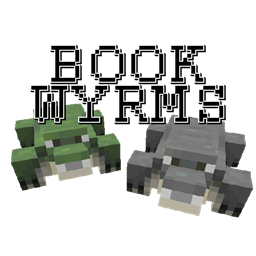
Book Wyrms adds Book Wyrms to your forests, lizards that come in a variety of colors. You can herd them for their meat and colorful scales, using plain books to breed them. Most importantly, you can feed them unwanted enchanted books to recycle them into new random enchanted books.
Wyrms come in 7 colors, each with a different pool of enchantments they can provide:
- Gray, most common, can produce any enchantment
- Red, can produce enchantments for melee weapons like Swords
- Orange, can produce enchantments for ranged weapons, like Bows or Crossbows
- Green, can produce enchantments for tools, like Pickaxes or Shovels
- Blue, can produce enchantments for armor or Shields
- Teal, can produce enchantments for Fishing Rods and Tridents
- Purple, can produce enchantments for some misc modded items like Domestication Innovation's Collar Tag (if none are present, they will act as Grays)
Additionally, Wyrms have various genes that affect their recycling behavior, which you can see using the Book Wyrm Analyzer:
- Enchanting level, determines how many levels the Wyrm needs to digest before making a new book (stronger enchantments are worth more levels) and how strong are the enchantments it can produce
- Digesting speed, determines how fast does the Wyrm digests books
- Indigestion chance, determines how likely the Wyrm is to have an indigestion and regurgitate some shredded paper and (magical) digestive fluids
While the boluses produced by indigestion may feel bad, they can be refed to recover part of the magic of the digested books, or made into Wyrmutagen. This substance will let you modify the stats or color of your Wyrms. Changing a Wyrm's color will also cause it to shed its previous scales, letting you peacefully obtain more (even if you changed it to the same color).
Spotlight (outdated textures):
Current mod compatibility:
- Any modded enchantment can be produced by Gray Wyrms, and also by the appropriate colored one if it's for a matching vanilla item (for example, Ars Nouveau's Mana Boost/Regen go on vanilla armor, and as such will automatically be added to the Blue pool if the mod is here)
- Guns Without Roses's guns go in the Orange pool
- Domestication Innovation's Collar Tag goes in the Purple pool
- Alex's Mobs's Straddleboard goes in the Purple pool
- Superior Shields's Shields go in the Purple pool
- Create's Potato Cannon goes in the Orange pool, Copper Backtank in the Blue pool
- I Wanna Skate's Skateboards go in the Purple pool
- If Farmer's Delight is present, you can slice Wyrm meat just like you can slice other meats, and the Stews will require the Cooking Pot to be made
- If Mekanism, Create, Thermal Expansion, or Integrated Dynamics is present, you can grind Scales into Dye using their machines
- If Botania is present, you can cycle through the Scales' color using a Mana Pool and the Alchemy Catalyst
Configuration:
- Natural spawns are done with a biome tag and a forge biome modifier, maybe a datapack/kubejs/crafttweaker can change them, let me know if that works
- Stats of wild Wyrms, the stat caps, and how effective are the various Wyrmutagens can be changed in the common config
- Enchantments that the various colored Wyrms can provide can be changed through the pool_<color> item tag (the enchantment pool is any enchantment that can be applied to at least one item in the tag, empty tag = default to all enchantments)
- If you get reported about a "Suspicious Chad Bolus", it means that there are no enchantments for a given color pool at a given enchanting level, check the configs for ways to mitigate if necessary (it shouldn't happen in vanilla with unconfigured values, might come up with higher enchanted values, modified pools, or unlucky mod compat with the purple pool)
Book Wyrms ఎలా ఇన్స్టాల్ చేయాలి
With Millida Launcher
Install Millida Launcher
The launcher is free: download it at millida.net/launcher and sign in with any nickname.
Click “Install” on this page
The launcher opens and installs the mod for Minecraft 1.20.1 on Forge or NeoForge automatically.
Launch the game
A profile with it appears in the launcher: click “Play”.
Manually
Install Forge or NeoForge
The loader must match the game version of the mod file, for example Minecraft 1.20.1. After installing it, a separate profile appears in your launcher.
Download the file for your version
In the version list above, pick the file bookwyrms-1.20.1-1.2.1.jar (378 KB) for your game version and loader.
Put it in the mods folder
The folder is inside .minecraft (Windows: %appdata%\.minecraft\mods). If it does not exist, create it.
Launch the loader profile
Open “Mods” in the main menu: Book Wyrms should be in the list.
Minecraft 1.20.1 runs on Java 17: with a different Java version the game may close right after launch.
వెర్షన్లు
డిపెండెన్సీలతో
| Minecraft | లోడర్ | ఫైల్ | తేదీ | చర్యలు |
|---|---|---|---|---|
| 1.20.1 | Forge, NeoForge | bookwyrms-1.20.1-1.2.1.jar378 KB |
FAQ
Which Minecraft versions does Book Wyrms work on?
Only Minecraft 1.20.1: there are no files for other versions.
Is Book Wyrms for Forge or Fabric?
There are files for Forge: 1.20.1 and for NeoForge: 1.20.1. There are no files for Fabric: a mod for another loader will not start.
Does Book Wyrms need other mods?
The author lists no required dependencies: the Forge or NeoForge loader is enough.
Which Java does Book Wyrms need?
Minecraft 1.20.1 runs on Java 17. If the game closes right after launch, the usual cause is the wrong Java version in the profile settings.
Where can I download Book Wyrms safely?
On this page: the file bookwyrms-1.20.1-1.2.1.jar (378 KB) is stored on Millida’s server, with no link shorteners. SHA-1 checksum: 94d586cee6753a95424da97c069a28492433127a.
సమీక్షలు
Book Wyrmsకు మొదటి రేటింగ్ ఇవ్వండి


