
 Fabric
Block Swap (Fabric) మోడ్ గురించి
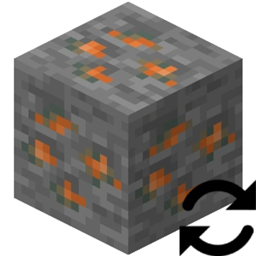
Block Swap అనేది ఒక సాధారణ మోడ్, ఇది ఒక బ్లాక్ను మరొక బ్లాక్తో భర్తీ చేయడానికి మిమ్మల్ని అనుమతిస్తుంది. ఇది వరల్డ్ జెన్ సమయంలో మరియు ప్రత్యక్షంగా రూపొందించిన ప్రపంచంలో బ్లాక్లను ఉంచేటప్పుడు రెండింటిలోనూ పనిచేస్తుంది.
నాకు ఇది ఎందుకు కావాలి?
ఇలా ఊహించుకోండి: మీరు 25 టెక్నాలజీ మోడ్లను ఇన్స్టాల్ చేసారు మరియు మీ దగ్గర 10 టిన్ ఖనిజాలు, 14 రాగి ఖనిజాలు, 4 యురేనియం ఖనిజాలు, 10 సీసం ఖనిజాలు మరియు 15 వెండి ఖనిజాలు ఉన్నాయి. లేదా బహుశా.... మీరు Oh The Biomes You'll Go మరియు Biomes O' Plenty ఇన్స్టాల్ చేసారు మరియు రెండు మోడ్లు Redwood Logsను జోడించడం మీకు నచ్చలేదు.
బాధాకరం కదా? ఇప్పుడు ఈ డూప్లికేట్ బ్లాక్లను ఒకే బ్లాక్గా మార్చడానికి మిమ్మల్ని అనుమతించే మోడ్ను ఊహించుకోండి... అవును మీరు దాన్ని ఇప్పుడే కనుగొన్నారు!
ఈ మోడ్ దాని కాన్ఫిగ్లో Block A ను Block B తో భర్తీ చేయడానికి మిమ్మల్ని అనుమతిస్తుంది, అంతే.
కానీ Block State లక్షణాల గురించి ఏమిటి?
ఈ మోడ్ Block A యొక్క Block State నుండి Block B యొక్క Block State కు Block State లక్షణాలను రీమ్యాప్ చేస్తుంది (ఆ లక్షణం ఉన్నట్లయితే).
పనితీరు? ఇది నెమ్మదిగా ఉంటుందా?
నా స్వంత ప్రొఫైలింగ్లో, దీని వల్ల ఎటువంటి పనితీరు ప్రభావం లేదు.
కాన్ఫిగ్
ప్రతి ప్రపంచ లోడ్లో కాన్ఫిగ్ మళ్లీ లోడ్ అవుతుంది.
Block Swap (Fabric) ఎలా ఇన్స్టాల్ చేయాలి
With Millida Launcher
Install Millida Launcher
The launcher is free: download it at millida.net/launcher and sign in with any nickname.
Click “Install” on this page
The launcher opens and installs the mod for Minecraft 1.19.2 on Fabric automatically.
Launch the game
A profile with it appears in the launcher: click “Play”.
Manually
Install Fabric
The loader must match the game version of the mod file, for example Minecraft 1.19.2. After installing it, a separate profile appears in your launcher.
Download the file for your version
In the version list above, pick the file Block Swap-fabric-1.19.2-2.0.0.1.jar (310 KB) for your game version.
Put it in the mods folder
The folder is inside .minecraft (Windows: %appdata%\.minecraft\mods). If it does not exist, create it.
Launch the loader profile
Open “Mods” in the main menu: Block Swap (Fabric) should be in the list.
Minecraft 1.19.2 runs on Java 17: with a different Java version the game may close right after launch.
వెర్షన్లు
డిపెండెన్సీలతో
| Minecraft | లోడర్ | ఫైల్ | తేదీ | చర్యలు |
|---|---|---|---|---|
| 1.19.2 | Fabric | Block Swap-fabric-1.19.2-2.0.0.1.jar310 KB |
FAQ
Which Minecraft versions does Block Swap (Fabric) work on?
Only Minecraft 1.19.2: there are no files for other versions.
Is Block Swap (Fabric) for Forge or Fabric?
Only for Fabric: 1.19.2. There are no files for Forge or NeoForge: a mod for another loader will not start.
Does Block Swap (Fabric) need other mods?
The author lists no required dependencies: the Fabric loader is enough.
Which Java does Block Swap (Fabric) need?
Minecraft 1.19.2 runs on Java 17. If the game closes right after launch, the usual cause is the wrong Java version in the profile settings.
Where can I download Block Swap (Fabric) safely?
On this page: the file Block Swap-fabric-1.19.2-2.0.0.1.jar (310 KB) is stored on Millida’s server, with no link shorteners. SHA-1 checksum: 40f8faadd2feb6dcba2aa74cc904b23a841b19eb.
సమీక్షలు
Block Swap (Fabric)కు మొదటి రేటింగ్ ఇవ్వండి


