
Minecraft 1.21.10 కోసం Block Entity Render Distance మోడ్
Block Entity యొక్క రెండరింగ్ దూరాన్ని పరిమితం చేస్తుంది
 Fabric
 Quilt
QuiltABOUT:
The mod aims to optimize Block Entity (chests, signs, banners, etc.). This mod does NOT replace other Entity optimization mods; it complements them.
All Block Entities have a fixed rendering radius (64 blocks). More details about this can be found on the Wiki. This mod allows you to change the rendering distance. For example, signs can be rendered up to 32 blocks away from the player, and chests up to 48 blocks away, instead of 64.
It is possible to configure.
Optimization:
It is worth noting that the mod performs best in areas with many chests and signs. These include spawn points, warehouses, cities, or player shops on servers.
It also depends on the settings you choose. By default, the mod does not significantly reduce the range from 24-32-48 to a fixed 64. However, if your computer is very weak, you can safely limit the distance to 8 or 16. But this may affect your perception of the game, as chests and signs will only load if you get close enough to them.
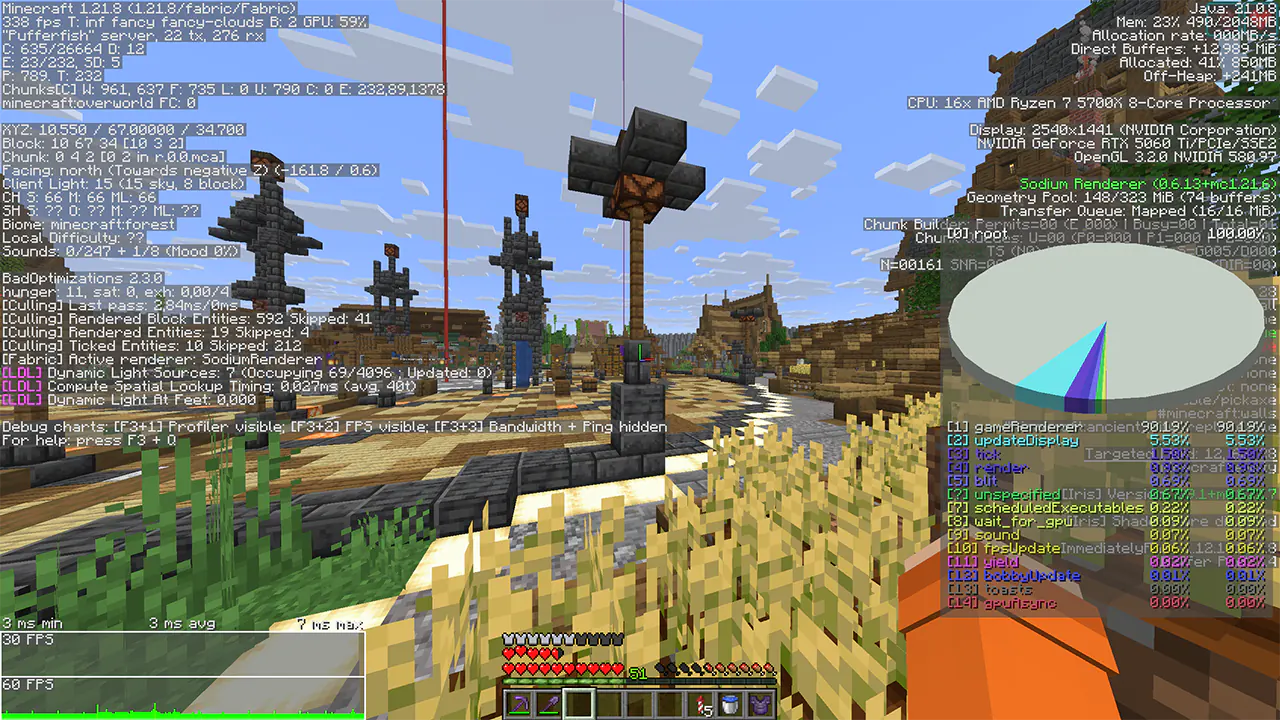
Average FPS increase of +5% to +10% in busy areas. But it could be more.
OFF:
ON:
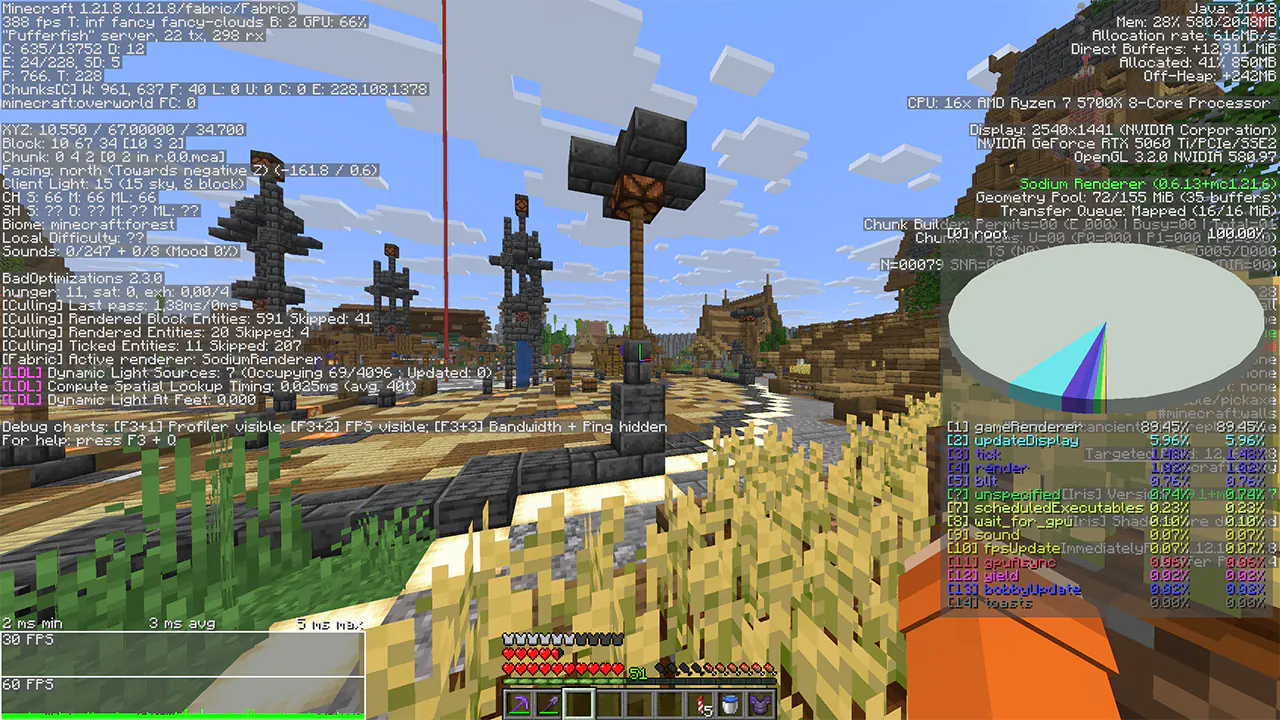
Despite the fact that the test used a 5060ti, I still saw an increase in performance. You can verify this by looking at the frame time and FPS graph.
Settings:
The mod does not have a GUI interface, so configuration is done via console commands or by manually changing the config.
The configuration file is located in config/BlockEntityRenderDistanceConfig.json
Each entity is configured separately there.
Command Description Default
/BlockEntityRВ get Display current settings
/BlockEntityRВ reload Restarts the mod configuration
/BlockEntityRВ set isEnabled Turns the mod On or Off true
/BlockEntityRВ set UseGlobalValue Turns On or Off the use of a single value for all Block Entities false
/BlockEntityRВ set GlobalValue Common meaning for all Block Entities 40
/BlockEntityRВ set CheckIntervalTicks The frequency of checking the distance of all Block Entities to the player 20
More details CheckIntervalTicks about:
The value 20 = 1 second, 10 = 0.5 seconds, 40 = 2 seconds, etc. That is, by default, the distance to the player is updated once every second. This may save some computer resources. The lower the value, say 1, the faster Block Entities turn on and off. If the value is higher, say 60, the opposite is true.
Block Entity Render Distance ఎలా ఇన్స్టాల్ చేయాలి
With Millida Launcher
Install Millida Launcher
The launcher is free: download it at millida.net/launcher and sign in with any nickname.
Click “Install” on this page
The launcher opens and installs the mod for Minecraft 1.21.10 on Fabric or Quilt automatically.
Launch the game
A profile with it appears in the launcher: click “Play”.
Manually
Install Fabric or Quilt
The loader must match the game version of the mod file, for example Minecraft 1.21.10. After installing it, a separate profile appears in your launcher.
Download the file for your version
In the version list above, pick the file BlockEntityDistance-1.0.0.jar (41 KB) for your game version and loader.
Put it in the mods folder
The folder is inside .minecraft (Windows: %appdata%\.minecraft\mods). If it does not exist, create it.
Launch the loader profile
Open “Mods” in the main menu: Block Entity Render Distance should be in the list.
Minecraft 1.21.10 runs on Java 21: with a different Java version the game may close right after launch.
వెర్షన్లు
డిపెండెన్సీలతో
| Minecraft | లోడర్ | ఫైల్ | తేదీ | చర్యలు |
|---|---|---|---|---|
| 1.21.10 | Fabric, Quilt | 1.21.10 (Fabric 1.17.3) OLD41.1 KB |
FAQ
Which Minecraft versions does Block Entity Render Distance work on?
Only Minecraft 1.21.10: there are no files for other versions.
Is Block Entity Render Distance for Forge or Fabric?
There are files for Fabric: 1.21.10 and for Quilt: 1.21.10. There are no files for Forge or NeoForge: a mod for another loader will not start.
Does Block Entity Render Distance need other mods?
The author lists no required dependencies: the Fabric or Quilt loader is enough.
Which Java does Block Entity Render Distance need?
Minecraft 1.21.10 runs on Java 21. If the game closes right after launch, the usual cause is the wrong Java version in the profile settings.
Where can I download Block Entity Render Distance safely?
On this page: the file BlockEntityDistance-1.0.0.jar (41 KB) is stored on Millida’s server, with no link shorteners. SHA-1 checksum: b748302588f842b55832811707bab2261cc06a44.
సమీక్షలు
Block Entity Render Distanceకు మొదటి రేటింగ్ ఇవ్వండి


