

Minecraft 26.3 కోసం Bedrock Skins మోడ్
Bedrock Edition మరియు Legacy Console Edition స్కిన్ ప్యాక్లను Java Edition లో స్థానికంగా ఉపయోగించడానికి అనుమతిస్తుంది!
 Fabric
 Quilt
Quilt NeoForge
Bedrock Skins
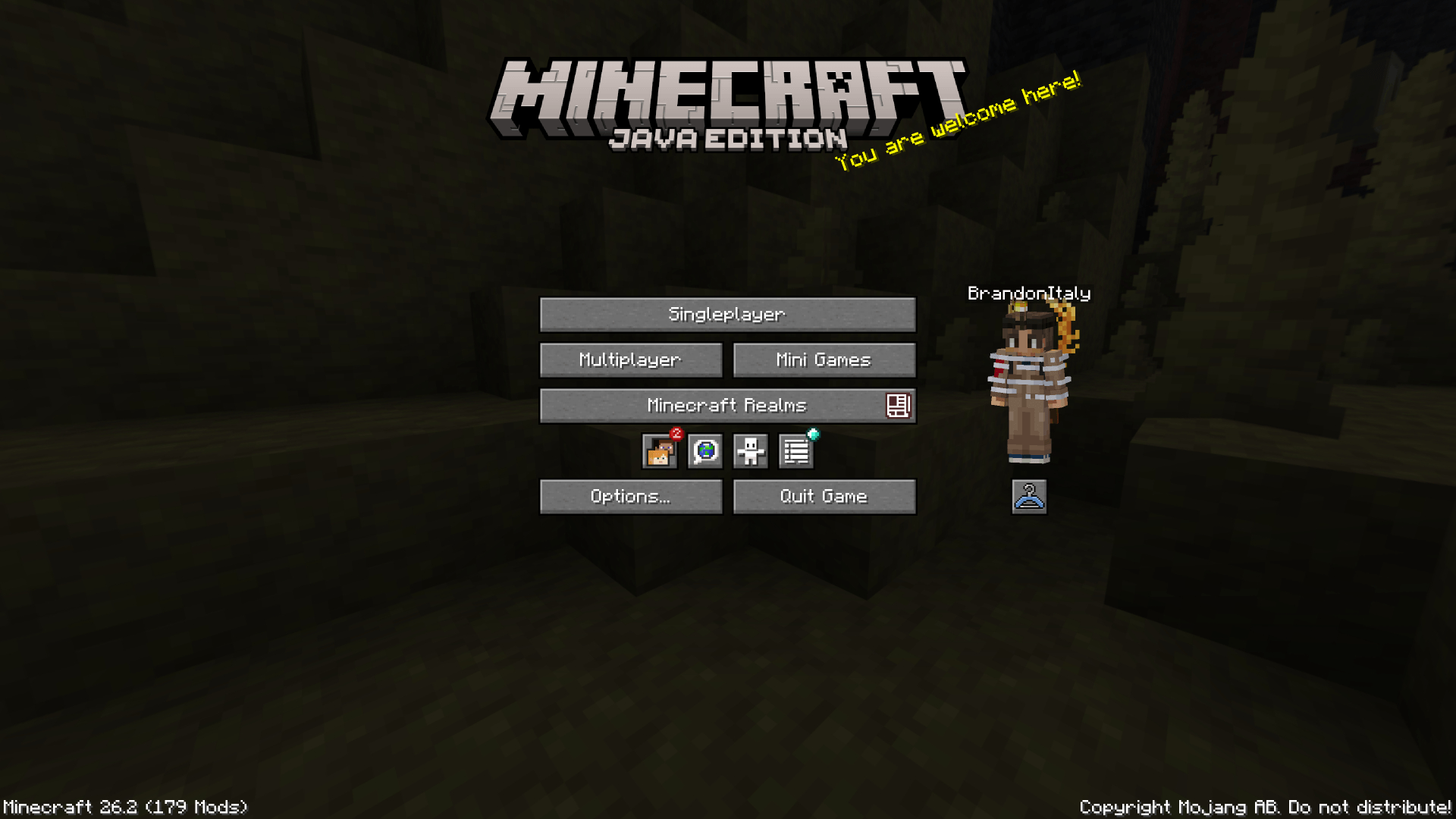
This mod allows you to load and render skins from Bedrock Edition and Legacy Console Edition Skin Packs natively. It enables fully custom 3D geometry, unique skin animations, as well as high-resolution textures.
Features
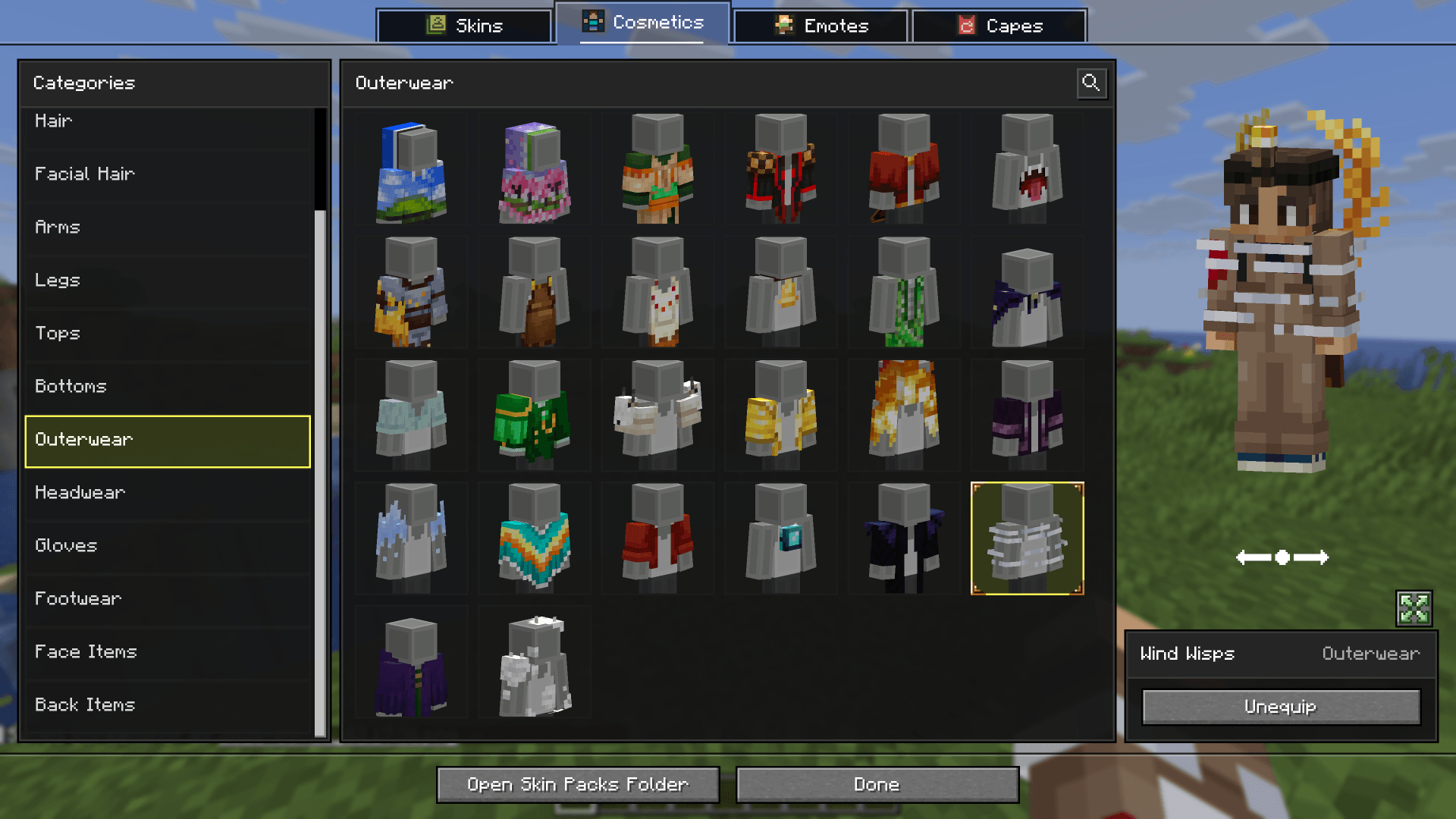
- Native Bedrock Geometry: Natively supports standard Bedrock JSON geometry files, allowing for complex, custom 3D models.
- Custom Animations & HD Textures: Fully supports unique skin animations and high-resolution textures included in skin packs.
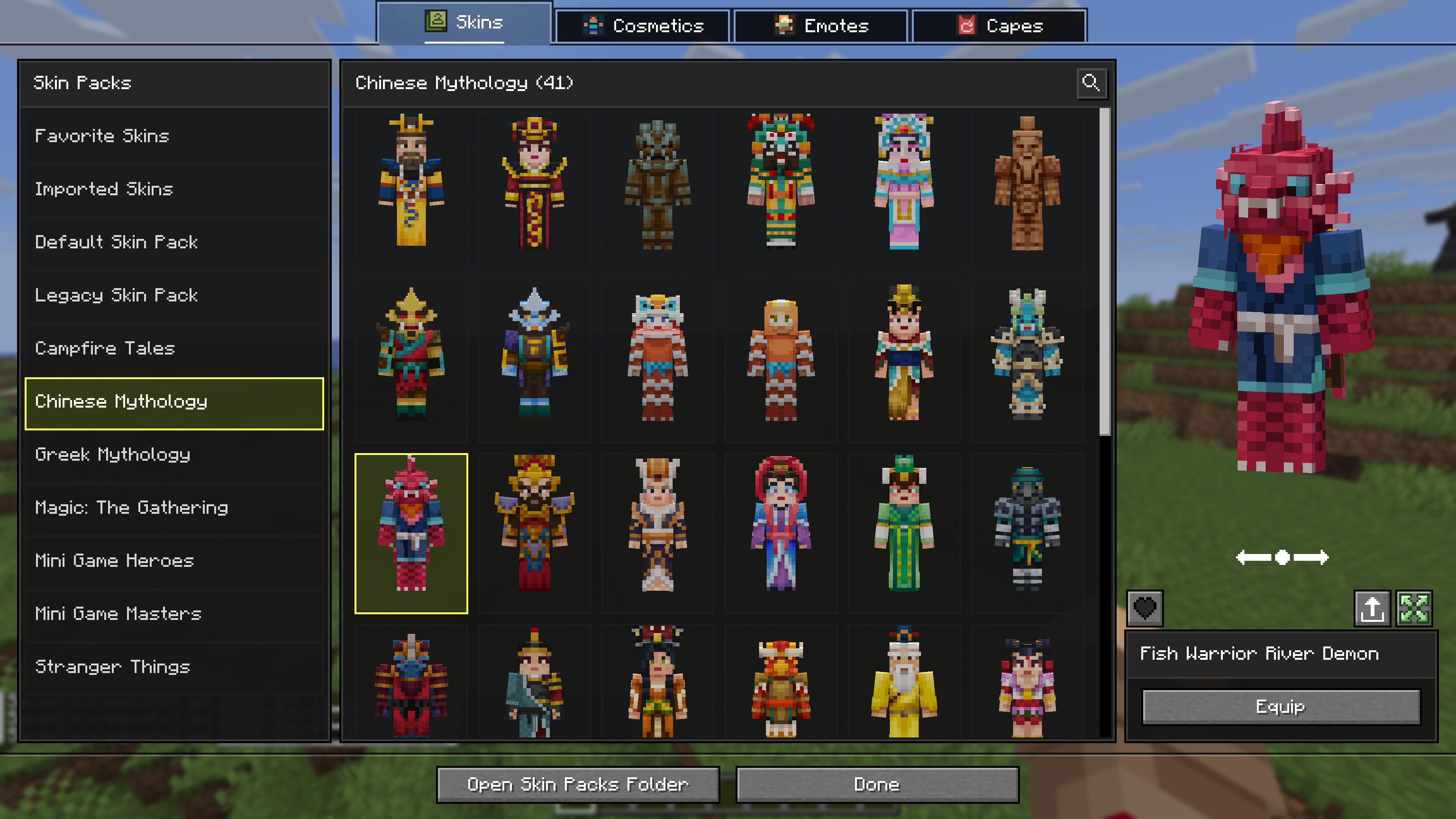
- Change Skin Screen: Access the change skin screen by pressing K, or via the buttons added directly to both the Main Menu and the Pause Screen. Browse your installed packs, preview skins, and manage your favorites.
- Paper Doll Render: Features a paper doll render of your currently selected skin in the Main Menu and the Pause Screen, right above the change skin button.
- Legacy4J Compatibility: Enjoy native support for the Legacy4J mod.
Downloading Skin Packs
Additional skin packs can be downloaded with the following resource pack.
- Bedrock Skin Packs
Adding Custom Skin Packs
- Run the game once to generate the skin_packs folder in your main game directory (e.g., .minecraft/skin_packs).
- Place your Bedrock Edition skin pack folders directly into this directory.
- Ensure your pack folder contains a skins.json file. If your skins utilize custom models, a geometry.json file is also required.
Example: .minecraft/skin_packs/MyCustomPack/skins.json

Bedrock Skins ఎలా ఇన్స్టాల్ చేయాలి
Install Millida Launcher
The launcher is free: download it at millida.net/launcher and sign in with any nickname.
Click “Install” on this page
The launcher opens and installs the mod for Minecraft 1.21.9–26.3 on Fabric, NeoForge or Quilt automatically.
Launch the game
A profile with it appears in the launcher: click “Play”.
వెర్షన్లు
డిపెండెన్సీలతో
| Minecraft | లోడర్ | ఫైల్ | తేదీ | చర్యలు |
|---|---|---|---|---|
| 26.3 | Fabric, Quilt | Bedrock Skins [Fabric] 26.3-2.1.04.5 MB 26 | ||
| 1.21.9 | NeoForge | Bedrock Skins [NeoForge] 1.21.9-2.0.11.2 MB |
సమీక్షలు
Bedrock Skinsకు మొదటి రేటింగ్ ఇవ్వండి


