
Minecraft 26.3 కోసం Advancement Screenshot మోడ్
📸 [క్లయింట్] ప్రతిసారీ ఒక అడ్వాన్స్మెంట్ సాధించినప్పుడు స్క్రీన్షాట్ తీసుకుంటుంది. మీ పురోగతిని డాక్యుమెంట్ చేయండి!
 Fabric
 Forge
 NeoForge
 Quilt
Advancement Screenshot మోడ్ గురించి
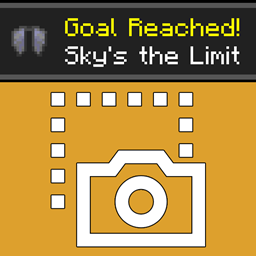
Advancement Screenshot is a client-side mod which can automatically document the journey through a world without having to remember to take screenshots manually. Every time an advancement is achieved, a screenshot will be taken. The same code as the screenshot key (F2) is used, so the screenshots are located in the default folder. Works in multiplayer environments with the mod only on the client.
There is a 1 second delay in between getting the advancement and the actual screenshot. This allows some time for the message in the top right to appear.
All available config options:
showScreenshotTakenMessage default false If enabled, shows the normal screenshot taken (same as F2) message when a screenshot is taken after an advancement.
takeScreenshotTickDelay default 20, min 0, max 100 How many ticks the mod should wait until it takes a screenshot. By default 1 second. 20 ticks = 1 second
You may freely use this mod in any modpack, as long as the download remains hosted within the CurseForge or Modrinth ecosystem.
Serilum.com contains an overview and more information on all mods available.
Comments are disabled as I'm unable to keep track of them across so many separate mod pages. For issues, ideas, suggestions or anything else there is the Github repo. Thanks!
Advancement Screenshot ఎలా ఇన్స్టాల్ చేయాలి
With Millida Launcher
Install Millida Launcher
The launcher is free: download it at millida.net/launcher and sign in with any nickname.
Click “Install” on this page
The launcher opens and installs the mod for Minecraft 1.19.3–26.3 on Fabric, Forge, NeoForge or Quilt automatically.
Launch the game
A profile with it appears in the launcher: click “Play”.
Manually
Install Fabric, Forge, NeoForge or Quilt
The loader must match the game version of the mod file, for example Minecraft 26.3. After installing it, a separate profile appears in your launcher.
Download the file for your version
In the version list above, pick the file advancementscreenshot-26.3.0-5.2.jar (41 KB) for your game version and loader.
Put it in the mods folder
The folder is inside .minecraft (Windows: %appdata%\.minecraft\mods). If it does not exist, create it.
Launch the loader profile
Open “Mods” in the main menu: Advancement Screenshot should be in the list.
వెర్షన్లు
డిపెండెన్సీలతో
| Minecraft | లోడర్ | ఫైల్ | తేదీ | చర్యలు |
|---|---|---|---|---|
| 26.3 | Fabric, Forge, NeoForge, Quilt | [Fabric/Forge/Neo] 26.3.0-5.2 | Advancement Screenshot41 KB | ||
| 1.19.3 | Forge | advancementscreenshot_1.19.3-3.6.jar10.2 KB |
FAQ
Which Minecraft versions does Advancement Screenshot work on?
There are files for 26.3, 1.19.3. The newest is 26.3.
Is Advancement Screenshot for Forge or Fabric?
There are files for Fabric: 26.3, for Forge: 1.19.3–26.3, for NeoForge: 26.3 and for Quilt: 26.3.
Does Advancement Screenshot need other mods?
The author lists no required dependencies: the Fabric, Forge, NeoForge or Quilt loader is enough.
Where can I download Advancement Screenshot safely?
On this page: the file advancementscreenshot-26.3.0-5.2.jar (41 KB) is stored on Millida’s server, with no link shorteners. SHA-1 checksum: 427614cf60d17ba09b6ab92645ae056154756419.
సమీక్షలు
Advancement Screenshotకు మొదటి రేటింగ్ ఇవ్వండి


