
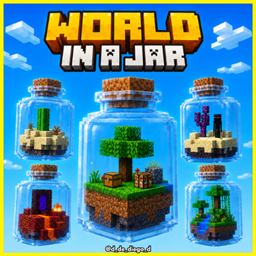
Minecraft 1.20.1, 1.21 కోసం WORLD IN JAR మ్యాప్
ఈ మ్యాప్ ఒక ప్రపంచం కానీ దానిలో కేవలం ఒక బాటిల్ ఉంది
WORLD IN JAR మ్యాప్ గురించి

WORLD IN JAR
ENGLISH
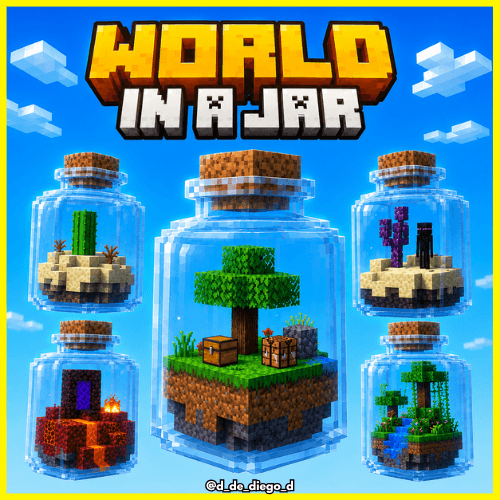
Discover a unique world in Minecraft with our exclusive WORLD IN JAR map, where the adventure begins inside a bottle. This vibrant environment, with its striking green and yellow construction, offers you a unique challenge: you will only have a bottle and the necessary materials to advance! Immerse yourself in this innovative gaming experience, where creativity and strategy are key to completing your mission. Ideal for players looking for an exciting challenge and a new way to enjoy Minecraft. Don't miss the opportunity to explore this map and demonstrate your skills!
In the Nether, you'll find a challenge for OP loot. You'll need to find 3 sponges. For each sponge, you can open a bottle containing a chest containing OP loot.
----New----
-New Isle of the End. -New Nether. -New loot. -New challenge: find the 2 sponges.
By @d_de_diego_d
ESPAÑOL
Descubre un mundo único en Minecraft con nuestro mapa exclusivo de WORLD IN JAR, donde la aventura comienza dentro de una botella. Este entorno vibrante, con su llamativa construcción en verde y amarillo, te ofrece un desafío singular: ¡solo contarás con una botella y los materiales necesarios para avanzar! Sumérgete en esta experiencia de juego innovadora, donde la creatividad y la estrategia son clave para completar tu misión. Ideal para jugadores que buscan un reto emocionante y una nueva forma de disfrutar de Minecraft. ¡No te pierdas la oportunidad de explorar este mapa y demostrar tus habilidades!
En el Nether encontraras un reto por loot OP, deberas buscar 3 esponjas, por cada esponja podras abrir una botella con un cofre con LOOT OP.
----Nuevo----
-Nueva Isla del End. -Nuevo Nether. -Nuevo Loot. -Nuevo reto, encuentra las 2 esponjas.
By @d_de_diego_d
❤️ Support Me ❤️


⭐ Our Projects⭐




(c) TRIDEX 2025 - All Rights Reserved
WORLD IN JAR ఎలా ఇన్స్టాల్ చేయాలి
With Millida Launcher
Install Millida Launcher
The launcher is free: download it at millida.net/launcher and sign in with any nickname.
Click “Install” on this page
The launcher opens and installs the map for Minecraft 0.16–1.21.130 automatically.
Launch the game
A profile with it appears in the launcher: click “Play”.
Manually
Download the map archive
Pick the file World in a Jar.mcworld (1.2 MB).
Unpack it into the saves folder
The world folder (with level.dat inside) must sit directly in .minecraft/saves.
Open the world
“Singleplayer”: the map will be in your world list.
On a server
Replace the world folder
Stop the server and put the map folder in place of world (or set its name in level-name).
Use the “To server” button
On Millida Hosting, the button at the top of the page uploads the file to your server and restarts it for you.
వెర్షన్లు
డిపెండెన్సీలతో
| Minecraft | లోడర్ | ఫైల్ | తేదీ | చర్యలు |
|---|---|---|---|---|
| 1.20.40 | — | World in a Jar1.2 MB 17 |
FAQ
Which Minecraft versions does WORLD IN JAR work on?
There are files for 0.16–1.21.130, 90 versions in total. The newest is 1.21.130.
Where can I download WORLD IN JAR safely?
On this page: the file World in a Jar.mcworld (1.2 MB) is stored on Millida’s server, with no link shorteners. SHA-1 checksum: 717c157879b07c4cf4bc590f820d854033717334.
సమీక్షలు
WORLD IN JARకు మొదటి రేటింగ్ ఇవ్వండి



