
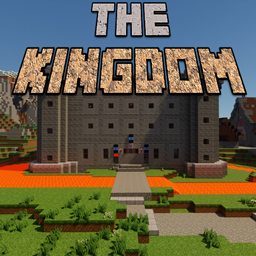
Minecraft 1.16.4 కోసం The Kingdom మ్యాప్
కోట, చర్చి మరియు అనేక ఇతర భవనాలతో ఒక రాజ్యంలో ఆడండి.
The Kingdom మ్యాప్ గురించి
Play in a The Ultimate Kingdom with Castle, Church and many other buildings.
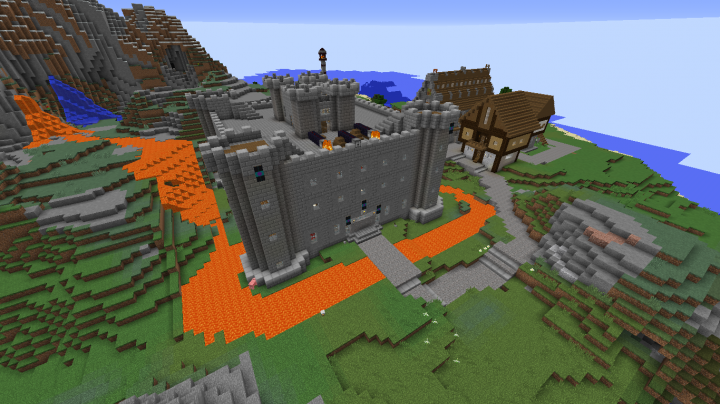
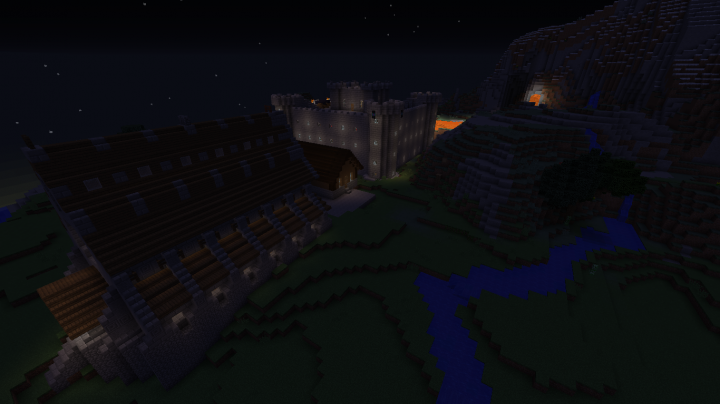
This map is in continuous expansion and brings us a medieval adventure with castles, markets and many other medieval structures.
Recommended Mediaval Texture: Clarity | Pixel Perfection [32x]
Some images:
You can see more in Planet Minecraft.
The Kingdom ఎలా ఇన్స్టాల్ చేయాలి
With Millida Launcher
Install Millida Launcher
The launcher is free: download it at millida.net/launcher and sign in with any nickname.
Click “Install” on this page
The launcher opens and installs the map for Minecraft 1.13–1.16.4 automatically.
Launch the game
A profile with it appears in the launcher: click “Play”.
Manually
Download the map archive
Pick the file The-Kingdom(1.0.0).zip (9.3 MB).
Unpack it into the saves folder
The world folder (with level.dat inside) must sit directly in .minecraft/saves.
Open the world
“Singleplayer”: the map will be in your world list.
On a server
Replace the world folder
Stop the server and put the map folder in place of world (or set its name in level-name).
Use the “To server” button
On Millida Hosting, the button at the top of the page uploads the file to your server and restarts it for you.
వెర్షన్లు
డిపెండెన్సీలతో
| Minecraft | లోడర్ | ఫైల్ | తేదీ | చర్యలు |
|---|---|---|---|---|
| 1.16.3 | — | The-Kingdom(1.0.0).zip9.3 MB |
FAQ
Which Minecraft versions does The Kingdom work on?
There are files for 1.13–1.16.4, 8 versions in total. The newest is 1.16.4.
Where can I download The Kingdom safely?
On this page: the file The-Kingdom(1.0.0).zip (9.3 MB) is stored on Millida’s server, with no link shorteners. SHA-1 checksum: 0fab30d005c269345c96054924d18cd1a2346c69.
సమీక్షలు
The Kingdomకు మొదటి రేటింగ్ ఇవ్వండి



