
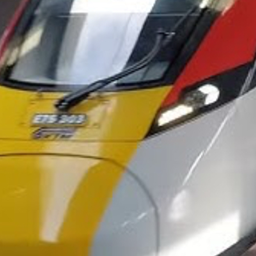
Minecraft 1.21.132 కోసం Minecraft train world మ్యాప్
మ్యాప్ రకం: సింగిల్-లైన్ ట్రాన్సిట్ / సీనిక్ రైల్ ట్రాక్ శైలి: [ఒకటి ఎంచుకోండి: సీనిక్ / హై-స్పీడ్ / సర్వైవల్-రెడీ] మొత్తం స్టాప్లు: 2 (ప్రారంభం మరియు ముగింపు) సిఫార్సు చేయబడిన యాడాన్: Minecraft రవాణా కంట్రోలర్, ఏదైనా mtc రైళ్లు.
Minecraft train world మ్యాప్ గురించి
A functional, single-line railway designed to get you from point A to point B fast. No confusing junctions or messy tracks—just a straight, reliable connection between two main hubs. Perfect for players who want a clean transit system for their world. Feature: Fully powered rails for maximum speed. Stations: Includes two detailed terminal stations. Use: Great for testing train add-ons or just quick travel.
Minecraft train world ఎలా ఇన్స్టాల్ చేయాలి
With Millida Launcher
Install Millida Launcher
The launcher is free: download it at millida.net/launcher and sign in with any nickname.
Click “Install” on this page
The launcher opens and installs the map for Minecraft 1.21.132 automatically.
Launch the game
A profile with it appears in the launcher: click “Play”.
On a server
Replace the world folder
Stop the server and put the map folder in place of world (or set its name in level-name).
Use the “To server” button
On Millida Hosting, the button at the top of the page uploads the file to your server and restarts it for you.
వెర్షన్లు
డిపెండెన్సీలతో
| Minecraft | లోడర్ | ఫైల్ | తేదీ | చర్యలు |
|---|---|---|---|---|
| 1.21.132 | — | My train world!52.5 MB |
FAQ
Which Minecraft versions does Minecraft train world work on?
Only Minecraft 1.21.132: there are no files for other versions.
How do I download Minecraft train world?
With Millida Launcher: it installs Minecraft train world into a modpack by itself, for the right game version and loader. The launcher is free.
సమీక్షలు
Minecraft train worldకు మొదటి రేటింగ్ ఇవ్వండి



