

Minecraft 26.30 కోసం Minecraft education hardcore mode మ్యాప్
Minecraft Education కోసం హార్డ్కోర్ మోడ్
Minecraft education hardcore mode మ్యాప్ గురించి
Minecraft Education Edition: True Hardcore Mode
Bring the ultimate survival challenge to Minecraft Education Edition! This official .mctemplate file unlocks a true Hardcore experience natively within the game. No mods or external addons are required.
Key Features
- True Hardcore Mode: Fully functional permadeath inside Education Edition.
- One Life Only: If you die, you cannot respawn. Game over!
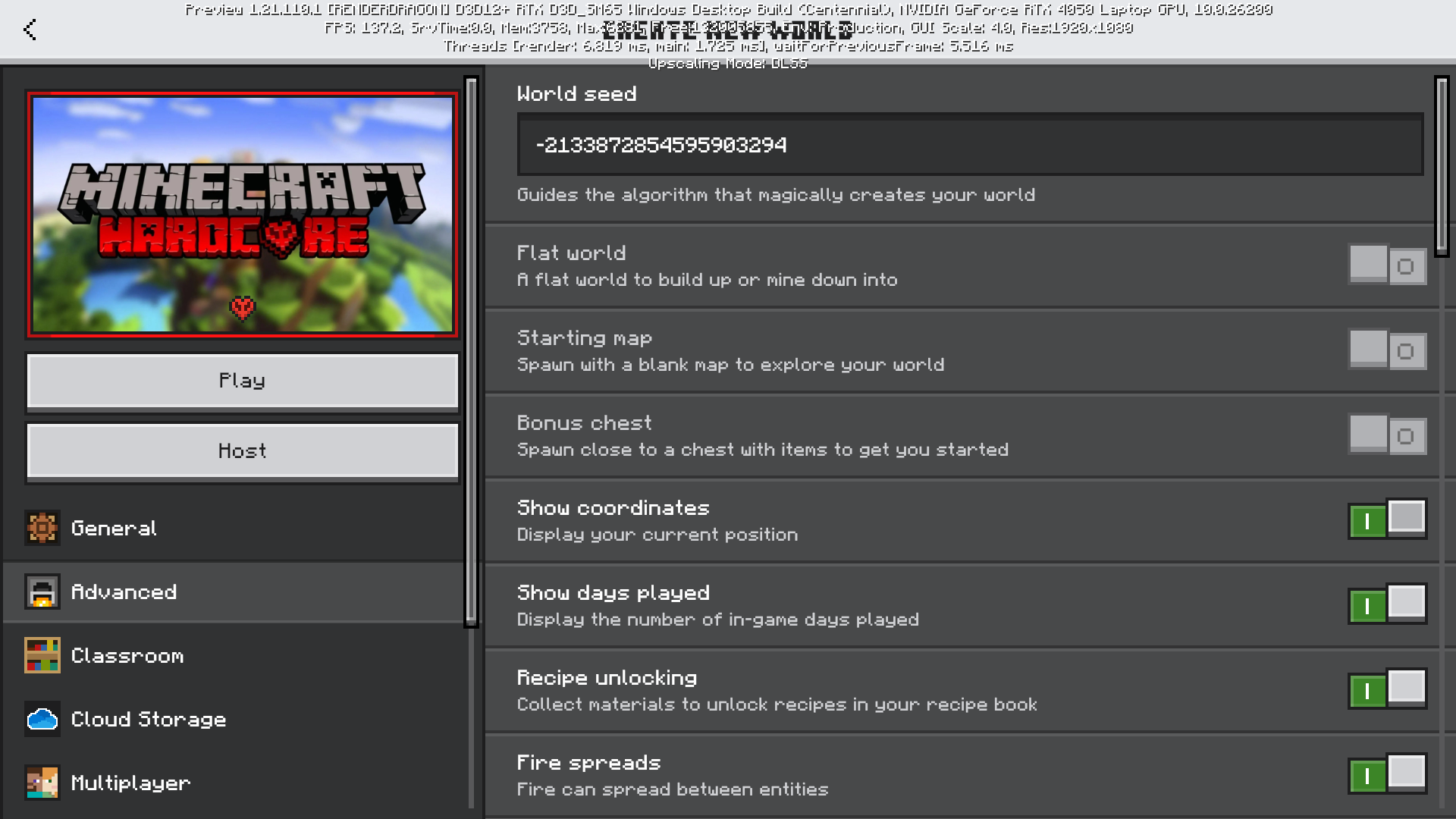
- Full Seed Control: Change the world seed to any custom seed you want before creating the world, or leave it blank for a completely random map every time.
- Pure Vanilla: No addons, no mods, and no commands. Works entirely via native settings.
- Universal Compatibility: Works flawlessly on the current version of the game.
How to Install and Play
- Download the .mctemplate file for your game.
- Double-click the downloaded file to automatically import it into Minecraft Education.
- In-game, go to: Play -> My Worlds -> My Templates.
- Select the Hardcore template.
- Optional: Enter your favorite seed in the World Seed box before hitting Create!
Video Guide & Proof Want to see exactly how it works and how to set it up? Watch the full showcase here: Hardcore mode is now finally possible on minecraft education (https://youtu.be/schl_UKwdXc)
MAKE SURE THAT YOU DELETE THE CURRENT EXISTING TEMPLATE you have before updating by going to settings --> storage --> world templates
Minecraft education hardcore mode ఎలా ఇన్స్టాల్ చేయాలి
With Millida Launcher
Install Millida Launcher
The launcher is free: download it at millida.net/launcher and sign in with any nickname.
Click “Install” on this page
The launcher opens and installs the map for Minecraft 26.30 automatically.
Launch the game
A profile with it appears in the launcher: click “Play”.
Manually
Download the map archive
Pick the file 26.30 hardcore template.mctemplate (295 KB).
Unpack it into the saves folder
The world folder (with level.dat inside) must sit directly in .minecraft/saves.
Open the world
“Singleplayer”: the map will be in your world list.
On a server
Replace the world folder
Stop the server and put the map folder in place of world (or set its name in level-name).
Use the “To server” button
On Millida Hosting, the button at the top of the page uploads the file to your server and restarts it for you.
వెర్షన్లు
డిపెండెన్సీలతో
| Minecraft | లోడర్ | ఫైల్ | తేదీ | చర్యలు |
|---|---|---|---|---|
| 26.30 | — | 26.30 hardcore template.mctemplate295 KB |
FAQ
Which Minecraft versions does Minecraft education hardcore mode work on?
Only Minecraft 26.30: there are no files for other versions.
Where can I download Minecraft education hardcore mode safely?
On this page: the file 26.30 hardcore template.mctemplate (295 KB) is stored on Millida’s server, with no link shorteners. SHA-1 checksum: 99e516cc57e771823d5ad4365767999146b070d2.
సమీక్షలు
Minecraft education hardcore modeకు మొదటి రేటింగ్ ఇవ్వండి



