
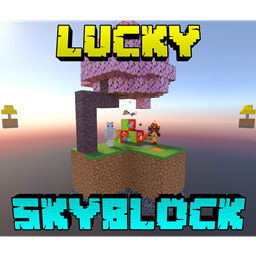
ఇతర ద్వీపాలకు వంతెన వేయడానికి మరియు వస్తువులను పొందడానికి కోబుల్స్టోన్ జనరేటర్ను తయారు చేయండి
వ్యవసాయం చేయండి మరియు వస్తువులను కొనడానికి, అమ్మడానికి మరియు మంత్రించడానికి షాపులో లాభం సంపాదించండి. మీ స్నేహితుడిని
వివిధ సాహసయాత్రకు తీసుకెళ్లండి మరియు ఆనందించండి!
వ్యాపారులను చంపవద్దు
చిట్కాలు:
-మీ వస్తువులు పోకుండా నిరోధించడానికి ఏదైనా Void Totem కొనండి
-ఇతర బయోమ్లు మరియు ద్వీపాలను చూడటానికి రెండర్ దూరాన్ని 10+ ఛంక్లకు సెట్ చేయండి
-గడ్డి కింద వెతకండి
-మరింత సమాచారం కోసం "Map Info" పుస్తకాన్ని చదవండి
ప్రాజెక్ట్ తయారు చేసినవారు: Xyla
(Discord: xylabun)
గమనిక:
ఈ ప్రాజెక్ట్ భవిష్యత్ ప్రధాన అప్డేట్ నుండి తాత్కాలికంగా తొలగించబడింది
(సహకారం ముగిసింది, తాజా Beta-API వెర్షన్కు మద్దతు కోసం అప్డేట్లు మాత్రమే)
వీడియో చూడండి!
షాప్↴
మంత్రించడం↴
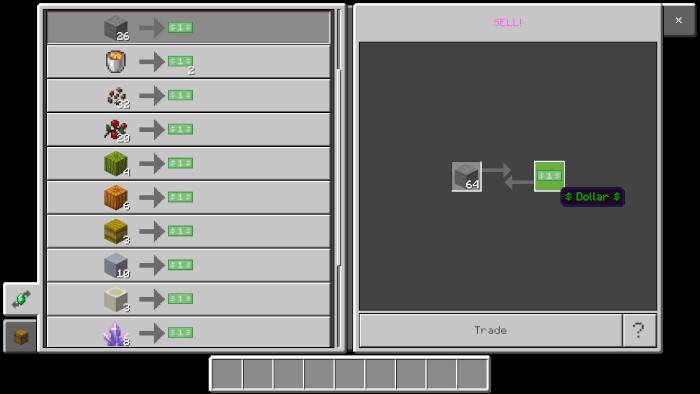
అమ్మకం↴
కొనుగోలు↴
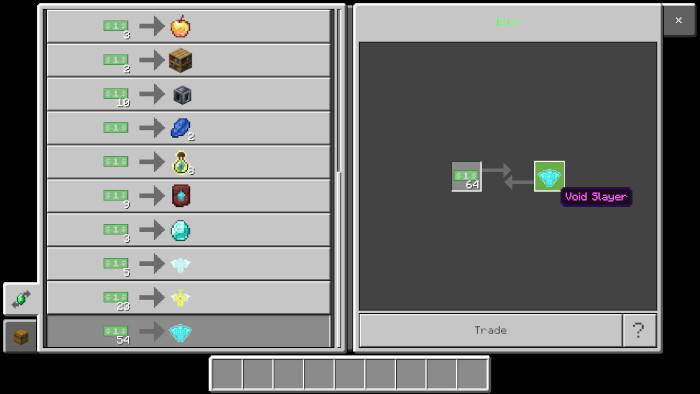
ఉత్తమ రక్షకుడు వచ్చాడు(మరియు సహకారి కొత్త రూపం)↴

అదృష్ట వృక్షం↴
బయోమ్లు↴
ఇతర ద్వీపాలు↴
Spawner↴
సాధారణ దృశ్యం↴
మీరు ఇక్కడ నాకు మద్దతు ఇవ్వవచ్చు:

అదనపు సందేశం: చూపిన చిత్రాలకు ఒక నిర్దిష్ట టెక్స్చర్ ప్యాక్ అవసరం, ఇది ఈ ప్రపంచం కోసం చేర్చబడలేదు
Lucky Skyblock V5 ఎలా ఇన్స్టాల్ చేయాలి
With Millida Launcher
Install Millida Launcher
The launcher is free: download it at millida.net/launcher and sign in with any nickname.
Click “Install” on this page
The launcher opens and installs the map for Minecraft 26.40–26.50 automatically.
Launch the game
A profile with it appears in the launcher: click “Play”.
Manually
Download the map archive
Pick the file Lucky_Skyblock_V5.16_ft_XylaBun.mcworld (1.1 MB).
Unpack it into the saves folder
The world folder (with level.dat inside) must sit directly in .minecraft/saves.
Open the world
“Singleplayer”: the map will be in your world list.
On a server
Replace the world folder
Stop the server and put the map folder in place of world (or set its name in level-name).
Use the “To server” button
On Millida Hosting, the button at the top of the page uploads the file to your server and restarts it for you.
వెర్షన్లు
డిపెండెన్సీలతో
| Minecraft | లోడర్ | ఫైల్ | తేదీ | చర్యలు |
|---|---|---|---|---|
| 26.50 | — | Lucky Skyblock V5.161.1 MB 460 | ||
| 26.40 | — | Lucky Skyblock V5.151.1 MB |
FAQ
Which Minecraft versions does Lucky Skyblock V5 work on?
There are files for 26.50, 26.40. The newest is 26.50.
Where can I download Lucky Skyblock V5 safely?
On this page: the file Lucky_Skyblock_V5.16_ft_XylaBun.mcworld (1.1 MB) is stored on Millida’s server, with no link shorteners. SHA-1 checksum: bcdd5a2ddaffe3ab96e84d9a8708f1e2f7e7f7bc.
సమీక్షలు
Lucky Skyblock V5కు మొదటి రేటింగ్ ఇవ్వండి



