
City XXL మ్యాప్ గురించి
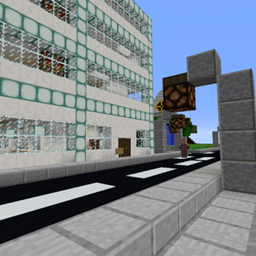
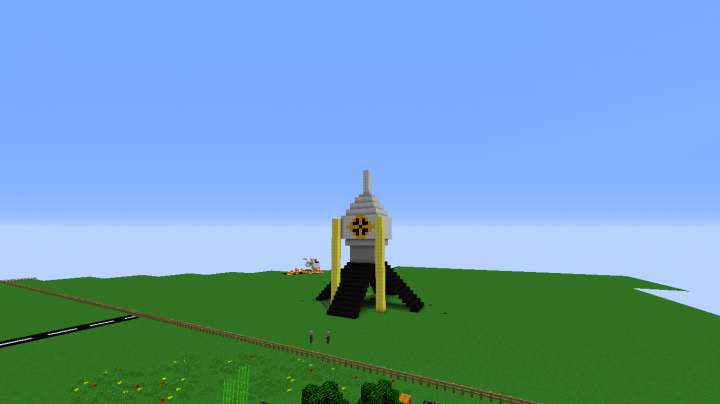
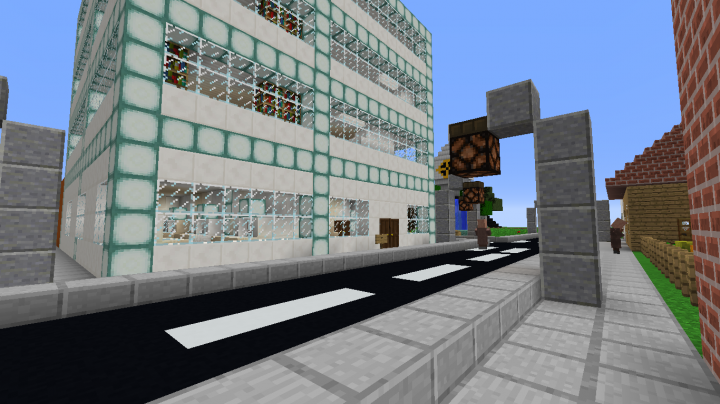
City XXL is an amazing superplan minecraft map with a realistic giant city with all kinds of buildings, such as shops, buildings, houses, skyscrapers, offices, rocket launch stations, and many others.
Recomended Minecraft Version: 1.12.2
Supported Minecraft Versions: 1.12-Snapshot; 1.12; 1.12.1; 1.12.2; 1.13-Snapshot; 1.13; 1.13.1; 1.13.2
Some pictures here:
You can see more at Planet Minecraft.
City XXL ఎలా ఇన్స్టాల్ చేయాలి
With Millida Launcher
Install Millida Launcher
The launcher is free: download it at millida.net/launcher and sign in with any nickname.
Click “Install” on this page
The launcher opens and installs the map for Minecraft 1.12–1.13.2 automatically.
Launch the game
A profile with it appears in the launcher: click “Play”.
Manually
Download the map archive
Pick the file CityXXL(1.0.0).zip (1.2 MB).
Unpack it into the saves folder
The world folder (with level.dat inside) must sit directly in .minecraft/saves.
Open the world
“Singleplayer”: the map will be in your world list.
On a server
Replace the world folder
Stop the server and put the map folder in place of world (or set its name in level-name).
Use the “To server” button
On Millida Hosting, the button at the top of the page uploads the file to your server and restarts it for you.
వెర్షన్లు
డిపెండెన్సీలతో
| Minecraft | లోడర్ | ఫైల్ | తేదీ | చర్యలు |
|---|---|---|---|---|
| 1.13.1 | — | CityXXL(1.0.0).zip1.2 MB |
FAQ
Which Minecraft versions does City XXL work on?
There are files for 1.13.2, 1.13.1, 1.13, 1.12.2, 1.12.1, 1.12. The newest is 1.13.2.
Where can I download City XXL safely?
On this page: the file CityXXL(1.0.0).zip (1.2 MB) is stored on Millida’s server, with no link shorteners. SHA-1 checksum: dac3a256030e0e34cd4fd37b223cb62772e0db65.
సమీక్షలు
City XXLకు మొదటి రేటింగ్ ఇవ్వండి



