
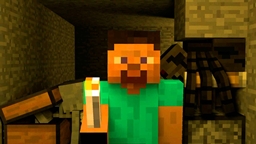
Minecraft 1.8.8 కోసం Cave-In-Deep మ్యాప్
ఒక మైనింగ్ ప్రమాదం మిమ్మల్ని ప్రమాదకరమైన కొత్త ప్రపంచంలో bedrock కింద చిక్కుకోబెడుతుంది. మీరు భూగర్భంలో జీవించి చివరికి మీ మట్టి జైలు నుండి తప్పించుకోగలరా? సాధారణ వనిల్లా నుండి తీవ్రమైన భూభాగ ఉత్పత్తి మార్పులతో కూడిన కస్టమైజ్ చేసిన, ఓపెన్ ప్రపంచాన్ని కలిగి ఉంది
Cave-In-Deep మ్యాప్ గురించి
You worked for the villager mining corporation. One day while surveying for the company an anomaly was discovered--an unstable fault in the bedrock leading to the deep recesses below. A team of miners was sent to investigate but upon traveling through, an earthquake collapsed the mine sending you, and your fellow workers hurtling into the depths below. When you awake you find that you are trapped by the bedrock, in a vast underground world that has lain untouched by human hands for millions of years. The mobs have grown strong here and they are not happy about being disturbed. Can you survive and live in the deep underground or will this be the end?
Your challenge is to live, play, and build constrained entirely to the underground world. Resources are limited and food is scarce. Your ultimate challenge is to escape what will otherwise eventually be your tomb. Can you make it back to the surface alive or will you die far from the light of day? Your fate is up to you.
This map features a customized world-type with drastic changes from default vanilla. The underground is MASSIVE and ore and dungeon generation has been completely overhauled. A Bedrock layer generates trapping you below Y=128. Your task is to survive and figure out how you might escape. Many surprises, riddles, secrets, and dangers lie hidden in the dark underground. Can you find them all and unravel the secrets of Cave-In? Good luck!
The Cave-In forum for comments/videos/pictures can be found here: http://www.minecraftforum.net/forums/mapping-and-modding/maps/2347888-cave-in-a-mining-accident-leaves-you-stranded
Cave-In-Deep ఎలా ఇన్స్టాల్ చేయాలి
With Millida Launcher
Install Millida Launcher
The launcher is free: download it at millida.net/launcher and sign in with any nickname.
Click “Install” on this page
The launcher opens and installs the map for Minecraft 1.8–1.8.8 automatically.
Launch the game
A profile with it appears in the launcher: click “Play”.
Manually
Download the map archive
Pick the file CaveIn-v1.3.4.zip (22 MB).
Unpack it into the saves folder
The world folder (with level.dat inside) must sit directly in .minecraft/saves.
Open the world
“Singleplayer”: the map will be in your world list.
On a server
Replace the world folder
Stop the server and put the map folder in place of world (or set its name in level-name).
Use the “To server” button
On Millida Hosting, the button at the top of the page uploads the file to your server and restarts it for you.
వెర్షన్లు
డిపెండెన్సీలతో
| Minecraft | లోడర్ | ఫైల్ | తేదీ | చర్యలు |
|---|---|---|---|---|
| 1.8.8 | — | Cave-In-V1.3.421.7 MB |
FAQ
Which Minecraft versions does Cave-In-Deep work on?
There are files for 1.8.8, 1.8. The newest is 1.8.8.
Where can I download Cave-In-Deep safely?
On this page: the file CaveIn-v1.3.4.zip (22 MB) is stored on Millida’s server, with no link shorteners. SHA-1 checksum: 17f6934f140a807125e0fd89694d78eed64fa5b1.
సమీక్షలు
Cave-In-Deepకు మొదటి రేటింగ్ ఇవ్వండి



