
Minecraft 1.4.7 కోసం Battle Domes PVP map
Battle Domes PVP మ్యాప్
Battle Domes PVP map మ్యాప్ గురించి
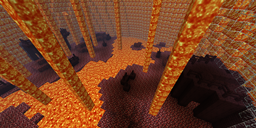
Battle Domes is a PVP map that only has 2 current maps. More maps will be coming soon such as the football field the village and much much more. Their are many different classes and two different game modes which are team death match and team archery. The current version is 1.1. their will be much more updates coming out. Please download this map it is really fun.
Battle Domes PVP map ఎలా ఇన్స్టాల్ చేయాలి
With Millida Launcher
Install Millida Launcher
The launcher is free: download it at millida.net/launcher and sign in with any nickname.
Click “Install” on this page
The launcher opens and installs the map for Minecraft 1.4.7 automatically.
Launch the game
A profile with it appears in the launcher: click “Play”.
Manually
Download the map archive
Pick the file Battle_Domes.zip (725 KB).
Unpack it into the saves folder
The world folder (with level.dat inside) must sit directly in .minecraft/saves.
Open the world
“Singleplayer”: the map will be in your world list.
On a server
Replace the world folder
Stop the server and put the map folder in place of world (or set its name in level-name).
Use the “To server” button
On Millida Hosting, the button at the top of the page uploads the file to your server and restarts it for you.
వెర్షన్లు
డిపెండెన్సీలతో
| Minecraft | లోడర్ | ఫైల్ | తేదీ | చర్యలు |
|---|---|---|---|---|
| 1.4.7 | — | Battle_Domes.zip725 KB |
FAQ
Which Minecraft versions does Battle Domes PVP map work on?
Only Minecraft 1.4.7: there are no files for other versions.
Where can I download Battle Domes PVP map safely?
On this page: the file Battle_Domes.zip (725 KB) is stored on Millida’s server, with no link shorteners. SHA-1 checksum: f0ccd6434a06a4302c6b6278c53847a34254ca20.
సమీక్షలు
Battle Domes PVP mapకు మొదటి రేటింగ్ ఇవ్వండి



