

LegendaryEvolutions (Cobblemon) డేటా ప్యాక్ గురించి
LegendaryEvolutions
With these Datapacks you can have legendary Pokemon from the start of the egg because this Datapacks also adds the concept of legendary Pokemon that started from the egg

Notes If you only use the Cobblemon mod you can use the command /checkspawn. But remember that you only use this command if you are already in the biome where the Pokemon will spawn
Example: ArcEgg->Arcdeo->Arceus
However, currently only Arceus has additional evolutions before becoming its final evolution. But don't worry because maybe other Pokemon will get it too.
Legendary Pokemon Egg Spawn Location
- (Arceus eggs) Arcegg Spawn in Biome The End with a ultra rare percentage
- (Eternatus eggs) EterEgg Spawn in Biome The End with a ultra rare percentage
- (Dialga eggs) DialgaEgg Spawn in Biome The End with a ultra rare percentage
- (Palkia eggs) PalkiaEgg Spawn in Biome The End with a ultra rare percentage
- (Zygarde eggs) ZygarEgg Spawn in Biome Swamp with a ultra rare percentage
- (Yveltal eggs) YveltalEgg Spawn in Biome Dark Forest with a ultra rare percentage
- (Giratina eggs) GiratinaEgg Spawn in Biome The End with a ultra rare percentage
- (Mewtwo eggs) MewtwoEgg Spawn in Biome The End with a ultra rare percentage
- (Zapdos eggs) ZapdosEgg Spawn in Biome Cherry Grove with a ultra rare percentage
- (Articuno eggs) ArticunoEgg Spawn in Biome Ice Spikes with a ultra rare percentage
- (Zekrom eggs) ZekromEgg Spawn in Biome Old Growth Spruce Taiga with a ultra rare percentage
- (Reshiram eggs) ReshiramEgg Spawn in Biome Old Growth Spruce Taiga with a ultra rare percentage
- (Groudon eggs) GroudonEgg Spawn in Biome Badlands with a ultra rare percentage
- (Kyogre eggs) KyogreEgg Spawn in Biome Deep Ocean with a ultra rare percentage
Where Pokemon evolve and required levels
- ArcEgg Evolves at The End with a Minimum of Level 32
- Arcdeo Evolves at The End with a Minimum of Level 65
- EterEgg Evolves at The End with a Minimum of Level 65
- DialgaEgg Evolves at The End with a Minimum of Level 65
- PalkiaEgg Evolves at The End with a Minimum of Level 65
- ZygarEgg Evolves at Swamp with a Minimum of Level 65
- YveltalEgg Evolves at Dark Forest with a Minimum of Level 65
- GiratinaEgg Evolves at The End with a Minimum of Level 65
- MewtwoEgg Evolves at The End with a Minimum of Level 65
- ZapdosEgg Evolves at Cherry Grove with a Minimum of Level 65
- ArticunoEgg Evolves at Ice Spikes with a Minimum of Level 65
- KyogreEgg Evolves at Deep Ocean with a Minimum of Level 65
- Groudon Evolves at Badlands with a Minimum of Level 65
- ReshiramEgg Evolves at Old Growth Spruce Taiga with a Minimum of Level 65
- ZekromEgg Evolves at Old Growth Spruce Taiga with a Minimum of Level 65
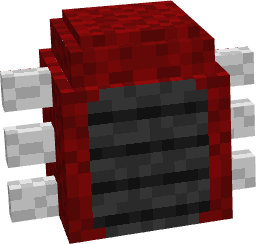
This datapack only makes models from legendary pokemon eggs for legendary pokemon models I didn't make them because there are already many creators who make legendary pokemon model This datapack will not work without the resources below!!
Recommended Mods And Datapacks for these Datapacks
Datapacks
- mysticMons
- Legendary Cobblemon (opsional)
- LackingMons
- genomons
- missing legends
Mods
- Cobbledex {Cobblemon Pokedex}
- Cobblemon Pokenav {Check what Pokemon are spawning and their location}
Mons
LegendaryEvolutions (Cobblemon) ఎలా ఇన్స్టాల్ చేయాలి
With Millida Launcher
Install Millida Launcher
The launcher is free: download it at millida.net/launcher and sign in with any nickname.
Click “Install” on this page
The launcher opens and installs the data pack for Minecraft 1.20.1 automatically.
Launch the game
A profile with it appears in the launcher: click “Play”.
Manually
Download the archive
Pick the file LegendaryEvolutions-V1.5.zip (138 KB) for your game version.
New world: “Data Packs”
When creating a world, click “Data Packs”, drag the archive into the window, then move it to “Selected”.
Existing world: the datapacks folder
Put the archive into saves/<world>/datapacks and type /reload in game.
On a server
Archive goes into the server world’s datapacks
The world/datapacks folder on the server; players do not need to install anything.
Reload the data
Type /reload in the server console or restart the server.
Use the “To server” button
On Millida Hosting, the button at the top of the page uploads the file to your server and restarts it for you.
వెర్షన్లు
డిపెండెన్సీలతో
| Minecraft | లోడర్ | ఫైల్ | తేదీ | చర్యలు |
|---|---|---|---|---|
| 1.20.1 | — | LegendaryEvolutions-V1.5138 KB |
FAQ
Which Minecraft versions does LegendaryEvolutions (Cobblemon) work on?
Only Minecraft 1.20.1: there are no files for other versions.
Does LegendaryEvolutions (Cobblemon) work on a server?
Yes: the data pack goes into the datapacks folder of the server world, and players do not need to install anything.
Where can I download LegendaryEvolutions (Cobblemon) safely?
On this page: the file LegendaryEvolutions-V1.5.zip (138 KB) is stored on Millida’s server, with no link shorteners. SHA-1 checksum: 8cfbb122593b6d11018f2113a1c517725456d60c.
సమీక్షలు
LegendaryEvolutions (Cobblemon)కు మొదటి రేటింగ్ ఇవ్వండి


