

Steampunk UI Resurs pak za Minecraft 1.19.2, 1.18.2
Začini svoju igru ovim steampunk izgledom.
O Steampunk UI resurs paku
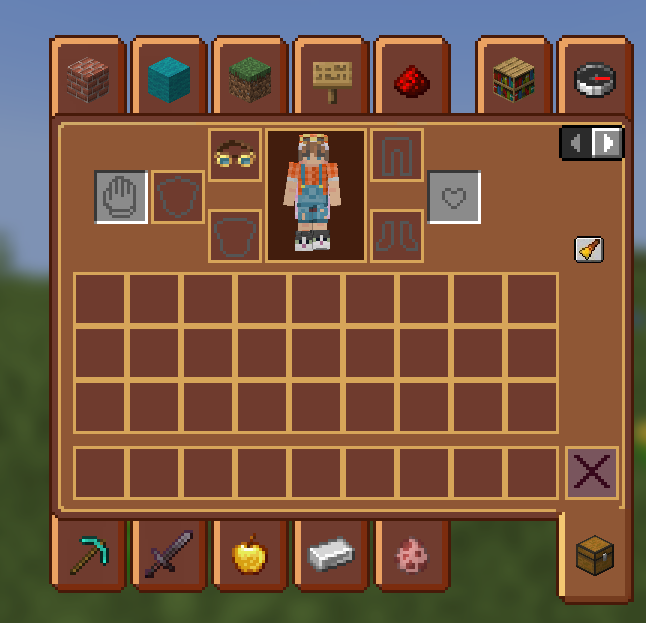
A resource pack to fit your need for gears and grinding. This will modify your game with a custom made UI, GUI, and more! Feel free to use this on its own, or in your modpacks.
Kako instalirati Steampunk UI
With Millida Launcher
Install Millida Launcher
The launcher is free: download it at millida.net/launcher and sign in with any nickname.
Click “Install” on this page
The launcher opens and installs the resource pack for Minecraft 1.18–1.19.4 automatically.
Launch the game
A profile with it appears in the launcher: click “Play”.
Manually
Download the archive
Pick the file Steampunk UI 1.19.2 v2.zip (2.1 MB) for your game version. No need to unpack it.
Put it in the resourcepacks folder
The easiest way: “Options”, then “Resource Packs”, then “Open Pack Folder”, and drag the archive there.
Enable the pack
In the same window, move the pack to the right-hand “Selected” column and click “Done”.
Verzije
Sa zavisnostima
| Minecraft | Loader | Fajl | Datum | Akcije |
|---|---|---|---|---|
| 1.19.3 | — | Steampunk UI 1.19 v22.1 MB |
Česta pitanja
Which Minecraft versions does Steampunk UI work on?
There are files for 1.18–1.19.4, 8 versions in total. The newest is 1.19.4.
Where can I download Steampunk UI safely?
On this page: the file Steampunk UI 1.19.2 v2.zip (2.1 MB) is stored on Millida’s server, with no link shorteners. SHA-1 checksum: 15dcadd3e676b18f1a73688d0af8fffb17c79721.
Recenzije
Budi prvi koji će oceniti Steampunk UI



