
Quick Settings Hud Resurs pak za Minecraft 1.21.90
Preklopi ekran podešavanja u hud!
O Quick Settings Hud resurs paku
This pack is no longer being updated, due to the latest versions usinng the OreUI settings screen.
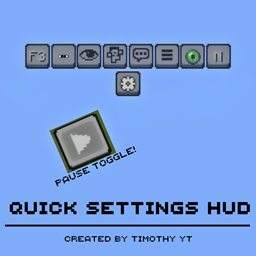
This resource pack allows you to change in game settings quickly by overlaying the settings screen ontop of the hud screen. This texture pack has some great features such as:
Gamemode Switcher (from minecraft java edition):
Quick Settings Menu:
Full Settings Screen:
The pack also has its own settings menu where you can disable/enable some (cheaty) features:
"PAUSE BUTTON" quick demo:
"FORCE SPECTATOR" allows you to go to spectator mode on your survival worlds (no cheats is required and you need to be the host of the world)
this feature only works on achievement capable worlds
Works with Multiplayer? only if you are the host.
AND MUCH MORE...
Kako instalirati Quick Settings Hud
Install Millida Launcher
The launcher is free: download it at millida.net/launcher and sign in with any nickname.
Click “Install” on this page
The launcher opens and installs the resource pack for Minecraft 1.21.90 automatically.
Launch the game
A profile with it appears in the launcher: click “Play”.
Verzije
Sa zavisnostima
| Minecraft | Loader | Fajl | Datum | Akcije |
|---|---|---|---|---|
| 1.21.90 | — | QSH_v6.mcpack263 KB |
Česta pitanja
Which Minecraft versions does Quick Settings Hud work on?
Only Minecraft 1.21.90: there are no files for other versions.
How do I download Quick Settings Hud?
With Millida Launcher: it installs Quick Settings Hud into a modpack by itself, for the right game version and loader. The launcher is free.
Recenzije
Budi prvi koji će oceniti Quick Settings Hud



