
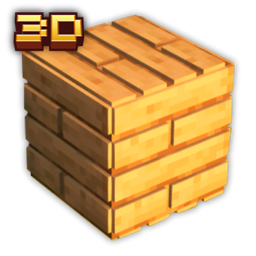
Planks 3D Resurs pak za Minecraft 1.20.1, 1.21.1
Ova tekstura dodaje 3D daske i ploče
O Planks 3D resurs paku

3D Planks is a Minecraft texture pack that enhances the appearance of wooden planks and slabs by making them 3D. This pack does not include 3D textures for stairs, fence gates, doors, or fences but does incorporate the new textures into the GUI for a more immersive experience.

3D Planks transforms the look of wooden planks and slabs in Minecraft by giving them a three-dimensional appearance. This texture pack focuses on providing a more realistic and detailed look to the game's building materials, enhancing your overall gameplay experience.
Features:
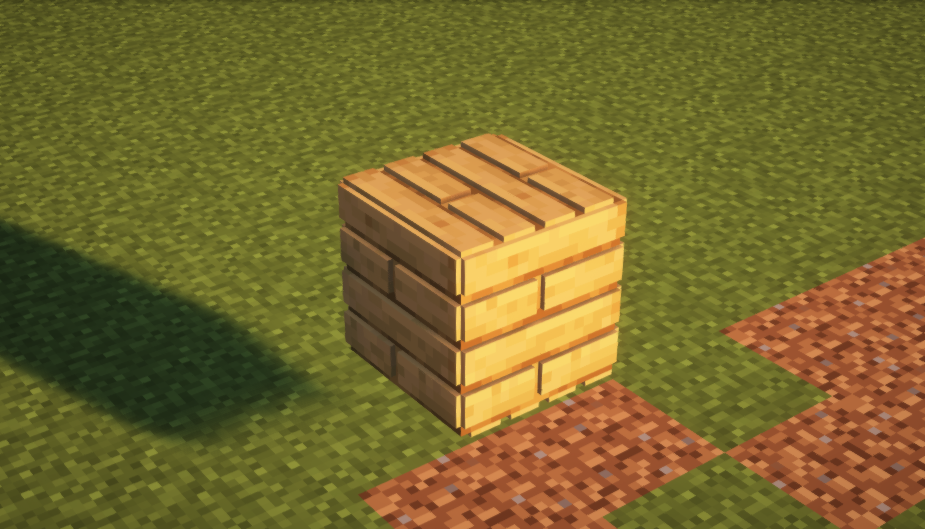
- 3D Wooden Planks and Slabs: All wooden planks and slabs are rendered in 3D, giving them a more lifelike and appealing appearance.
- GUI Integration: The 3D textures are also included in the game's GUI, ensuring a consistent visual experience across your inventory and crafting menus.
- Selective Enhancement: This pack specifically updates the textures for planks and slabs, excluding stairs, fence gates, doors, or fences, to maintain a focused and optimized texture pack.
Upgrade your Minecraft building projects with 3D Planks and enjoy a richer, more detailed visual experience!

Kako instalirati Planks 3D
With Millida Launcher
Install Millida Launcher
The launcher is free: download it at millida.net/launcher and sign in with any nickname.
Click “Install” on this page
The launcher opens and installs the resource pack for Minecraft 1.12–26.1.2 automatically.
Launch the game
A profile with it appears in the launcher: click “Play”.
Manually
Download the archive
Pick the file 3D Planks.zip (635 KB) for your game version. No need to unpack it.
Put it in the resourcepacks folder
The easiest way: “Options”, then “Resource Packs”, then “Open Pack Folder”, and drag the archive there.
Enable the pack
In the same window, move the pack to the right-hand “Selected” column and click “Done”.
Verzije
Sa zavisnostima
| Minecraft | Loader | Fajl | Datum | Akcije |
|---|---|---|---|---|
| 1.16.3 | — | 3D Planks635 KB 2 |
Česta pitanja
Which Minecraft versions does Planks 3D work on?
There are files for 1.12–26.1.2, 51 versions in total. The newest is 26.1.2.
Where can I download Planks 3D safely?
On this page: the file 3D Planks.zip (635 KB) is stored on Millida’s server, with no link shorteners. SHA-1 checksum: 397aff5568dbed800cbcf491f5c361475dabcd9b.
Recenzije
Budi prvi koji će oceniti Planks 3D



