
O Overture 16x resurs paku
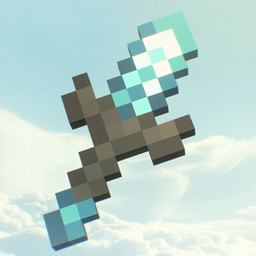
Overture 16x is a Minecraft resource pack created by Lowo404 with a focus on PvP scenarios. It changes the look of the game, making it more dynamic and stylized toward minimalism with elements of advanced graphics. The pack reworks blocks, items, the interface and the color palette — everything looks clean, without excess, but with high detail. Special attention is paid to blocks that look better in lobbies and on servers, as well as PvP items: swords, axes, spears, shields, crossbows, tridents and the golden apple have received new textures. The pack introduces copper and netherite armor, as well as unique textures for Nether biomes. The sky has been visually reworked — cloudy, bright, not distracting, but adding atmosphere.
The pack includes custom sound effects that play in the background during use. This makes the experience more immersive. The resource pack is assembled for game versions from 26.0 to 26.10, including intermediate builds. The archive is 7 MB in size and must be placed in the resourcepacks folder. The pack does not require additional mods or loaders — it works directly in the game. It will suit those looking for a stylish, concise, yet well-thought-out look for PvP sessions, especially on servers where visual clarity and performance matter.
Kako instalirati Overture 16x
With Millida Launcher
Install Millida Launcher
The launcher is free: download it at millida.net/launcher and sign in with any nickname.
Click “Install” on this page
The launcher opens and installs the resource pack for Minecraft 1.21.100–26.10 automatically.
Launch the game
A profile with it appears in the launcher: click “Play”.
Manually
Download the archive
Pick the file Overture 16x BEDROCK.mcpack (7.3 MB) for your game version. No need to unpack it.
Put it in the resourcepacks folder
The easiest way: “Options”, then “Resource Packs”, then “Open Pack Folder”, and drag the archive there.
Enable the pack
In the same window, move the pack to the right-hand “Selected” column and click “Done”.
Verzije
Sa zavisnostima
| Minecraft | Loader | Fajl | Datum | Akcije |
|---|---|---|---|---|
| 1.21.101 | — | Overture 16x BEDROCK.mcpack7.3 MB 1 |
Česta pitanja
Which Minecraft versions does Overture 16x work on?
There are files for 1.21.100–26.10, 16 versions in total. The newest is 26.10.
Where can I download Overture 16x safely?
On this page: the file Overture 16x BEDROCK.mcpack (7.3 MB) is stored on Millida’s server, with no link shorteners. SHA-1 checksum: 5922f0a8d92c5f424679e5a1f3553649b60a9437.
Recenzije
Budi prvi koji će oceniti Overture 16x


