

Farm 3D Resurs pak za Minecraft 1.20.1, 1.21.1
3D Farm je vizuelno zadivljujući teksturni paket za Minecraft koji pretvara razne biljke u prelepo detaljne 3D modele, poboljšavajući vaše poljoprivredno i baštovansko iskustvo.
- preuzimanja
- 10 preuzimanja
- pregleda
- 96 pregleda
- Ažurirano
- Ažurirano 03.09.2026
- 1.12 — 26.1
 Vanila igra
- Klijent
O Farm 3D resurs paku
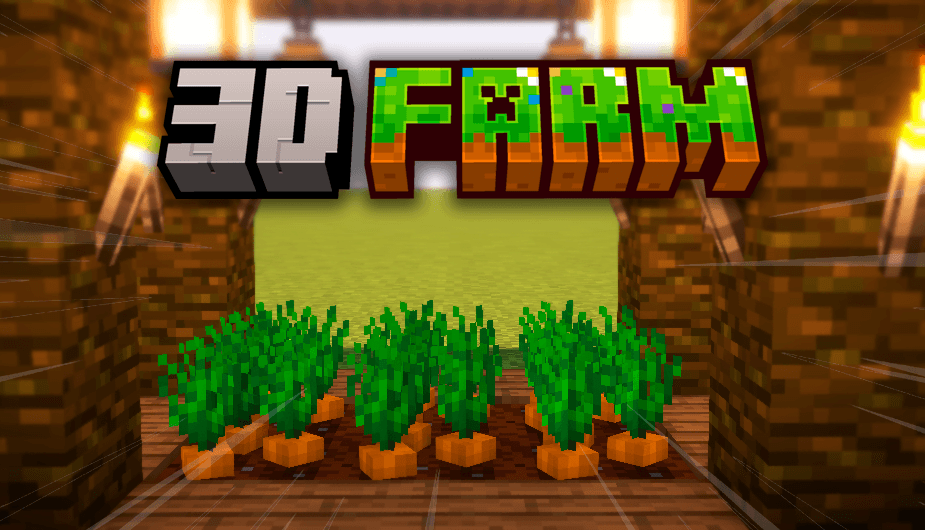
3D Farm is a visually stunning texture pack for Minecraft that transforms various plants into beautifully detailed 3D models, enhancing your agricultural and gardening experience.
3D Farm brings a whole new level of beauty and realism to your Minecraft world by converting a variety of plants into exquisite three-dimensional models. This texture pack meticulously upgrades the appearance of the following plants:

- Sugar cane
- Flowers
- Nether fungi
- Mushrooms
- Potatoes
- Carrots
- Beets
- Sweet berries
Immerse yourself in a captivating environment where every plant comes to life with remarkable detail and depth. Watch as your crops grow in stunning 3D, adding a touch of elegance to your agricultural endeavors. Whether you're cultivating your farm, exploring the Nether, or decorating with flowers, 3D Far* elevates your gameplay with its meticulously crafted plant textures.
Transform your landscapes into breathtaking scenes of natural beauty and experience Minecraft like never before with 3D Farm. Enhance your world with this charming texture pack and enjoy the intricate, realistic visuals it brings to your game.

Kako instalirati Farm 3D
With Millida Launcher
Install Millida Launcher
The launcher is free: download it at millida.net/launcher and sign in with any nickname.
Click “Install” on this page
The launcher opens and installs the resource pack for Minecraft 1.12–26.1 automatically.
Launch the game
A profile with it appears in the launcher: click “Play”.
Manually
Download the archive
Pick the file Farm 3D - Heycronus.zip (386 KB) for your game version. No need to unpack it.
Put it in the resourcepacks folder
The easiest way: “Options”, then “Resource Packs”, then “Open Pack Folder”, and drag the archive there.
Enable the pack
In the same window, move the pack to the right-hand “Selected” column and click “Done”.
Verzije
Sa zavisnostima
| Minecraft | Loader | Fajl | Datum | Akcije |
|---|---|---|---|---|
| 26.1 | — | 26.1386 KB 9 | ||
| 1.21.11 | — | 1.21.11386 KB 1 | ||
| 1.12.2 | — | 1.12.2386 KB | — |
Česta pitanja
Which Minecraft versions does Farm 3D work on?
There are files for 1.12–26.1, 50 versions in total. The newest is 26.1.
Does Farm 3D need mods?
No, the resource pack works in the plain game without loaders: put it into the resourcepacks folder and enable it in the options.
Where can I download Farm 3D safely?
On this page: the file Farm 3D - Heycronus.zip (386 KB) is stored on Millida’s server, with no link shorteners. SHA-1 checksum: 062a597a769f21a3a8b96dc60d321bb4f9f79066.
Recenzije
Budi prvi koji će oceniti Farm 3D


