
Effect Display Overlay Resurs pak za Minecraft 1.21.50
Pregledaj aktivne efekte mobova dok se krećeš!
O Effect Display Overlay resurs paku
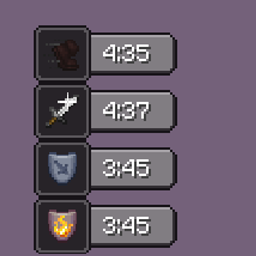
This resource pack allows you to open the mob effects screen as an overlay which lets you move around while the effect screen is still opened.
How to enable:
On mobile, press the button to close.
On desktop, press the keybind to open the effect screen and press TAB to close it.
Kako instalirati Effect Display Overlay
Install Millida Launcher
The launcher is free: download it at millida.net/launcher and sign in with any nickname.
Click “Install” on this page
The launcher opens and installs the resource pack for Minecraft 1.18.31–1.21.50 automatically.
Launch the game
A profile with it appears in the launcher: click “Play”.
Verzije
Sa zavisnostima
| Minecraft | Loader | Fajl | Datum | Akcije |
|---|---|---|---|---|
| 1.21.50 | — | Effect-Display-Overlay.mcpack8.4 KB |
Česta pitanja
Which Minecraft versions does Effect Display Overlay work on?
There are files for 1.18.31–1.21.50, 9 versions in total. The newest is 1.21.50.
How do I download Effect Display Overlay?
With Millida Launcher: it installs Effect Display Overlay into a modpack by itself, for the right game version and loader. The launcher is free.
Recenzije
Budi prvi koji će oceniti Effect Display Overlay



