
Clean Rain Resurs pak za Minecraft 1.20.1, 1.21.1
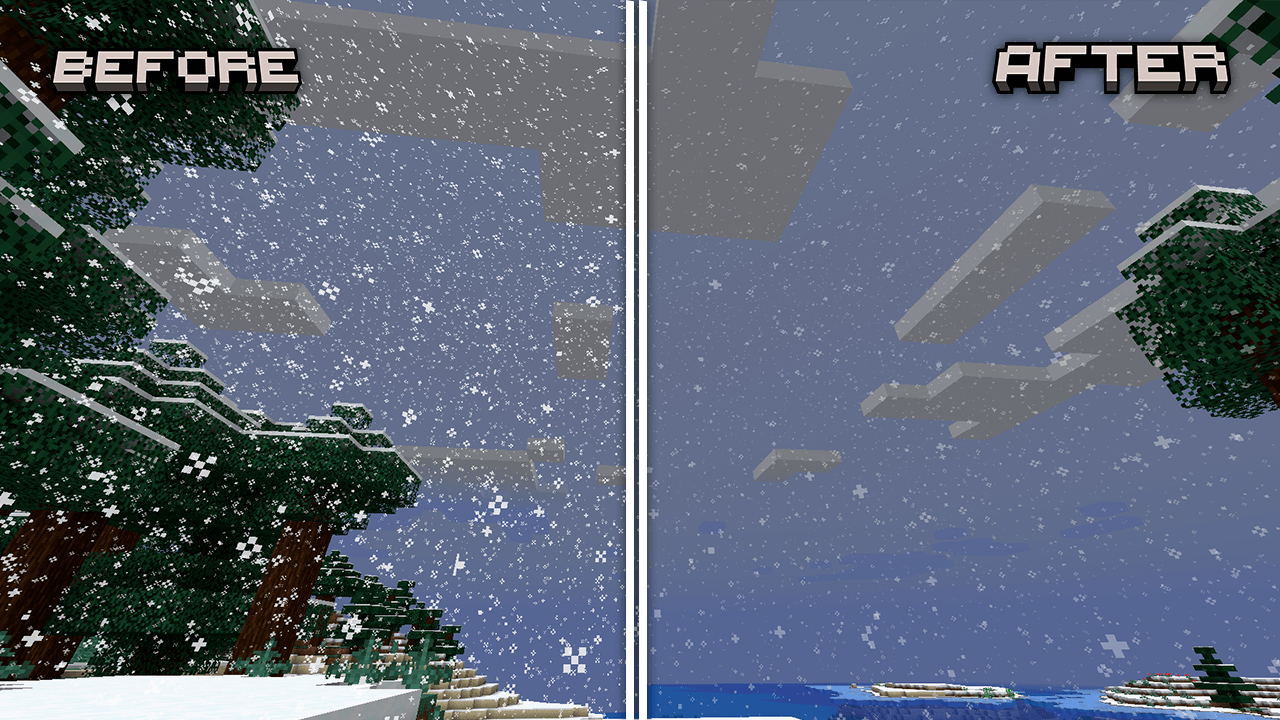
Ova tekstura čini kišu i sneg u Minecraftu jasnijim
O Clean Rain resurs paku
Bring a cleaner and smoother rainy atmosphere to your Minecraft world with Clean Rain.
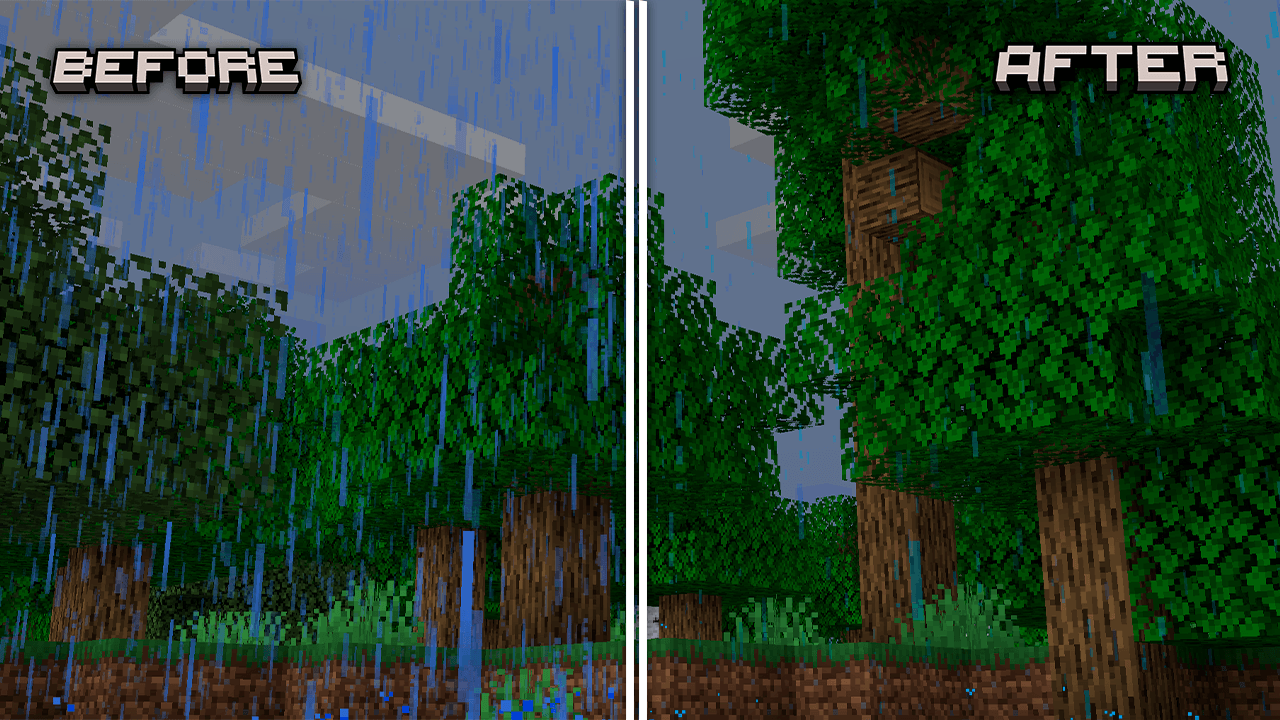
This texture pack improves the rain visuals by making it less intrusive and much more pleasant to look at. Besides reducing the opacity, it also decreases the amount of rain pixels, creating a softer effect that keeps the rainy mood without blocking your view.
Perfect for players who enjoy rain ambiance but want a cleaner screen, better visibility, and a more aesthetic experience.
✨ Features
- 🌫️ Lower rain opacity
- 💧 Reduced rain pixel density
- 👀 Better visibility during storms
- 🎮 Vanilla-friendly style
- ⚡ Lightweight and simple
Kako instalirati Clean Rain
With Millida Launcher
Install Millida Launcher
The launcher is free: download it at millida.net/launcher and sign in with any nickname.
Click “Install” on this page
The launcher opens and installs the resource pack for Minecraft 1.8–26.2 automatically.
Launch the game
A profile with it appears in the launcher: click “Play”.
Manually
Download the archive
Pick the file Clean Rain.zip (62 KB) for your game version. No need to unpack it.
Put it in the resourcepacks folder
The easiest way: “Options”, then “Resource Packs”, then “Open Pack Folder”, and drag the archive there.
Enable the pack
In the same window, move the pack to the right-hand “Selected” column and click “Done”.
Verzije
Sa zavisnostima
| Minecraft | Loader | Fajl | Datum | Akcije |
|---|---|---|---|---|
| 1.16.3 | — | Clean Rain61.7 KB 5 |
Česta pitanja
Which Minecraft versions does Clean Rain work on?
There are files for 1.8–26.2, 74 versions in total. The newest is 26.2.
Where can I download Clean Rain safely?
On this page: the file Clean Rain.zip (62 KB) is stored on Millida’s server, with no link shorteners. SHA-1 checksum: fa431d0ebff98c3325ba2f3fbb787dad7ce48c36.
Recenzije
Budi prvi koji će oceniti Clean Rain



