

OpenShad Šejderi za Minecraft 1.20.1, 1.12.2
A small shader but a lot of posibility !
 Fabric
 OptiFine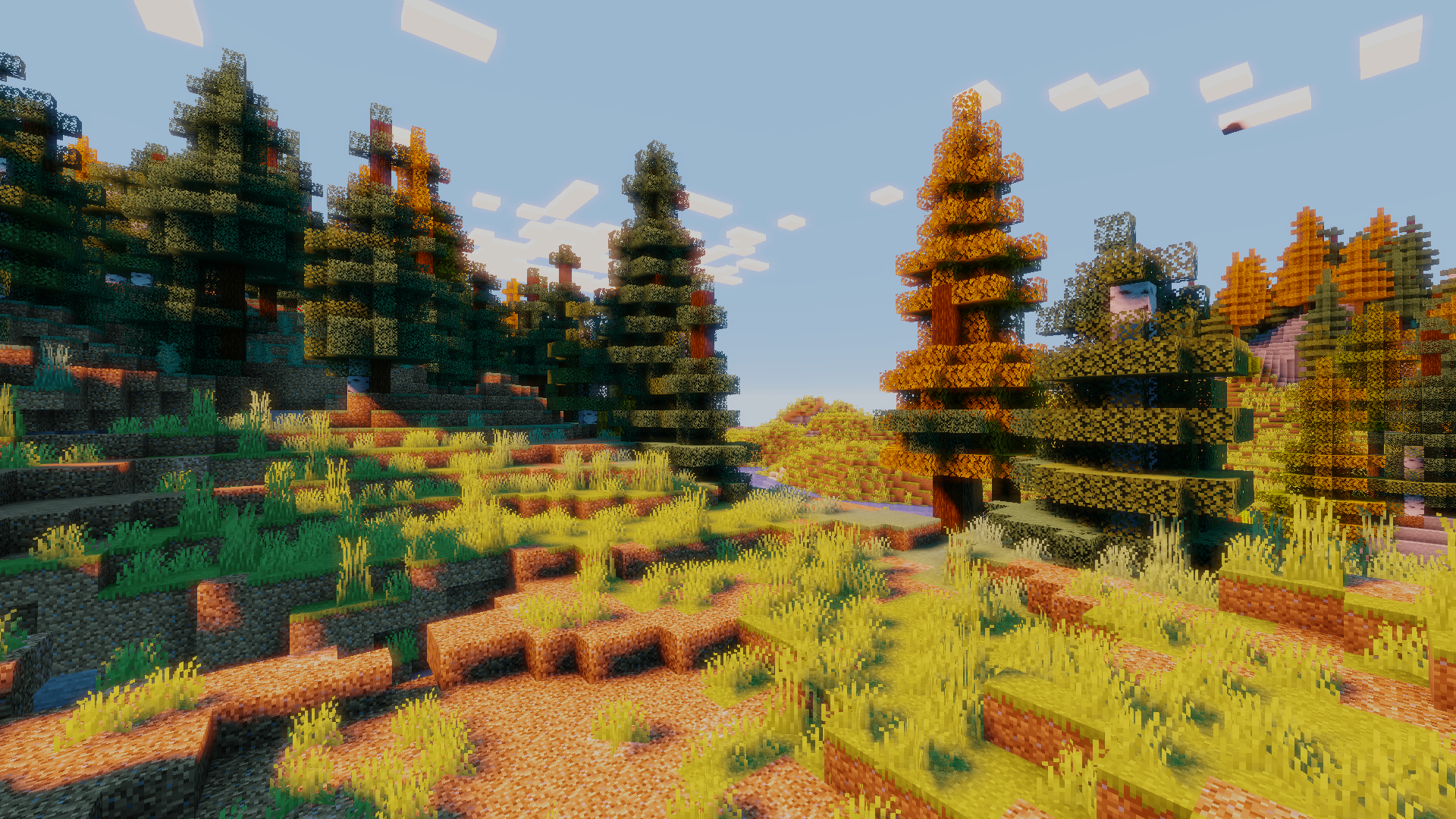
Français
Voici mon tout premier shader que j'ai codé, j'ai choisi ce nom car c'est un shader qui n'a pas de ressemblance précise, il peut être changé au gré des envies grace au paramètre.
Mon idée et de créer un shader avec plein de fonction incluse et paramétrable sans pour autant lui donner un thème, afin que les utilisateurs ou les créateurs puissent l'utiliser pour créer leur propre shader ou l'utiliser et profiter des fonctionnalités en tant que joueur.
Le shader est encore en Alpha, pour l'instant les paramètres en jeu son compliquer à utiliser, le code n'est pas très bien écrit et il manque beaucoup de choses que les shaders d'aujourd'hui ont.

English
Here's the first shader I've coded. I chose this name because it's a shader that has no precise resemblance, and can be changed at will thanks to the parameter
My idea is to create a shader with lots of functions included and customizable without giving it a theme, so that users or creator can use it to create their own shader or use it and enjoy the features as a player.
The shader is still in Alpha, so for the moment the in-game parameters are complicated to use, the code isn't very well written and it misses a lot of things that today's shaders have

NEW Features
Changing color of the sun according to the time of day
Features
Dynamic shadow
Bloom
Contrast
Saturation
Multiple Tonmaping
Special thanks
Saad's blog for teaching me the basics of GLSL
Acerola for shader Video
Kako instalirati OpenShad
With Millida Launcher
Install Millida Launcher
The launcher is free: download it at millida.net/launcher and sign in with any nickname.
Click “Install” on this page
The launcher opens and installs the shaders for Minecraft 1.7.2–1.21 automatically.
Launch the game
A profile with it appears in the launcher: click “Play”.
Manually
Install Iris or OptiFine
Without a shader mod the game cannot see shaders. Install it for the same Minecraft version.
Download the shader archive
Pick the file OpenShad Alpha V2.zip (10 KB) and do not unpack it.
Put it in the shaderpacks folder
“Options”, then “Video Settings”, then “Shader Packs”, then “Open Shader Pack Folder”, and drag the archive there.
Select the shaders
In the same window, click the pack name and “Apply”.
Verzije
Sa zavisnostima
| Minecraft | Loader | Fajl | Datum | Akcije |
|---|---|---|---|---|
| 1.17.1 | Iris, OptiFine | 1.17.110.2 KB 6 | ||
| 1.15.2 | Iris, OptiFine | 1.15.210.2 KB | ||
| 1.14.4 | Iris, OptiFine | 1.14.410.2 KB | ||
| 1.7.10 | Iris, OptiFine | 1.7.1010.2 KB | ||
| 1.21 | Iris, OptiFine | 1.2110.2 KB | — | |
| 1.20.1 | Iris, OptiFine | 1.20.110.2 KB | — | |
| 1.19.2 | Iris, OptiFine | 1.19.210.2 KB | — | |
| 1.18.2 | Iris, OptiFine | 1.18.210.2 KB | — |
Česta pitanja
Which Minecraft versions does OpenShad work on?
There are files for 1.7.2–1.21, 68 versions in total. The newest is 1.21.
What do I need to run OpenShad?
Shaders are loaded through Iris or OptiFine: without one of them the game cannot see them.
Where can I download OpenShad safely?
On this page: the file OpenShad Alpha V2.zip (10 KB) is stored on Millida’s server, with no link shorteners. SHA-1 checksum: 93cd25b271c3c553a1c13210a22c4643fb1207f8.
Recenzije
Budi prvi koji će oceniti OpenShad


