

Found Footage Šejderi za Minecraft 1.20.1, 1.21.1
Zrnašta, izobličena, analogna atmosfera susreće lagani šejder napravljen za kreatore sadržaja.
 Fabric
 OptiFine
O Found Footage šejderima
Found Footage turns Minecraft into something it was never meant to be.
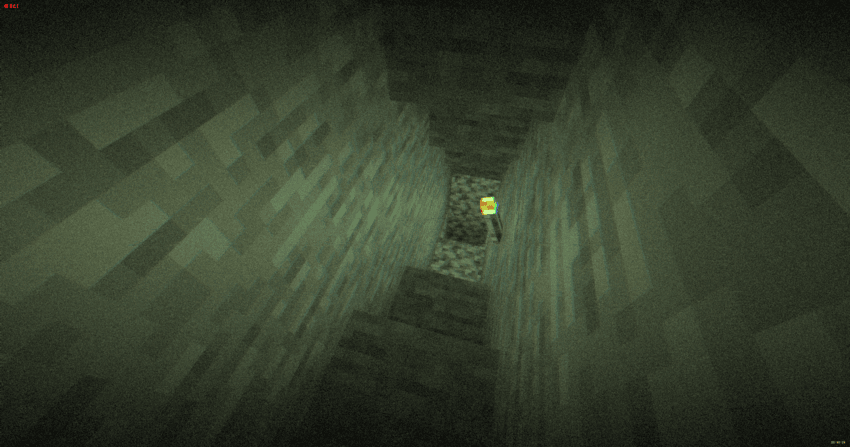
Inspired by old VHS tapes and analog horror, this shader adds subtle film grain, light distortion, soft camera shake and atmospheric noise that reacts to darkness. Nights feel heavier. Caves feel deeper. Empty spaces feel… wrong.
It doesn’t change the gameplay. It changes how it feels.
Torches flicker through the grain. Distant terrain fades into haze. The world looks like it was recorded on a damaged tape you weren’t supposed to find.
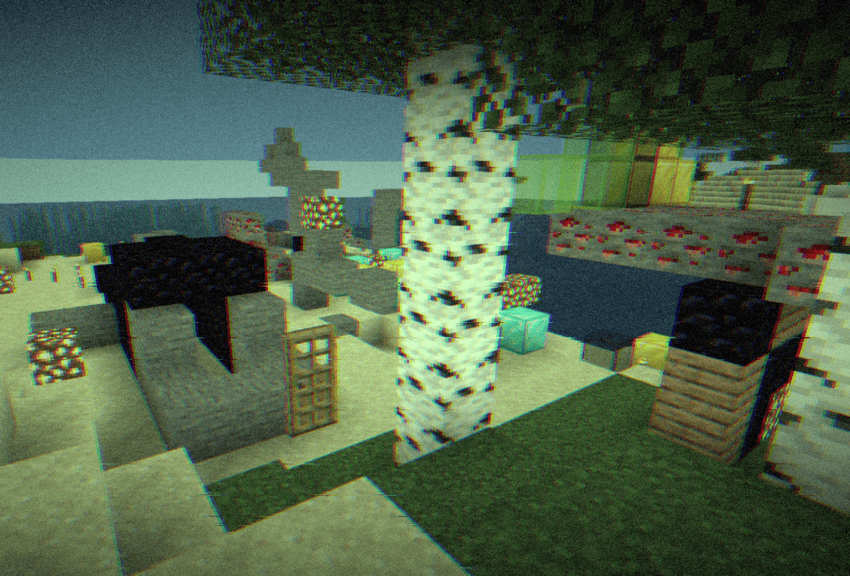
Perfect for horror maps, survival playthroughs, liminal builds or anyone who wants a more immersive, uneasy atmosphere — without destroying performance.
- Press record. You probably shouldn’t.

Kako instalirati Found Footage
With Millida Launcher
Install Millida Launcher
The launcher is free: download it at millida.net/launcher and sign in with any nickname.
Click “Install” on this page
The launcher opens and installs the shaders for Minecraft 1.17–26.3 automatically.
Launch the game
A profile with it appears in the launcher: click “Play”.
Manually
Install Iris or OptiFine
Without a shader mod the game cannot see shaders. Install it for the same Minecraft version.
Download the shader archive
Pick the file Footage 1.1.zip (12 KB) and do not unpack it.
Put it in the shaderpacks folder
“Options”, then “Video Settings”, then “Shader Packs”, then “Open Shader Pack Folder”, and drag the archive there.
Select the shaders
In the same window, click the pack name and “Apply”.
Verzije
Sa zavisnostima
| Minecraft | Loader | Fajl | Datum | Akcije |
|---|---|---|---|---|
| 26.3 | Iris, OptiFine | 26.312.2 KB 10 | ||
| 1.17.1 | Iris, OptiFine | 1.17.111.5 KB | ||
| 26.2 | Iris, OptiFine | 26.211.5 KB | — | |
| 26.1 | Iris, OptiFine | 26.111.5 KB | — | |
| 1.21.11 | Iris, OptiFine | 1.21.1111.5 KB | — | |
| 1.21 | Iris, OptiFine | 1.2111.5 KB | — | |
| 1.20.1 | Iris, OptiFine | 1.20.111.5 KB | — | |
| 1.19.2 | Iris, OptiFine | 1.19.211.5 KB | — |
Česta pitanja
Which Minecraft versions does Found Footage work on?
There are files for 1.17–26.3, 34 versions in total. The newest is 26.3.
What do I need to run Found Footage?
Shaders are loaded through Iris or OptiFine: without one of them the game cannot see them.
Where can I download Found Footage safely?
On this page: the file Footage 1.1.zip (12 KB) is stored on Millida’s server, with no link shorteners. SHA-1 checksum: fa11ad1dd30dc547216d6633a23de83f7f5c5caa.
Recenzije
Budi prvi koji će oceniti Found Footage


