

Faentasy Shaders za Minecraft 1.20.1, 1.21.1
Atmosferični, sanjivi shader u fantasy stilu
 Fabric
 OptiFine
O Faentasy Shaders šejderima
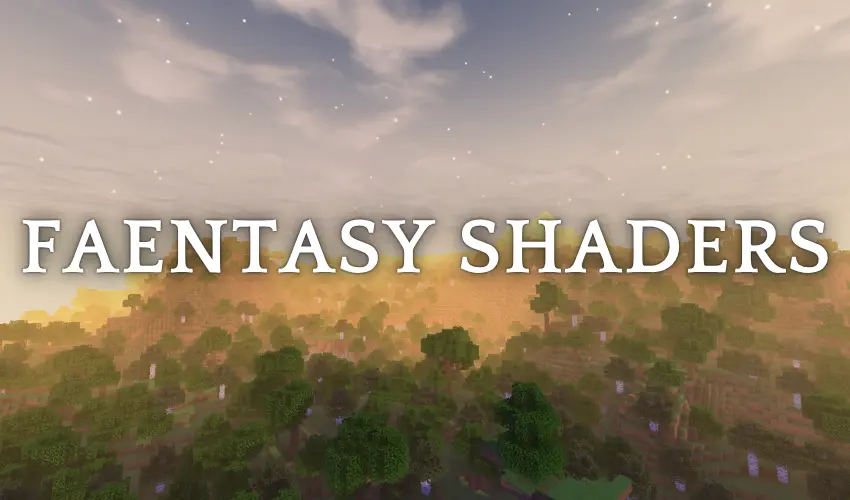
A dreamy, warm, and deeply atmospheric overhaul for Minecraft, designed to transform your world into a living storybook adventure.

FEATURES:
- Living Atmosphere: Gentle waving foliage, sweeping wind gusts, and visible wind trails bring movement across the Overworld.
- Painterly Sky & Clouds: Handcrafted Overworld sky gradients paired with soft, painted cloud textures.
- Sunlit Fog & Godrays: Atmospheric depth mist pierced by warm, volumetric-style Overworld sun shafts.
- Dynamic Shadows & Bloom: Grounded shadows in the Overworld and End, balanced with a soft, dreamy bloom on vibrant highlights.
- Painted Water: Stylized fluid rendering designed to complement the watercolor art direction.
- Glowing Emissives: Light-emitting blocks, ores, and details naturally pop against darker surroundings.
- Shielded End Sky: A dramatic celestial barrier guarding the End dimension, with comets striking and dissolving upon impact.
- Built on Integrated Graphics: Fully playable performance on low-end hardware and potato PCs.

Kako instalirati Faentasy Shaders
With Millida Launcher
Install Millida Launcher
The launcher is free: download it at millida.net/launcher and sign in with any nickname.
Click “Install” on this page
The launcher opens and installs the shaders for Minecraft 1.20–26.3 automatically.
Launch the game
A profile with it appears in the launcher: click “Play”.
Manually
Install Iris or OptiFine
Without a shader mod the game cannot see shaders. Install it for the same Minecraft version.
Download the shader archive
Pick the file Faentasy Shaders v1.1.zip (73 KB) and do not unpack it.
Put it in the shaderpacks folder
“Options”, then “Video Settings”, then “Shader Packs”, then “Open Shader Pack Folder”, and drag the archive there.
Select the shaders
In the same window, click the pack name and “Apply”.
Verzije
Sa zavisnostima
| Minecraft | Loader | Fajl | Datum | Akcije |
|---|---|---|---|---|
| 26.3 | Iris, OptiFine | 26.373.3 KB 5 | ||
| 26.3 | Iris, OptiFine | 26.374.4 KB |
Česta pitanja
Which Minecraft versions does Faentasy Shaders work on?
There are files for 1.20–26.3, 24 versions in total. The newest is 26.3.
What do I need to run Faentasy Shaders?
Shaders are loaded through Iris or OptiFine: without one of them the game cannot see them.
Where can I download Faentasy Shaders safely?
On this page: the file Faentasy Shaders v1.1.zip (73 KB) is stored on Millida’s server, with no link shorteners. SHA-1 checksum: d254518cc1f66379eff8e98c1dd356d8236d2c79.
Recenzije
Budi prvi koji će oceniti Faentasy Shaders


