
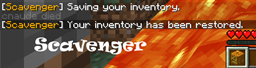
About Scavenger
This is a continuation of the Scavenger plugin originally written by SirHedgehog. This plugin will automatically recover items for players after they die.
Features
- Automatic item recovery at death.
- Individual item recovery based on permissions if enabled.
- Automatic level and experience recovery at death.
- Supports SuperPerms
- Supports Vault based economies.
- Persistent recoveries. If the server is stopped before a player can recover inventory the inventory is saved to disk.
- Slot based recovery
How to install
Just drop the jar file in your plugins directory and restart your server. Configure permissions.
Links
- Change Log
- Source
- Dev Builds
- Translations
- Configuration
Hooks
Scavenger hooks into several plugins to play nice with their inventory controls.
- Multiverse-Inventories
- MultiInv
- Mob Arena
- PVP Arean
- Ultimate Arena
- Battle Arena
- WorldInventories
- Minigames
- xInventories
Scavenger also hooks into Residence to provide item recovery override per residence.
- Residence
Scavenger also hooks into Factions to provide item recovery override in enemy territory.
- Factions
Scavenger optionally hooks into authentication plugins via Authenticator. Update the config.yml accordingly. More info here.
Dependencies
- To use an economy plugin you will need Vault and an economy plugin.
Permissions
- scavenger.scavenge - Enable item recovery
- scavenger.scavenge.damage_cause
- scavenger.level - Enable level recover
- scavenger.exp - Enable experience points recovery
- scavenger.free - Free item recovery
- scavenger.reload - Reload config
- scavenger.drop.[ITEM] - If SingleItemDrops is true then don't recover these items.
- scavenger.keep.[ITEM] - If SingleItemKeeps is true then only recover these items.
- scavenger.self.on - Allows players to enable item recovery for themselves.
- scavenger.self.off - Allows players to disable item recovery for themselves.
- scavenger.disable - Allows players to completely disable Scavenger.
- scavenger.enable - Allows players to completely enable Scavenger.
- scavenger.list - Allows player to list all pending recoveries. (Purely informational)
If you enabled slot based recovery you will need to give each player a permission node for each slot.
- Armour:
- scavenger.armour.X - Armour slots where X is 0, 1, 2, or 3.
- Armor: 0 = boots, 1 = leggings, 2 = chestplate, 3 = helmet
- Inventory
- scavenger.inv.X - Inventory slots where X is 0 to 35.
- Inventory bar: 0 - 8
- Inventory row 1: 9 - 17
- Inventory row 2: 18 - 26
- Inventory row 3: 27 - 35
- Offhand (shield etc...)
- scavenger.offhand.1
Q) How do I explicitly keep items? A) Set SingleItemKeeps true. Then use scavenger.keep.[ITEM] to keep the ITEM.
Q) How do I explicitly drop items? A) Set SingleItemDrops true. Then use scavenger.drop.[ITEM] to drop the ITEM.
Commands
- /scvr - Reload configuration
- /scvron - Self enable scavenger
- /scvroff - Self disable scavenger
- /scvrlist - List all pending recoveries
Videos
Configuration
- See latest config
Donations
Doge: DEaQKfC9ivumNgs3feo53xndhjhd4PV5Yk BTC: 3Nthksfx8fNKkUgZnHWRTaH4MjUMe4dQG8 ETH: 0xf65cB1960e176ea980545f525f687cF2354D310d XCH: xch1jgtw6vxyy4wv302xlhyuzwtfen67w5yrvcwc2gz2us3fwtjp3uxq6hlzhc
Kako instalirati Scavenger
A server on Paper or Spigot
The plugin runs on the server core for Minecraft 1.14–1.18.1; players do not need to install anything.
File goes into the plugins folder
Download the file Scavenger-1.8-16.jar (390 KB) and put it into the server’s plugins folder.
Restart the server
On startup the plugin creates its own settings folder in plugins.
Use the “To server” button
On Millida Hosting, the button at the top of the page uploads the file to your server and restarts it for you.
Minecraft 1.18.1 runs on Java 17: with a different Java version the game may close right after launch.
Verzije
Sa zavisnostima
| Minecraft | Loader | Fajl | Datum | Akcije |
|---|---|---|---|---|
| 1.16 | — | v1.8-16390 KB | ||
| 1.14 | — | Scavenger-1.8-7.jar334 KB |
Česta pitanja
Which Minecraft versions does Scavenger work on?
There are files for 1.18.1, 1.18, 1.17, 1.16, 1.15, 1.14. The newest is 1.18.1.
Which Java does Scavenger need?
Minecraft 1.18.1 runs on Java 17. If the game closes right after launch, the usual cause is the wrong Java version in the profile settings.
Where can I download Scavenger safely?
On this page: the file Scavenger-1.8-16.jar (390 KB) is stored on Millida’s server, with no link shorteners. SHA-1 checksum: 35c0f610bda617784e836e3ba3406b30fc5ee8ae.
Recenzije
Budi prvi koji će oceniti Scavenger


