

ProtectionStones Plugin za Minecraft
Zaštita igračevih stvari pomoću postavljanja specijalnih blokova.
Anti-Griefing at it's Easiest!
Griefing Protection
ProtectionStones allows a player to place a special block, and this protects their area from griefing.
This small plugin was inspired by PreciousStones but only has the property protection blocks. This allows players to place one of three types of ore blocks to protect their property.
The player doesn't require any special permissions, they just need to get one of the three following ore blocks which you can give or sell in game using other plugins:
Coal Ore gives 11x11x11 protection area.
Lapis Ore gives 21x21x21 protection area.
Diamond Ore gives 41x41x41 protection area.
See the Configuration Page if you would like to change the block types, the dimensions or even set the Y-Axis to be from sky to bedrock, set group limiting, etc.
When the player places the block it creates a WorldGuard Region that gives the player ownership of that area and in turn grief protection. If the player breaks the ProtectionStone then they get the stone back and the region is removed from WorldGuard's Region List.
To install simply copy the ProtectionStones.jar file to your plugins folder, no configuration necessary. The following Ore Blocks are supported as the defaults: Coal Ore, Lapis Ore, Diamond Ore.
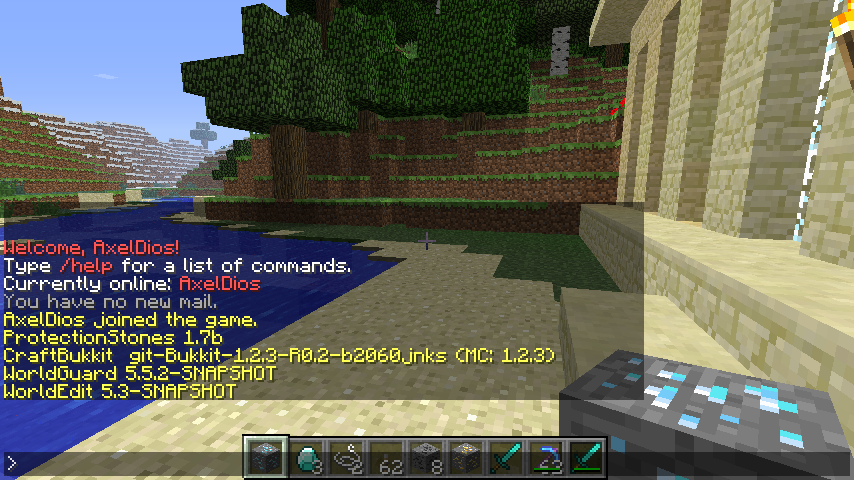
ProtectionStones Regions
ProtectionStones Creates WorldGuard Regions with the following naming convention:
ps{x-coordinate}x{y-coordinate}y{z-coordinate}z
i.e.
ps279x67y40z
The x, y, and z coordinates are the location of the placed ProtectionStone which is in the center of the WorldGuard Region it creates. If the Region.SKYBEDROCK Setting is set to "true" (see the Configuration Page) then Y-Axis of the ProtectionStone isn't necessarily the vertical center of the region.
Incompatible with PreciousStones
Both plugins act on the same kind of ore blocks and have the same command name of "/ps".
Requires WorldGuard
WorldGuard is used to create and remove regions when the blocks are placed, otherwise ProtectionStones won't do anything (set not to load if WorldGuard isn't found).
Settings
Commands | Configuration | Permissions
ProtectionStones
Kako instalirati ProtectionStones
A server on Paper or Spigot
The plugin runs on the server core; players do not need to install anything.
File goes into the plugins folder
Download the file ProtectionStones.jar (30 KB) and put it into the server’s plugins folder.
Restart the server
On startup the plugin creates its own settings folder in plugins.
Use the “To server” button
On Millida Hosting, the button at the top of the page uploads the file to your server and restarts it for you.
Verzije
Sa zavisnostima
| Minecraft | Loader | Fajl | Datum | Akcije |
|---|---|---|---|---|
| — | — | ProtectionStones 1.9j30.2 KB | ||
| — | — | ProtectionStones Beta 0.24.5 KB |
Česta pitanja
Do players need to install ProtectionStones?
No, the plugin goes only on the server, into the plugins folder: players do not need to download anything.
Where can I download ProtectionStones safely?
On this page: the file ProtectionStones.jar (30 KB) is stored on Millida’s server, with no link shorteners. SHA-1 checksum: ca2107a387764fc39c6674af7429b0b4866ed9a0.
Recenzije
Budi prvi koji će oceniti ProtectionStones



