
About BlockHead
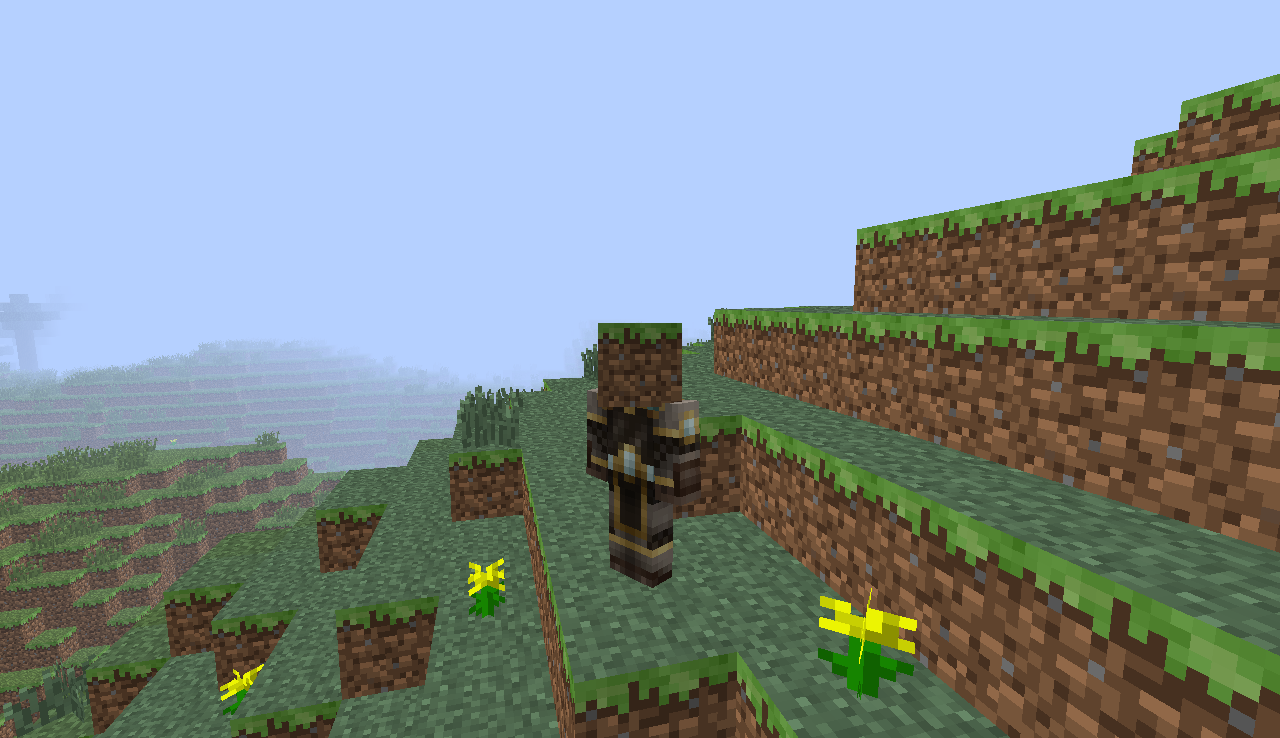
A plugin that sets the item in your hand as head.
How to install
Drop the .jar file in the plugins folder and restart you server.
Permissions
- BlockHead.* - Allows a player to use BlockHead (Default: op)
- BlockHead.any - Allows a player to use /ashead <item name|item id> (Default: op)
- BlockHead.hand - Allows a player to use /ashead (Default: op)
- BlockHead.cp - Allows a player to use the BlockHead control panel (/blockhead). (Default: op)
Configuration
There is no configuration!
Commands
- /ashead - Sets the block in your hand as head
- /ashead <item name|item id> - Sets a specified block as head
- /blockhead forbid <player> <protection> - Forbids a specified player to use a command
- /blockhead allow <player> - Allows a forbidden player tu use the command again
- /blockhead show - Shows the forbidden players
- /blockhead help | ? - Shows the help of BlockHead
- /blockhead version - Shows the version of BlockHead
- Aliases from /blockhead: /bh, /bhead, /blockh
Known Issues
- If you found a issue, please post it in a comment
Change Log
- v3.0 - April 16, 2013:
- Added info text (You put on DIAMOND_BLOCK)
- Fix the player death bug
- Fixed the bug where players get the virtual item with a hard trick
- Fixed the /reload bug (BlockHead no longer crashes)
- v2.0 - February 12, 2013:
- Added command /ashead <item name|item id> to set a block, even if you don't have it.
- Added control panel /blockhead (aliases: /bh, /blockh, /bhead) to forbid a specified player to use a command.
- Added permissions and removed permissions
- v1.0 - February 2, 2013
- Initial Build
Kako instalirati BlockHead v3.0
A server on Paper or Spigot
The plugin runs on the server core for Minecraft 1.6.1; players do not need to install anything.
File goes into the plugins folder
Download the file BlockHead_1.6.1.jar (10 KB) and put it into the server’s plugins folder.
Restart the server
On startup the plugin creates its own settings folder in plugins.
Use the “To server” button
On Millida Hosting, the button at the top of the page uploads the file to your server and restarts it for you.
Minecraft 1.6.1 runs on Java 8: with a different Java version the game may close right after launch.
Verzije
Sa zavisnostima
| Minecraft | Loader | Fajl | Datum | Akcije |
|---|---|---|---|---|
| 1.6.1 | — | BlockHead 1.6.110.3 KB |
Česta pitanja
Which Minecraft versions does BlockHead v3.0 work on?
Only Minecraft 1.6.1: there are no files for other versions.
Which Java does BlockHead v3.0 need?
Minecraft 1.6.1 runs on Java 8. If the game closes right after launch, the usual cause is the wrong Java version in the profile settings.
Where can I download BlockHead v3.0 safely?
On this page: the file BlockHead_1.6.1.jar (10 KB) is stored on Millida’s server, with no link shorteners. SHA-1 checksum: db0459ffe4253a9fe584f4012bbc1a910e93b34c.
Recenzije
Budi prvi koji će oceniti BlockHead v3.0



