

EternalCraft Gradnja za Minecraft 1.19.2
Istražite ogroman svet pun divnih bioma, stvorenja, boss-ova i još mnogo toga! Ovaj modpak ima preko 300 modova koji su fokusirani na balans. Bilo da volite borbu, istraživanje, gradnju, farmu, magiju ili tehnologiju, ovaj modpak ima sve!
- preuzimanja
- 1 preuzimanja
- pregleda
- 13 pregleda
- Ažurirano
- Ažurirano 18.10.2026
- 1.19.2
 Forge
Forge
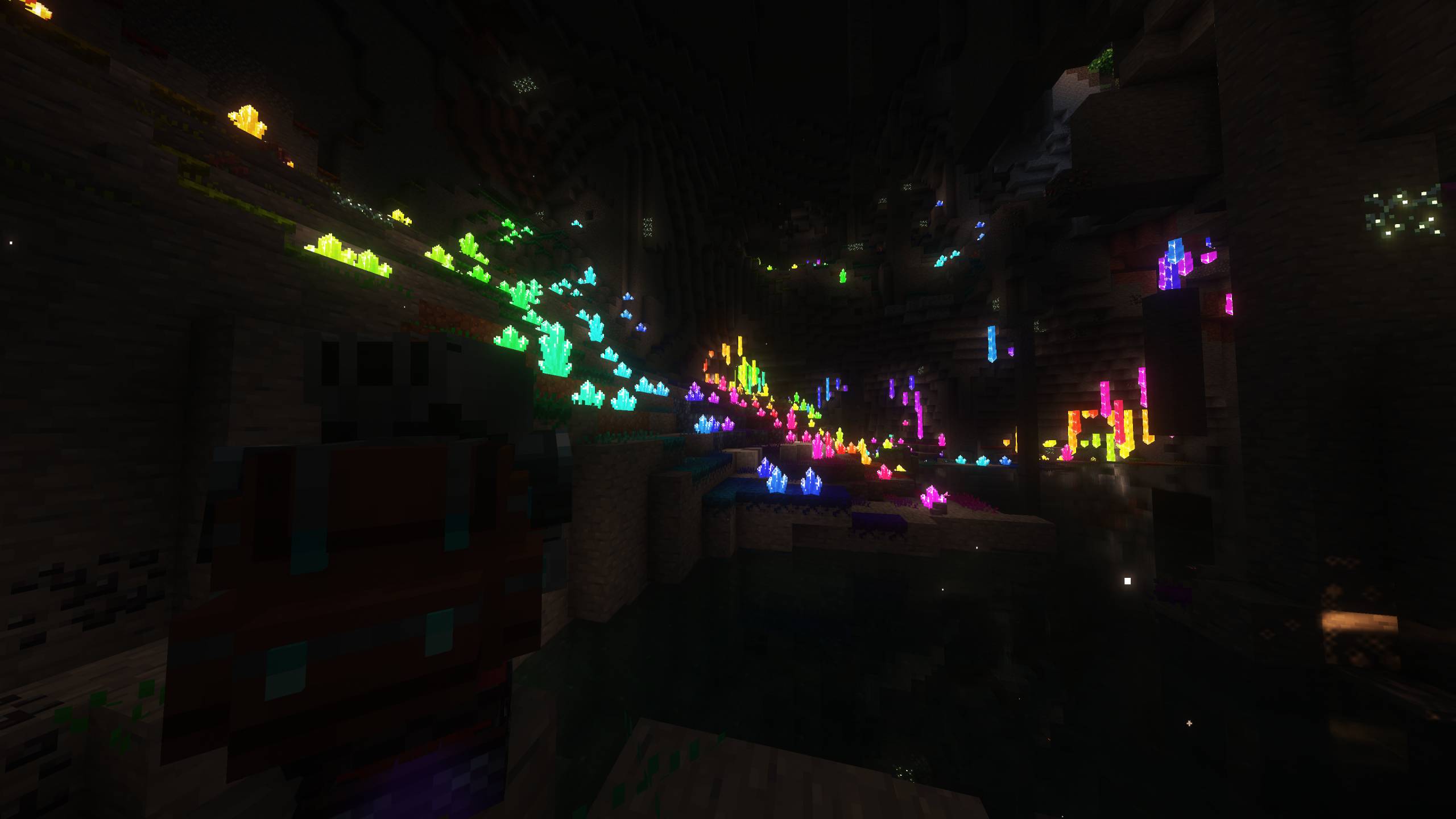
EternalCraft has over 300 mods focused on balance and making sure everybody has something interesting to do!
🗡️ Get ready to embark on a fantastic and exciting journey! Travel through the dense forests, the beautiful lakes, the barren deserts, and much much more! Everything and everyone is waiting for your arrival, so what are you waiting for? Jump right in!

💀 Fight 30 Challenging Bosses!
⚔️ Immersive Combat Experience From Better Combat! 🔮 Massive Skill Tree! Choose Your Own Unique Path! 📚 Complete 300+ Quests! 🌏 Epic & Beautiful Biomes From Regions Unexplored! 🛖 Tons of New Structures & Dungeons to Explore! 🔥 Temperature System From Cold Sweat! ✨ Explore The Aether & Otherside Dimension! 🪄 Become a Wizard & Cast Powerful Magical Spells! 🛠️ Automate Everything with Create & Little Logistics! 🐲 Tame & Ride Mythical Creatures! 💎 Powerful Affixes from Apotheosis 💍 Obtain Useful Artifacts, Relics & Accessories! 🗺️ Xaero's Minimap + Worldmap! [Press 'M' to Open] 🫂 Multiplayer Friendly! Everyone Gets Their Own Loot! ⭐ 300+ Mods! Allocate Atleast 5GB RAM to MC, 6GB-12GB is Recommended.
Create & Upload a video on this modpack for a chance to get it featured here! Make sure to include #EternalCraftModpack in the description if you do!
(This modpack is no longer supported)
Kako instalirati EternalCraft
With Millida Launcher
Install Millida Launcher
The launcher is free: download it at millida.net/launcher and sign in with any nickname.
Click “Install” on this page
The launcher opens and installs the modpack for Minecraft 1.19.2 on Forge automatically.
Launch the game
A profile with it appears in the launcher: click “Play”.
Manually
Download the modpack archive
In the version list above, pick the file EternalCraft - RPG Quests Level Up Magic Tech-v1.4.zip (25 MB).
Import it into a launcher
A launcher that supports modpacks (Millida Launcher, Prism) takes the archive via “Add modpack”, then “From file”. No need to unpack it yourself.
Allocate memory
Modpacks need more memory than the plain game: set 4–6 GB in the profile settings.
On a server
Use the “To server” button
On Millida Hosting, the button at the top of the page uploads the file to your server and restarts it for you.
Invite friends: they install the same modpack
To join the server, every player needs the same modpack version.
Minecraft 1.19.2 runs on Java 17: with a different Java version the game may close right after launch.
Verzije
Sa zavisnostima
| Minecraft | Loader | Fajl | Datum | Akcije |
|---|---|---|---|---|
| 1.19.2 | Forge | EternalCraft - v1.425.4 MB 1 |
Česta pitanja
Which Minecraft versions does EternalCraft work on?
Only Minecraft 1.19.2: there are no files for other versions.
Is EternalCraft for Forge or Fabric?
Only for Forge: 1.19.2.
Which Java does EternalCraft need?
Minecraft 1.19.2 runs on Java 17. If the game closes right after launch, the usual cause is the wrong Java version in the profile settings.
Where can I download EternalCraft safely?
On this page: the file EternalCraft - RPG Quests Level Up Magic Tech-v1.4.zip (25 MB) is stored on Millida’s server, with no link shorteners. SHA-1 checksum: e80f87f79670a339ffc05dc03a5661ebda90481d.
Recenzije
Budi prvi koji će oceniti EternalCraft


