

Sulfur Cube MiniGames Mapa za Minecraft 26.30
Mapa za mini-igre sa temom Sulfur Cube gde igrači mogu da uskoče u brze, zabavne mečeve kao što su Football, Table Tennis i Golf, sa još modova igre koji uskoro dolaze.
O Sulfur Cube MiniGames mapi
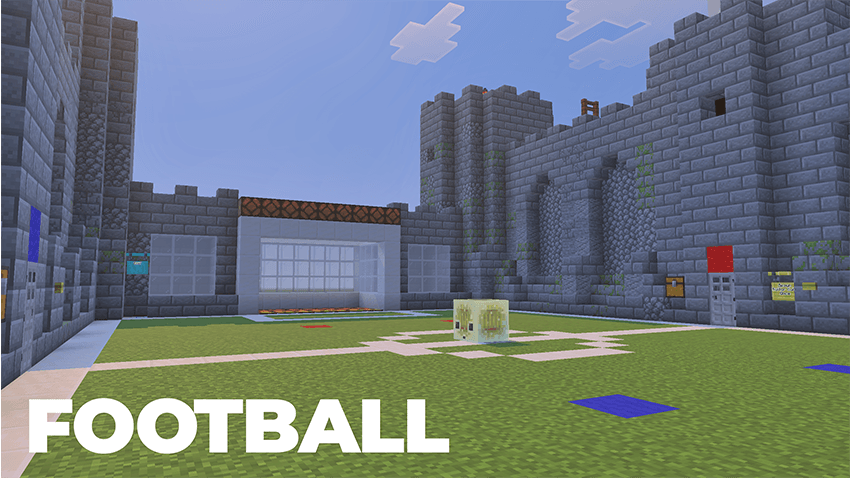
Step into the world of Sulfur Cube, a multiplayer minigames map inspired by the chaotic cube-shaped creatures from Minecraft's Chaos Cubed update. Challenge your friends in a collection of fun and competitive minigames designed for players of all skill levels. Test your teamwork and precision in Football, master quick reactions in Table Tennis, or aim for the perfect shot in Golf. Each game offers its own unique mechanics, objectives, and strategies, ensuring every match feels fresh and exciting.
Whether you're looking for a casual game night with friends or a competitive challenge to determine the ultimate champion, Sulfur Cube has something for everyone. The map is designed to be easy to pick up, highly replayable, and enjoyable for both small and large groups of players. With additional minigames already in development, the experience will continue to grow over time, bringing new challenges, mechanics, and ways to play.
Gather your friends, choose your favorite minigame, and see who can come out on top in the ultimate Sulfur Cube competition!
Kako instalirati Sulfur Cube MiniGames
With Millida Launcher
Install Millida Launcher
The launcher is free: download it at millida.net/launcher and sign in with any nickname.
Click “Install” on this page
The launcher opens and installs the map for Minecraft 26.30 automatically.
Launch the game
A profile with it appears in the launcher: click “Play”.
Manually
Download the map archive
Pick the file Sulfur Cube MiniGames 1.0.0.mcworld (2.2 MB).
Unpack it into the saves folder
The world folder (with level.dat inside) must sit directly in .minecraft/saves.
Open the world
“Singleplayer”: the map will be in your world list.
On a server
Replace the world folder
Stop the server and put the map folder in place of world (or set its name in level-name).
Use the “To server” button
On Millida Hosting, the button at the top of the page uploads the file to your server and restarts it for you.
Verzije
Sa zavisnostima
| Minecraft | Loader | Fajl | Datum | Akcije |
|---|---|---|---|---|
| 26.30 | — | Sulfur Cube MiniGames 1.0.0.mcworld2.2 MB 1 |
Česta pitanja
Which Minecraft versions does Sulfur Cube MiniGames work on?
Only Minecraft 26.30: there are no files for other versions.
Where can I download Sulfur Cube MiniGames safely?
On this page: the file Sulfur Cube MiniGames 1.0.0.mcworld (2.2 MB) is stored on Millida’s server, with no link shorteners. SHA-1 checksum: c581dddedbc4d9be704015049a011d10ade1b1a6.
Recenzije
Budi prvi koji će oceniti Sulfur Cube MiniGames



