
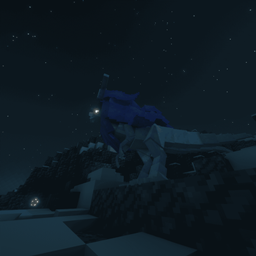
Cobblespawn Data pak za Minecraft 1.21.1
Proširenje originalnog Cobblemon spawn pool-a.
O Cobblespawn data paku
This data pack aims to make every single non-legendary Pokémon in Cobblemon spawn naturally in the world! While not yet fully implemented, this beta release already expands the spawn pool significantly, adding many new species to various biomes, including rare Paradox Pokémon.
Current Features:
✅ Expanded Spawn Pool - Many Pokémon that didn’t spawn naturally before can now be found in the wild.
✅ Paradox Pokémon Introduced - Some Paradox Pokémon now have appropriate spawn locations.
✅ Biome-Specific Spawning - Pokémon distributions are adjusted to match their natural habitats.
✅ Balanced Spawn Rates - Tweaked to prevent overpopulation of certain species.
Planned Features:
🚀 Full Pokédex Implementation - Very soon, every non-legendary Pokémon in Cobblemon will have a natural spawn.
🚀 More Refined Balance Tweaks - Further spawn rate adjustments based on feedback.
This beta version is a work in progress, so expect updates as more Pokémon are added to the spawn pool. Your feedback is welcome as we work toward a fully complete spawn expansion!
*Not compatible with most addon spawn pools since this is mainly made for the Cobblemon Forgotten Legends server. Though, simply removing spawn pools(you can keep the legends) of other addons will make it compatible.
Kako instalirati Cobblespawn
With Millida Launcher
Install Millida Launcher
The launcher is free: download it at millida.net/launcher and sign in with any nickname.
Click “Install” on this page
The launcher opens and installs the data pack for Minecraft 1.21.1 automatically.
Launch the game
A profile with it appears in the launcher: click “Play”.
On a server
Archive goes into the server world’s datapacks
The world/datapacks folder on the server; players do not need to install anything.
Reload the data
Type /reload in the server console or restart the server.
Use the “To server” button
On Millida Hosting, the button at the top of the page uploads the file to your server and restarts it for you.
Verzije
Sa zavisnostima
| Minecraft | Loader | Fajl | Datum | Akcije |
|---|---|---|---|---|
| 1.21.1 | — | Cobblespawn 1.0.0514 KB |
Česta pitanja
Which Minecraft versions does Cobblespawn work on?
Only Minecraft 1.21.1: there are no files for other versions.
Does Cobblespawn work on a server?
Yes: the data pack goes into the datapacks folder of the server world, and players do not need to install anything.
How do I download Cobblespawn?
With Millida Launcher: it installs Cobblespawn into a modpack by itself, for the right game version and loader. The launcher is free.
Recenzije
Budi prvi koji će oceniti Cobblespawn


