

Sobre o pacote de recursos CapesVM
Capes VM | Cosmetics Bedrock
Redefining cosmetics in Minecraft Bedrock.
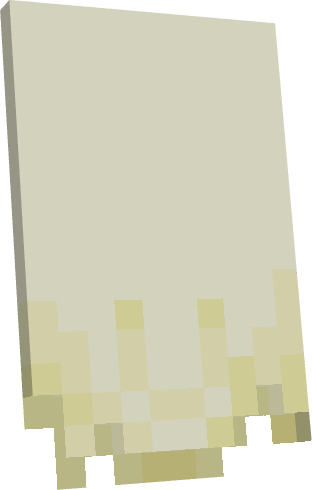
Capes VM is a lightweight and optimized cosmetics pack that adds 67 unique capes to choose from, while keeping 100% vanilla style and without breaking any player animations.
FEATURES:
✓ 67 Unique Capes - From Minecon classics to exclusive designs like Lunar Client, Akatsuki, Totoro and more.
✓ Vanilla Movement - Designed to move naturally with the player. Does not affect Elytra or animations.
✓ Lightweight & Clean - Low file size, no lag, and everything perfectly organized in subpacks.
✓ Easy to Use - Just select your favorite cape from the subpacks settings.
Includes popular capes like: Allay, Axolotl, Migrator, Minecon, Warden, Cherry Blossom, Discord, Hero, Optifine Remastered, Kirby, Lunar, and many more.
Created by MartCosmicv
Compatible with Minecraft Bedrock 1.21.60+
Capes VM | Cosmetics Bedrock
Redefiniendo los cosméticos en Minecraft Bedrock. 😜
Capes VM es un pack de cosméticos ligero y optimizado que añade 67 capas únicas para elegir, manteniendo 100% el estilo vanilla y sin romper ninguna animación del jugador
CARACTERISTICAS:
✓ 67 Capas Únicas - Desde clasicos de Minecon hasta diseños exclusivos como Lunar Client, Akatsuki, Totoro y más.
✓ Movimiento Vanilla - Diseñado para moverse de forma natural con el jugador. No afecta al Elytra ni a las animaciones.
✓ Ligero y Optimizado - No pesa, no da lag y todo está perfectamente ordenado en subpacks.
✓ Fácil de usar - Elige tu capa favorita desde los ajustes de packs y listo.
Incluye capas populares como: Allay, Axolotl, Migrator, Minecon, Warden, Cherry Blossom, Discord, Hero, Optifine Remastered, Kirby, Lunar, y muchas más.
Creado por MartCosmicv
Compatible con Minecraft Bedrock 1.21.60+
(Not all of them have the Elytra version, only those that are not)
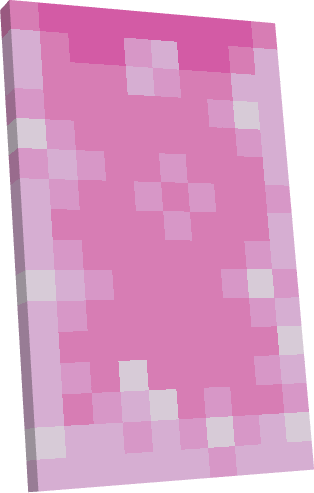
Como instalar CapesVM
With Millida Launcher
Install Millida Launcher
The launcher is free: download it at millida.net/launcher and sign in with any nickname.
Click “Install” on this page
The launcher opens and installs the resource pack for Minecraft 1.21.121–1.21.132 automatically.
Launch the game
A profile with it appears in the launcher: click “Play”.
Manually
Download the archive
Pick the file CapesVM • v2.mcpack (1.0 MB) for your game version. No need to unpack it.
Put it in the resourcepacks folder
The easiest way: “Options”, then “Resource Packs”, then “Open Pack Folder”, and drag the archive there.
Enable the pack
In the same window, move the pack to the right-hand “Selected” column and click “Done”.
Versões
Com dependências
| Minecraft | Loader | Arquivo | Data | Ações |
|---|---|---|---|---|
| 1.21.122 | — | CapesVM | v31 MB |
FAQ
Which Minecraft versions does CapesVM work on?
There are files for 1.21.121–1.21.132, 7 versions in total. The newest is 1.21.132.
Where can I download CapesVM safely?
On this page: the file CapesVM • v2.mcpack (1.0 MB) is stored on Millida’s server, with no link shorteners. SHA-1 checksum: a274cbb0ed69d2888b317a2b0673c94396798eff.
Avaliações
Seja o primeiro a avaliar CapesVM


