
Amethyst Theme Pacote de recursos para Minecraft 1.21.1
Interface do Minecraft, com um toque de Ametista!
Sobre o pacote de recursos Amethyst Theme

Amethyst theme is the GUI pack used for the mythcraft modpack, other than just retexturing minecraft GUI, Amethyst theme also retextures GUI from; irons spellbooks, Improvable skills, combat roll, boundless, codex and more.
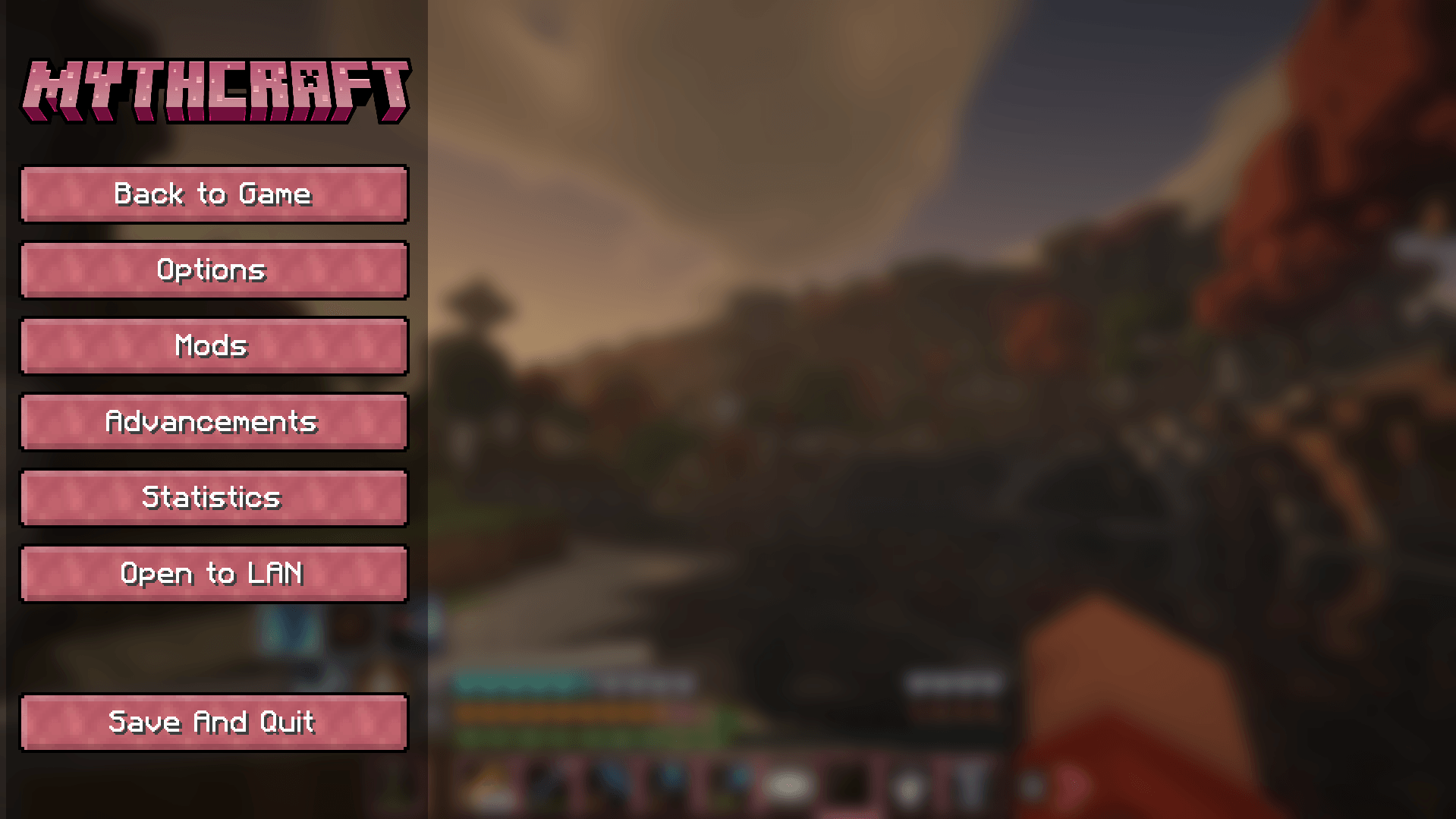
Amethyst theme has 2 primary versions
A purple Amethyst theme for 1.20.1 used in mythcraft 4
A red Amethyst theme for 1.21.1 used in mythcraft 5
<-- LINKS -->





Como instalar Amethyst Theme
With Millida Launcher
Install Millida Launcher
The launcher is free: download it at millida.net/launcher and sign in with any nickname.
Click “Install” on this page
The launcher opens and installs the resource pack for Minecraft 1.21.1 automatically.
Launch the game
A profile with it appears in the launcher: click “Play”.
Manually
Download the archive
Pick the file amethyst-16.zip (8.2 MB) for your game version. No need to unpack it.
Put it in the resourcepacks folder
The easiest way: “Options”, then “Resource Packs”, then “Open Pack Folder”, and drag the archive there.
Enable the pack
In the same window, move the pack to the right-hand “Selected” column and click “Done”.
Versões
Com dependências
| Minecraft | Loader | Arquivo | Data | Ações |
|---|---|---|---|---|
| 1.21.1 | — | Amethyst Theme | 168.2 MB 1 |
FAQ
Where can I download Amethyst Theme safely?
On this page: the file amethyst-16.zip (8.2 MB) is stored on Millida’s server, with no link shorteners. SHA-1 checksum: 7217f30962d9733e53b39f9697daad8bda61533f.
Avaliações
Seja o primeiro a avaliar Amethyst Theme



