
MailBox Plugin para Minecraft
Enviar um pacote
Sobre o plugin MailBox
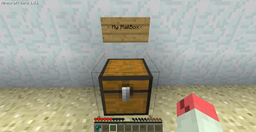
MailBox is plugin used for sending packages (material) to other players. Players can create their own mailboxes. When player has a mailbox, he can receive the package. Offline players can receive the package too. How to send a package: Just write simple command: /mailbox send <player_name>. The package is item which you hold in your hand.
How to install
1.) Place jar in your plugins directory. 2.) Run the server. 3.) Change settings in config file: /plugins/MailBox/settings.txt. 4.) Enjoy It!
Features:
- Players can create their own mailboxes. 1 mailbox / player.
- Packages can be send to other world - e.g. nether.
- Works with LWC (But works without it too).
- Works with any permissions system (PEX untested, but should work).
- Works with any economy system supporting Vault. (You can set a delivery fee. But works without it too.)
- You can set cooldown = player can send package only once every x seconds.
- Ability to create a mailbox for someone else.
- Postman - Player who created your mailbox can earn money. He gets 10% of total fee from receiving packages.
Need help?
You can find me on irc.esper.net in the channel #Iacc
Commands:
Ingame:
- /mailbox help - Lists commands.
- /mailbox fees - Check the fees.
- /mailbox check <player_name> - Check the fee for sending a package to <player_name>.
- /mailbox send <player_name> - Send a package to <player_name>. (Alias /msend)
- /mailbox create - Create a mailbox.
- /mailbox create <player_name> - Create a mailbox for <player_name>. (<player_name> has to be online!).
- /mailbox remove - Remove a mailbox.
- /mailbox remove <player_name> - Remove <player_name>'s mailbox.
- /mailbox view [page] - View a log file. (For admins or moderators.)
Console:
- mailbox -reload - Reload settings. You do not need restart server.
Permissions:
mailbox.* - Gives access to all mailbox commands. mailbox.user.* - Player can create/remove own mailbox and sending the packages to other players. mailbox.admin.* - Gives access to admin commands. mailbox.postman.* - Can create a mailbox for someone else and remove mailboxes which he created.
mailbox.admin.viewlog - Can view a log. mailbox.admin.removeany - Can remove any mailbox.
mailbox.user.send - Can send a package. mailbox.user.create - Can create own mailbox. mailbox.user.remove - Can remove own mailbox.
mailbox.postman.createother - Can create a mailbox for someone else. mailbox.postman.removeother - Can remove mailboxes which he created.
mailbox.sendtoself - Player can send package to himself. mailbox.nocooldown - Player does not have the send cooldown.
Todo:
- Auto-generating YAML config
- Fix any errors
- Major code rewrite
Source Code: https://github.com/Iaccidentally/MailBox
Como instalar MailBox
A server on Paper or Spigot
The plugin runs on the server core; players do not need to install anything.
File goes into the plugins folder
Download the file MailBox-2.7.jar (17 KB) and put it into the server’s plugins folder.
Restart the server
On startup the plugin creates its own settings folder in plugins.
Use the “To server” button
On Millida Hosting, the button at the top of the page uploads the file to your server and restarts it for you.
Versões
Com dependências
| Minecraft | Loader | Arquivo | Data | Ações |
|---|---|---|---|---|
| — | — | MailBox 2.717.4 KB | ||
| — | — | 2.617.2 KB |
FAQ
Do players need to install MailBox?
No, the plugin goes only on the server, into the plugins folder: players do not need to download anything.
Where can I download MailBox safely?
On this page: the file MailBox-2.7.jar (17 KB) is stored on Millida’s server, with no link shorteners. SHA-1 checksum: a459cad04f62e55bd66bc094e718851c87dcb039.
Avaliações
Seja o primeiro a avaliar MailBox



