
Wall-Jump TXF Mod para Minecraft 26.3
Wall jump, double jump, fence jump e mais
 Forge
Forge NeoForge
 Fabric
 Quilt
QuiltWall-Jump TXF mod
Wall jump, double jump, fence jump & more This mod adds:
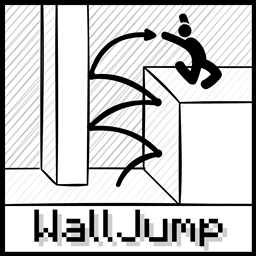
Wall Cling: Jump towards a wall and hold the wall jump key (LSHIFT)
Wall Jump: While wall clinging, keep holding W and let go of LSHIFT to wall jump
Double Jump: Optional mid-air jump
Speed Boost: Boosts your speed while sprinting or flying with elytras
Steep Assist: Walk up steps even while airborne, also jump over fences
Fabric/Quilt dependencies:
- Mod Menu mod (Optional)
Como instalar Wall-Jump TXF
With Millida Launcher
Install Millida Launcher
The launcher is free: download it at millida.net/launcher and sign in with any nickname.
Click “Install” on this page
The launcher opens and installs the mod for Minecraft 26.3 on Fabric, Forge, NeoForge or Quilt automatically.
Launch the game
A profile with it appears in the launcher: click “Play”.
Manually
Install Fabric, Forge, NeoForge or Quilt
The loader must match the game version of the mod file, for example Minecraft 26.3. After installing it, a separate profile appears in your launcher.
Download the file for your version
In the version list above, pick the file walljump-26.3-1.3.8-forge.jar (189 KB) for your game version and loader.
Put it in the mods folder
The folder is inside .minecraft (Windows: %appdata%\.minecraft\mods). If it does not exist, create it.
Launch the loader profile
Open “Mods” in the main menu: Wall-Jump TXF should be in the list.
Versões
Com dependências
| Minecraft | Loader | Arquivo | Data | Ações |
|---|---|---|---|---|
| 26.3 | Forge | Wall-Jump TXF 26.3-1.3.8-forge189 KB 3 | ||
| 26.3 | NeoForge | Wall-Jump TXF 26.3-1.3.8-neoforge189 KB | ||
| 26.3 | Fabric, Quilt | Wall-Jump TXF 26.3-1.3.8-fabric189 KB 20 |
Avaliações
Seja o primeiro a avaliar Wall-Jump TXF


