

Too Cheap! Mod para Minecraft 1.19.2, 26.3
Remove a mensagem irritante de Muito Caro! e a restrição de custo de níveis nas bigornas.
 Fabric
 Quilt
QuiltSobre o mod Too Cheap!

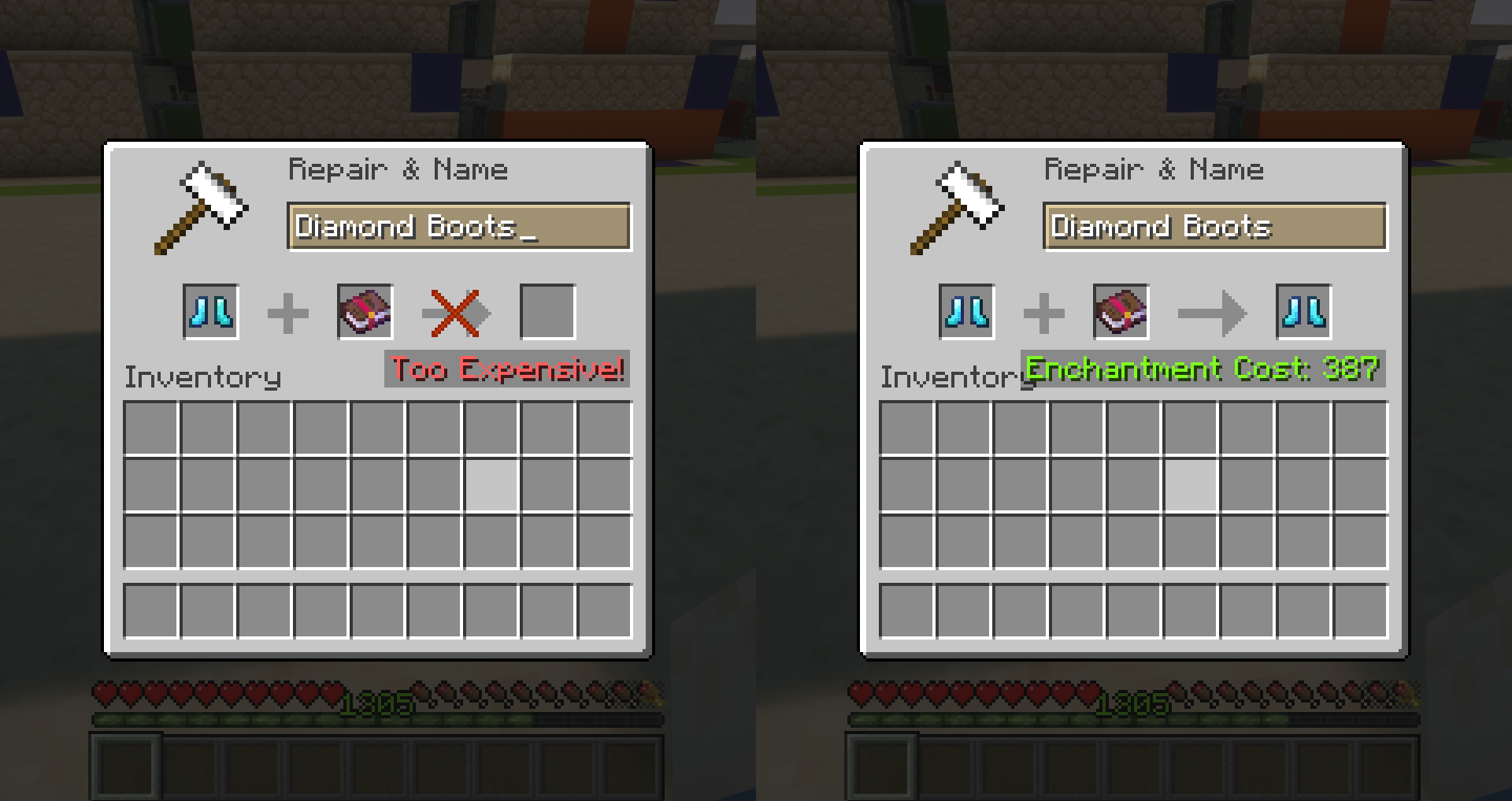
Anvils only allow items to be combined if the cost is less than 40 levels. Otherwise, the Too Expensive! message is displayed. This leads to a complicated order of combining books to get the best gear before you can't add any more enchantments.
This mod replaces the arbitrary value of 40 levels with 2147483647 (the maximum value of a Java Integer). By default, the costs of using anvils are not changed and the scaling remains the same.
Settings and Configuration
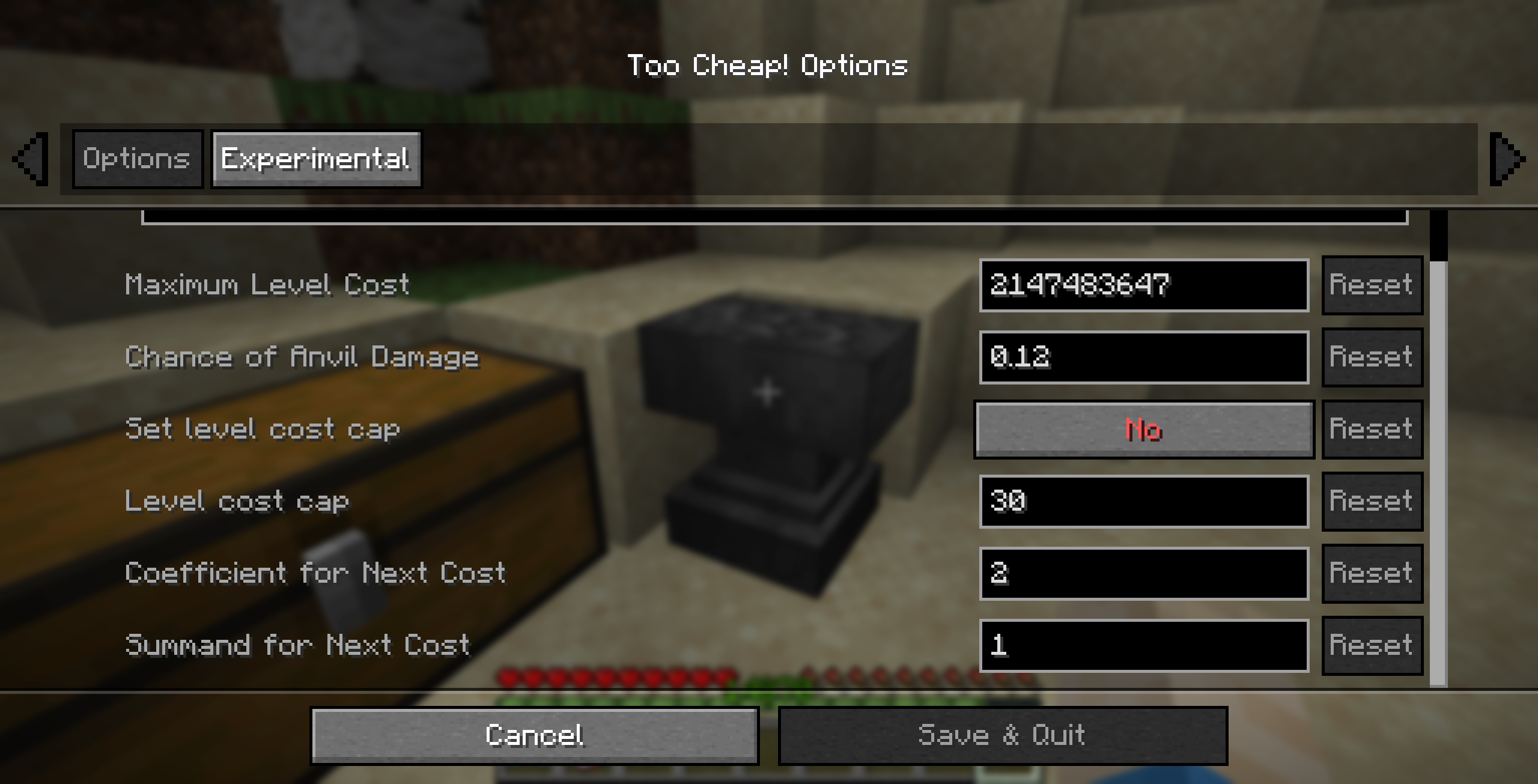
The mod allows you to set the maximum level cost, the chance of anvil damage, an (optional) level cost cap, and the cost increase rate.
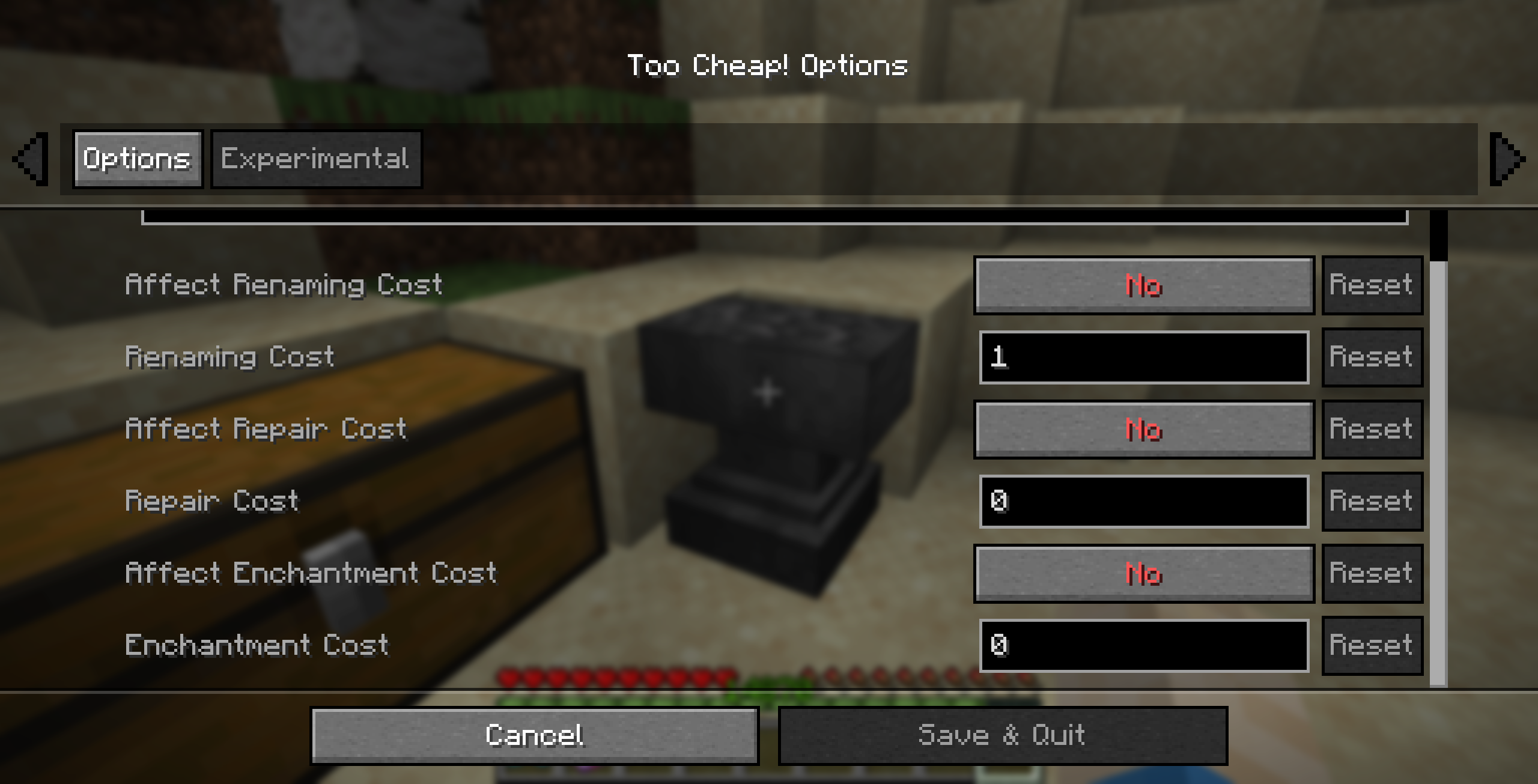
Additional experimental settings allow to change some internal values that I've tried to identify. No guarantee they actually do what it says.

These settings can either be changed in the config file or, if the optional dependency Mod Menu is installed, in a GUI interface.
Frequently Asked Questions
Q: Can I use this mod in my modpack?
A: Of course.
Q: Is this mod available in version X.Y.Z?
A: Probably. If you want the mod for a version that is not yet available, just open a GitHub Issue or ask on Discord.
Q: My game crashed/I think I found a bug/...
A: Open a GitHub Issue and give as much detail as possible. Alternatively, you can report on Discord.
Q: I have some feedback or an idea for a new feature.
A: Join the Discord. I would like to hear your opinion about my mod.

Como instalar Too Cheap!
With Millida Launcher
Install Millida Launcher
The launcher is free: download it at millida.net/launcher and sign in with any nickname.
Click “Install” on this page
The launcher opens and installs the mod for Minecraft 1.19–26.3 on Fabric or Quilt automatically, together with its dependencies: Cloth Config API.
Launch the game
A profile with it appears in the launcher: click “Play”.
Manually
Install Fabric or Quilt
The loader must match the game version of the mod file, for example Minecraft 26.3. After installing it, a separate profile appears in your launcher.
Download the file for your version
In the version list above, pick the file too-cheap-1.4.1+mc26.3.jar (19 KB) for your game version and loader.
Put it in the mods folder
The folder is inside .minecraft (Windows: %appdata%\.minecraft\mods). If it does not exist, create it. Required dependencies go there too: Cloth Config API.
Launch the loader profile
Open “Mods” in the main menu: Too Cheap! should be in the list.
On a server
A server on Fabric or Quilt
The mod only works on a server with the same loader and game version, for example 26.3.
File goes into the server’s mods folder
Stop the server, put the mod file into the mods folder and start the server again.
Use the “To server” button
On Millida Hosting, the button at the top of the page uploads the file to your server and restarts it for you.
Versões
Com dependências
| Minecraft | Loader | Arquivo | Data | Ações |
|---|---|---|---|---|
| 26.3 | Fabric, Quilt | 26.319.1 KB | ||
| 26.2 | Fabric, Quilt | 26.219.1 KB | ||
| 26.1.2 | Fabric, Quilt | 26.1.219.6 KB | ||
| 1.21.11 | Fabric, Quilt | 1.21.1119.2 KB | ||
| 1.21.10 | Fabric, Quilt | 1.21.1019.7 KB 1 | ||
| 1.21.8 | Fabric, Quilt | 1.21.819.7 KB | ||
| 1.21.7 | Fabric, Quilt | 1.21.719.7 KB | ||
| 1.19.4 | Fabric, Quilt | 1.19.419.7 KB |
O que é necessário para funcionar
- Cloth Config APIobrigatório
- Mod Menuopcional
FAQ
Which Minecraft versions does Too Cheap! work on?
There are files for 1.19–26.3, 15 versions in total. The newest is 26.3.
Is Too Cheap! for Forge or Fabric?
There are files for Fabric: 1.19–26.3 and for Quilt: 1.19–26.3. There are no files for Forge or NeoForge: a mod for another loader will not start.
What does Too Cheap! need to work?
Required: Cloth Config API. Without it the mod will not start: dependencies go into the same mods folder. Optional: Mod Menu.
Does Too Cheap! work on a server?
Yes. Too Cheap! works both in singleplayer and on a server.
Where can I download Too Cheap! safely?
On this page: the file too-cheap-1.4.1+mc26.3.jar (19 KB) is stored on Millida’s server, with no link shorteners. SHA-1 checksum: b8cfd72406b957c3d165bc1a45a239ffda2a5bf4.
Avaliações
Seja o primeiro a avaliar Too Cheap!


