
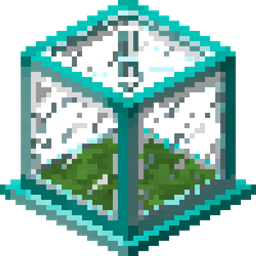
Tiny Mob Farm Mod para Minecraft 1.12.2, 1.16.5
Fazendas de mobs do tamanho de um único bloco que tornam a criação de mobs mais organizada e fácil.
- downloads
- 4 downloads
- visualizações
- 17 visualizações
- Atualizado
- Atualizado 21.10.2026
- 1.12.2 — 1.16.5
 Forge
Forge
Sobre o mod Tiny Mob Farm
This mod adds single-block size mob farms that make mob farming neater and easier.
Overview:
This mod adds different tiers of single-block size mob farms that generates mob loots over time.
Different tiers of mob farms have different speed; the Wooden Mob Farm is the lowest tier and the slowest, then the Stone Mob Farm, etc.
Instructions:
The player needs to capture a mob with the lasso and insert it into a mob farm. The mob farm will start to generate loots of the given mob. Outputs are pushed to adjacent chests.
Capture:
Mob Farm:
Recipes (partial):
Lasso:
Wooden Mob Farm:
Stone Mob Farm:
Iron Mob Farm:
... There are more recipes, but won't be featured here.
Video Showcase:
MrBigcheesecake:
Changelog (1.0.7):
Added a config in 1.15.2 that:
- Set lasso durability
- Blacklist mobs
- Disable loot from spilling out on the ground when chest is full/there is no chest (loot spilling out is enabled by default, but is recommended to be disabled on servers to prevent lag)
FAQ:
Q: Why is my mob farm not spilling out loot?
A: Either the mob does not have any loot, or spilling out loot is disabled on your server. Put a chest next to the mob farm to collect loot instead.
This mod can be used in any modpacks.
Github Link: https://github.com/davidmaamoaix/TinyMobFarm/
If you find any bugs/stuff to improve on, please put them in the comment section below.
Como instalar Tiny Mob Farm
With Millida Launcher
Install Millida Launcher
The launcher is free: download it at millida.net/launcher and sign in with any nickname.
Click “Install” on this page
The launcher opens and installs the mod for Minecraft 1.12.2–1.16.5 on Forge automatically.
Launch the game
A profile with it appears in the launcher: click “Play”.
Manually
Install Forge
The loader must match the game version of the mod file, for example Minecraft 1.16.5. After installing it, a separate profile appears in your launcher.
Download the file for your version
In the version list above, pick the file TinyMobFarm-1.16.5-1.1.2.jar (72 KB) for your game version.
Put it in the mods folder
The folder is inside .minecraft (Windows: %appdata%\.minecraft\mods). If it does not exist, create it.
Launch the loader profile
Open “Mods” in the main menu: Tiny Mob Farm should be in the list.
Minecraft 1.16.5 runs on Java 8: with a different Java version the game may close right after launch.
Versões
Com dependências
| Minecraft | Loader | Arquivo | Data | Ações |
|---|---|---|---|---|
| 1.16.5 | Forge | TinyMobFarm-1.16.5-1.1.2.jar72 KB 1 | ||
| 1.16.4 | Forge | TinyMobFarm-1.16.4-1.1.172.2 KB | ||
| 1.13.2 | — | TinyMobFarm-1.13.2-1.0.5.162.8 KB 3 | ||
| 1.12.2 | — | TinyMobFarm-1.12.2-1.0.562.7 KB |
FAQ
Which Minecraft versions does Tiny Mob Farm work on?
There are files for 1.16.5, 1.16.4, 1.13.2, 1.12.2. The newest is 1.16.5.
Is Tiny Mob Farm for Forge or Fabric?
Only for Forge: 1.16.4–1.16.5. There are no files for Fabric or NeoForge: a mod for another loader will not start.
Does Tiny Mob Farm need other mods?
The author lists no required dependencies: the Forge loader is enough.
Which Java does Tiny Mob Farm need?
Minecraft 1.16.5 runs on Java 8. If the game closes right after launch, the usual cause is the wrong Java version in the profile settings.
Where can I download Tiny Mob Farm safely?
On this page: the file TinyMobFarm-1.16.5-1.1.2.jar (72 KB) is stored on Millida’s server, with no link shorteners. SHA-1 checksum: ad3494f56863890408cd9f289784d08cd5e7a599.
Avaliações
Seja o primeiro a avaliar Tiny Mob Farm


