

Snuffles Mod para Minecraft 1.21.1
Adiciona Snuffles, um novo mob para biomas nevados!
 NeoForge
 Forge
ForgeSobre o mod Snuffles
Made during WinterJam 2021.
Fabric Port: https://www.curseforge.com/minecraft/mc-mods/snuffles-fabric
Snuffles are fluffy mobs with a big tongue found in snowy biomes with unique frosty fur. They can be bred with potatoes, they'll flap their tongues and run towards you if you're holding them. Their fur is covered with frost, which can removed with magma cream or fire. Frosty Snuffles leave a trail of snowflakes wherever they go. Their fluff can be harvested by shearing them, trimming the excess fluff and exposing their eyes.
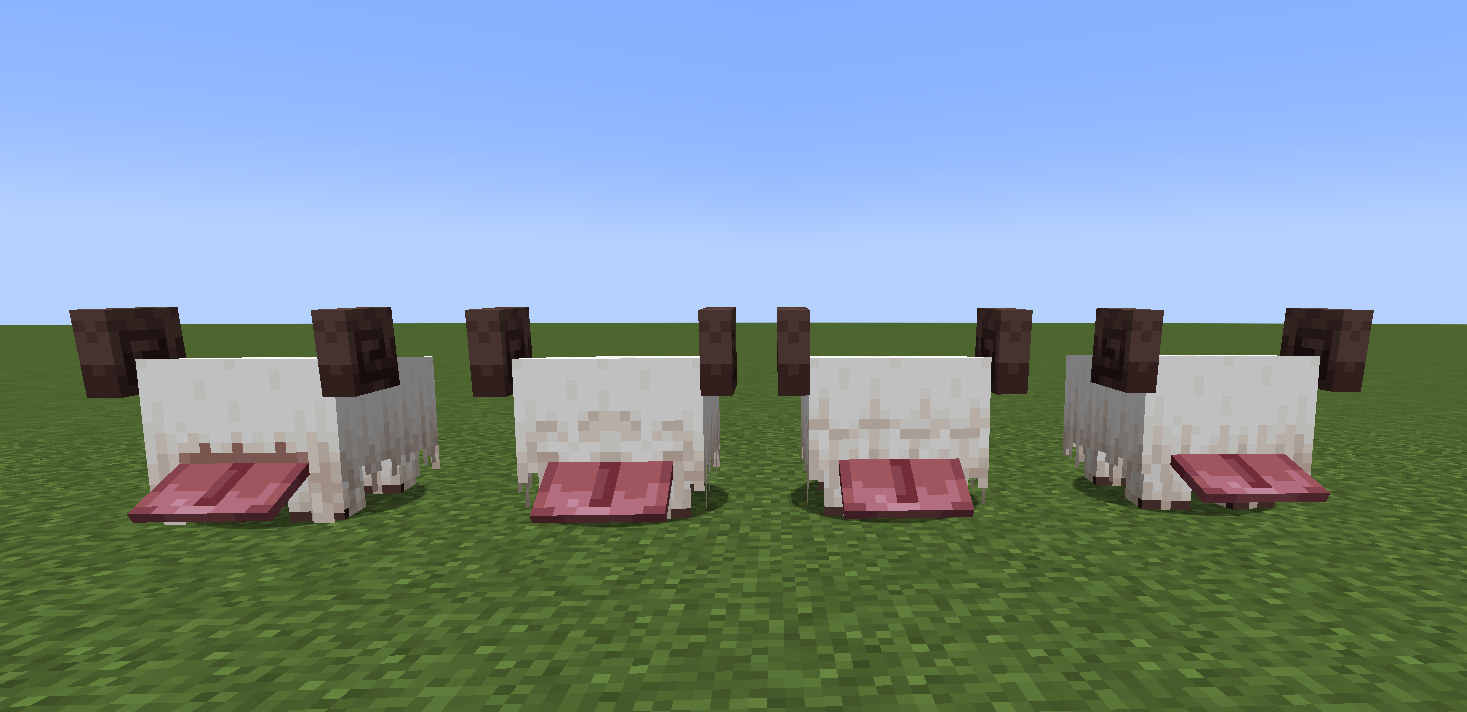
If a Snuffle is warm, it can turn frosty again by being in the open when it is snowing or by walking into powder snow. This can be seen here.
Slimeballs can be used on them to cycle through 4 hairstyles.
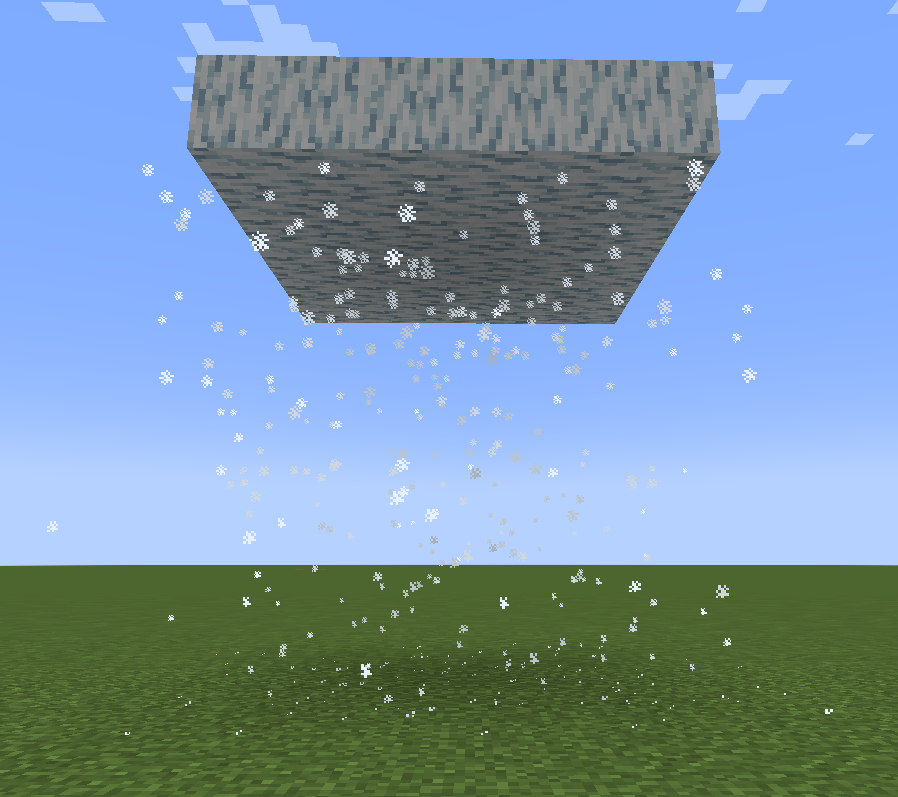
Snuffle Fluff and Snuffle Fluff Carpets are decoration blocks and Frosty Fluff and Frosty Fluff Carpets make snowflakes when stepped on. Frosty Fluff also makes snowflake particles below it if there are no blocks under it.
Como instalar Snuffles
With Millida Launcher
Install Millida Launcher
The launcher is free: download it at millida.net/launcher and sign in with any nickname.
Click “Install” on this page
The launcher opens and installs the mod for Minecraft 1.20.4–1.21.1 on Forge or NeoForge automatically.
Launch the game
A profile with it appears in the launcher: click “Play”.
Manually
Install Forge or NeoForge
The loader must match the game version of the mod file, for example Minecraft 1.21.1. After installing it, a separate profile appears in your launcher.
Download the file for your version
In the version list above, pick the file snuffles-1.1.2.jar (211 KB) for your game version and loader.
Put it in the mods folder
The folder is inside .minecraft (Windows: %appdata%\.minecraft\mods). If it does not exist, create it.
Launch the loader profile
Open “Mods” in the main menu: Snuffles should be in the list.
Minecraft 1.21.1 runs on Java 21: with a different Java version the game may close right after launch.
Versões
Com dependências
| Minecraft | Loader | Arquivo | Data | Ações |
|---|---|---|---|---|
| 1.20.4 | Forge, NeoForge | Snufffles 1.2.1.1 for 1.20.4223 KB | ||
| 1.21.1 | NeoForge | Snuffles 1.1.2 for 1.21.1211 KB 2 |
FAQ
Which Minecraft versions does Snuffles work on?
There are files for 1.21.1, 1.20.4. The newest is 1.21.1.
Is Snuffles for Forge or Fabric?
There are files for Forge: 1.20.4 and for NeoForge: 1.20.4–1.21.1. There are no files for Fabric: a mod for another loader will not start.
Does Snuffles need other mods?
The author lists no required dependencies: the Forge or NeoForge loader is enough.
Which Java does Snuffles need?
Minecraft 1.21.1 runs on Java 21. If the game closes right after launch, the usual cause is the wrong Java version in the profile settings.
How do I download Snuffles?
With Millida Launcher: it installs Snuffles into a modpack by itself, for the right game version and loader. The launcher is free.
Avaliações
Seja o primeiro a avaliar Snuffles


