
QuickBench Mod para Minecraft 1.20.1, 1.20.6
Otimizações da mesa de trabalho.
 Fabric
 Quilt
QuiltQuickBench
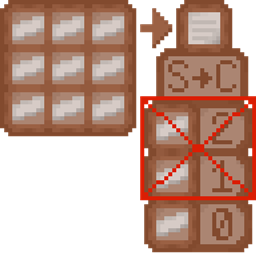
A crafting table optimisation mod for Fabric & Quilt, improving compute and networking performance of various crafting tables, based off of Fast Workbench for Forge and FastBench for Fabric.
If you'd like a Forge version of QuickBench, check out FastWorkbench for Forge.
How does it work?
Inherited from Fast Workbench and FastBench, QuickBench optimises the shift+click crafting to prevent executing the matrix calculation, reducing network traffic in the process.
QuickBench also reintroduces the ability to 'learn' recipes by using them, mimicking vanilla behaviour, and allows you to use it solely server-side, allowing any server to add it in and benefit to everyone.<sup>[upstream's #8]</sup>
This benefit is provided to various crafting tables, including ones using the vanilla classes, allowing modded use to be seamless as long as various mods play nicely.
Any side effects?
Within Vanilla, none that I could find in use. With other mods, there is currently one known with Yttr, listed below.
If you find any bugs or parity issues, including mod compatibility, feel free to report it on the issue tracker.
What mods does it work with?
Optimises
- Botania's Assembly & Manufactory Halo<sup>(also fixes upstream's #21)</sup>
- Crafting Pad
- Portable Tables' Crafting Table
Fixed for upstream's #20
The crafting output slot now works with these mods, which broke with FastBench:
- Yttr's Project Table
- Tom's Storage's Crafting Terminals (note: already fairly optimised)
- Improved Workstations' Crafting Stations
- Enhanced Workbenches' Crafting Station
- Enhanced Project Table
- Crafting Craft's Inventory & Portable Crafting
- FabricAutoCrafter
- Inventorio<sup>(also tracked at upstream's #17)</sup>
Doesn't effect:
- Applied Energistics 2's Crafting Terminals (note: already optimised, never broke)
Any mods it breaks?
- Yttr's Crafter Rafter (already broken in vanilla usage, amplified by FastBench & QuickBench)
No other mods are known to be broken at the moment. If you find one QuickBench breaks, feel free to report them on the issue tracker.
Como instalar QuickBench
With Millida Launcher
Install Millida Launcher
The launcher is free: download it at millida.net/launcher and sign in with any nickname.
Click “Install” on this page
The launcher opens and installs the mod for Minecraft 1.20–1.20.6 on Fabric or Quilt automatically.
Launch the game
A profile with it appears in the launcher: click “Play”.
Manually
Install Fabric or Quilt
The loader must match the game version of the mod file, for example Minecraft 1.20.6. After installing it, a separate profile appears in your launcher.
Download the file for your version
In the version list above, pick the file quickbench-4.3.3-rc.1+mc.1.20.4.jar (19 KB) for your game version and loader.
Put it in the mods folder
The folder is inside .minecraft (Windows: %appdata%\.minecraft\mods). If it does not exist, create it.
Launch the loader profile
Open “Mods” in the main menu: QuickBench should be in the list.
Minecraft 1.20.6 runs on Java 21: with a different Java version the game may close right after launch.
Versões
Com dependências
| Minecraft | Loader | Arquivo | Data | Ações |
|---|---|---|---|---|
| 1.20.1 | Fabric, Quilt | quickbench-5.1.0+mc.1.20.1.jar14.7 KB | ||
| 1.20.2 | Fabric, Quilt | quickbench-4.3.3-rc.1+mc.1.20.4.jar19.4 KB |
Avaliações
Seja o primeiro a avaliar QuickBench


