
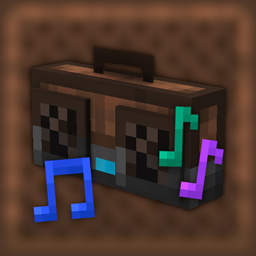
Phonos Mod para Minecraft 1.18.2
Transmita som por todo o seu mundo de Minecraft!
 Fabric
 Quilt
QuiltPhonos
Broadcast sound throughout your Minecraft World!
Requires Fabric API. Optionally requires Patchouli to view the guidebook.
Getting Started
You can obtain the guidebook (only if Patchouli is installed) for the mod by trading with a technician villager (distinguished by its red-and-blue glasses and headset, job site is a Radio Jukebox), or from the creative inventory. The guidebook will explain in detail the functionality behind every feature.
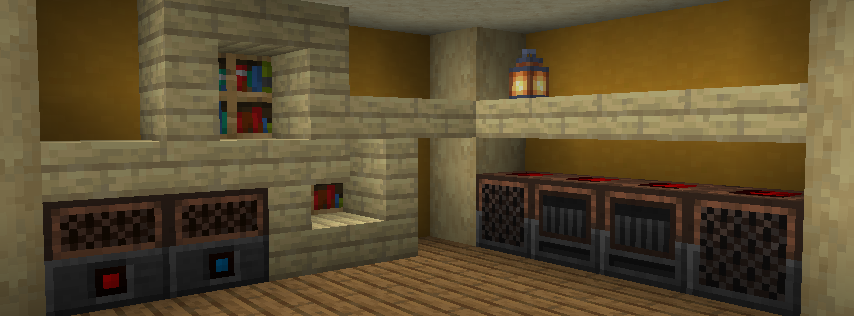
To set up your first sound system:
On the left is a Radio Jukebox. This block broadcasts music disc audio to Loudspeakers on the same channel. You can change the channel by interacting with the top of the block. On the right are a series of Loudspeakers, all tuned to the same channel as the jukebox. They are receiving audio from the Radio Jukebox and playing it. All of the components are tuned to channel 3. There are 20 channels (0-19) to choose from, per dimension.
Some other available components are:
- Radio Note Blocks, which work like normal note blocks, but are able to send their audio to Loudspeakers.
- Channel Tuners, items that can set any radio component to a specific channel.
- Note Block Tuners, items that can copy, adjust, and set the note of any note block or Radio Note Block.
- Boomboxes, which work like Loudspeakers with the added benefit of playing audio when held.
Join the Discord Server for support and more.
Como instalar Phonos
With Millida Launcher
Install Millida Launcher
The launcher is free: download it at millida.net/launcher and sign in with any nickname.
Click “Install” on this page
The launcher opens and installs the mod for Minecraft 1.17–1.18.2 on Fabric or Quilt automatically.
Launch the game
A profile with it appears in the launcher: click “Play”.
Manually
Install Fabric or Quilt
The loader must match the game version of the mod file, for example Minecraft 1.18.2. After installing it, a separate profile appears in your launcher.
Download the file for your version
In the version list above, pick the file phonos-0.3+1.18.2.jar (3.5 MB) for your game version and loader.
Put it in the mods folder
The folder is inside .minecraft (Windows: %appdata%\.minecraft\mods). If it does not exist, create it.
Launch the loader profile
Open “Mods” in the main menu: Phonos should be in the list.
Minecraft 1.18.2 runs on Java 17: with a different Java version the game may close right after launch.
Versões
Com dependências
| Minecraft | Loader | Arquivo | Data | Ações |
|---|---|---|---|---|
| 1.18.2 | Fabric, Quilt | Phonos v0.3 for 1.18.23.5 MB | ||
| 1.17 | — | Phonos v0.1.1.01 Beta Snapshot (Hotfix 1) for 21w05a/b2.4 MB |
Avaliações
Seja o primeiro a avaliar Phonos


