
 NeoForge
 Forge
 Fabric
Sobre o mod Every Compat (Stone Zone)
Every Compat: Stone Zone
📖 About 📖
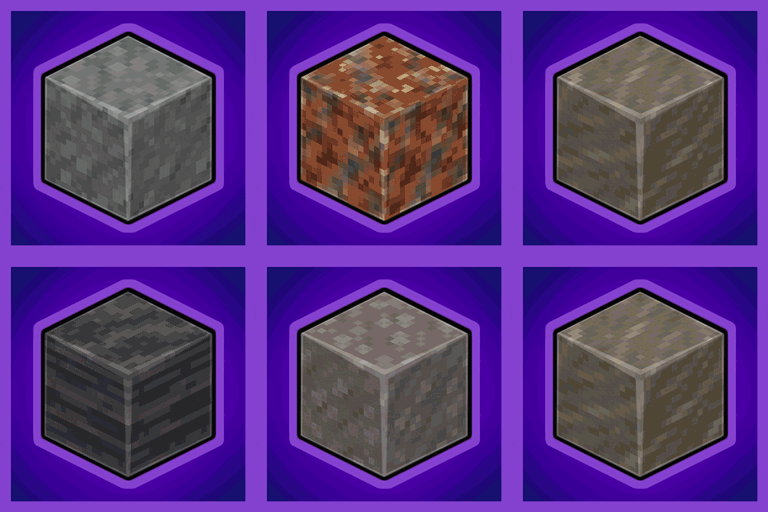
Tired of incomplete stone sets? Well you came to the right place!
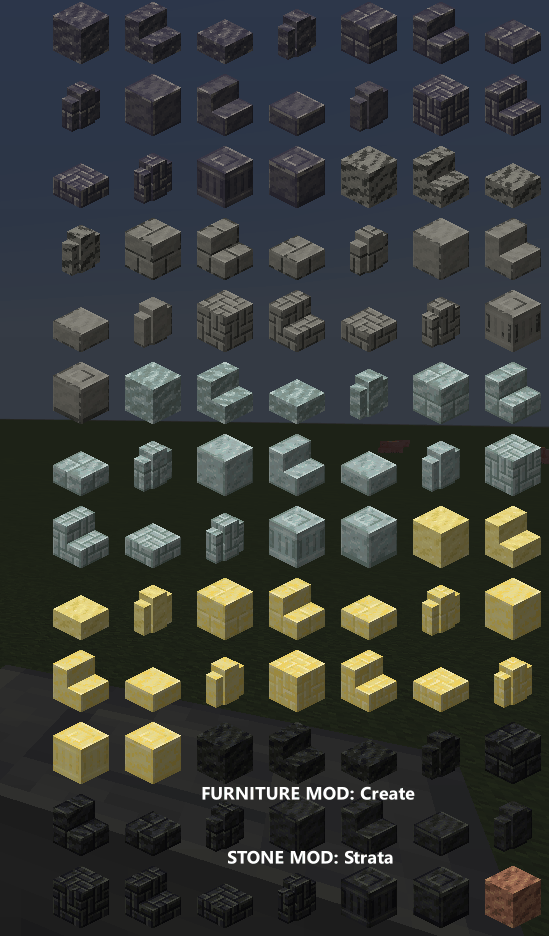
This Mod serves as an addon to many popular mods and is meant to fill in the gaps by adding all the blocks that such mods add in all wood types currently installed.
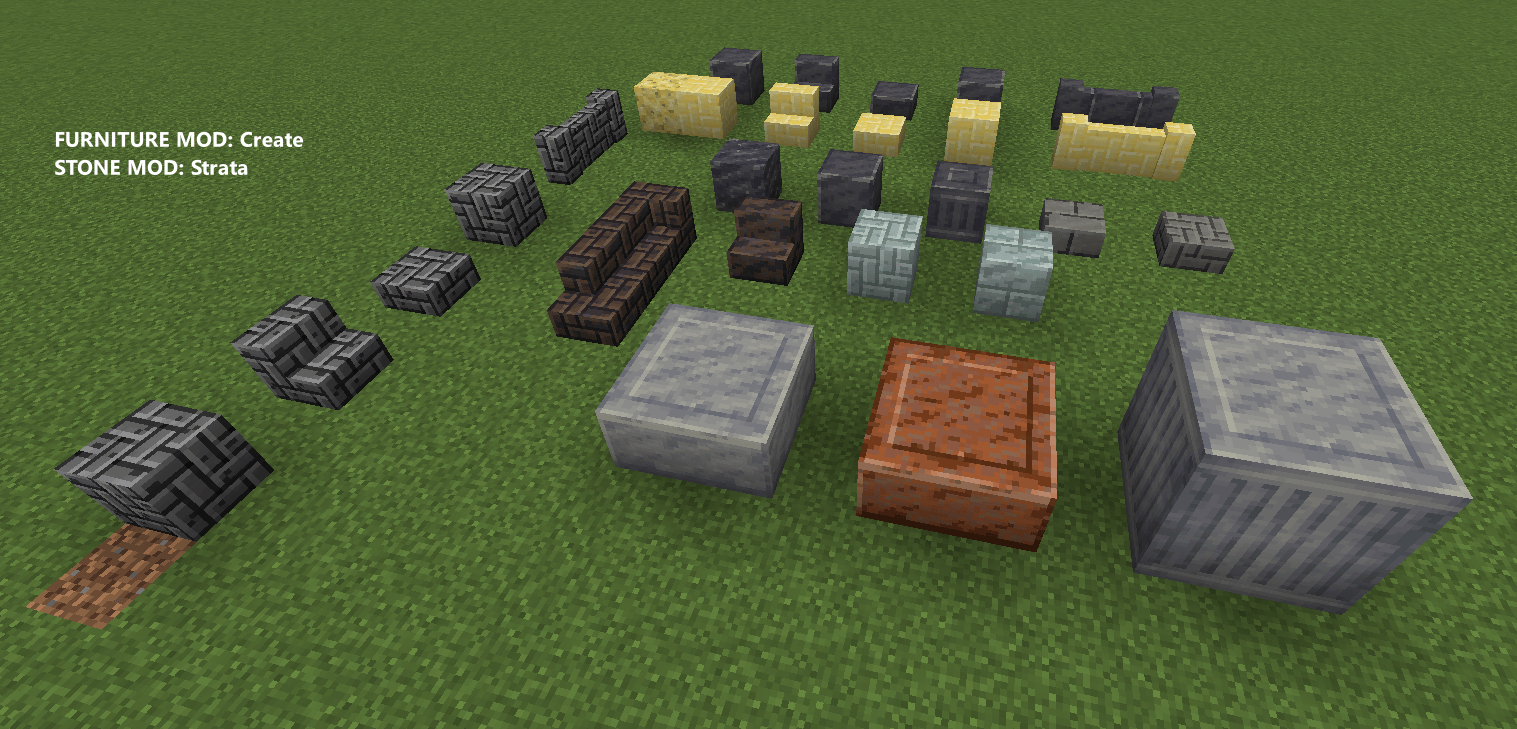
Every decorative/furniture type added is available in ALL block types.
With this mod you won't need extra compatibility addons and instead only rely on a single universal one! It's all automatic!
Additionally the mod will try to convert any block from other uninstalled compat mods into its equivalent ones.
Do I have permission to include this mod in my modpack?
Feel free to add this mod to your modpacks
Do not want Wood or Leaves Set from Every Compat (Wood Good) ?
You can use Every Compat (Library Section)
🪑 Supported Blocks🪑
Last Update: April 5, 2025
CURRENTLY SUPPORTED:
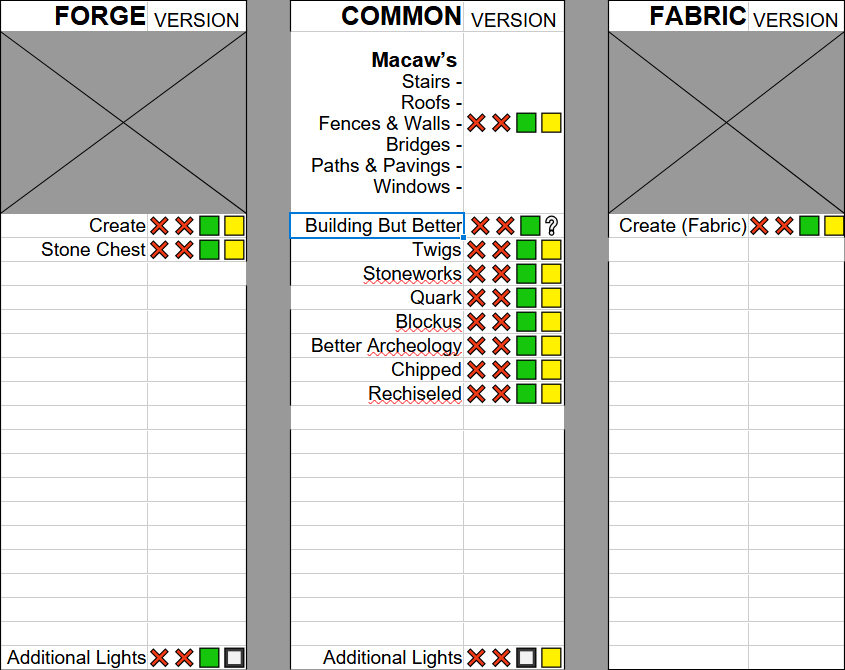
LEGENDS:
- 1.20.1 - 🟩
- 1.21.1 - 🟨
- Only Available in either FORGE or FABRIC - ⬜
- Not available - ❌
- Will it update to 1.21.1 or not - ❔
- ❓ F. A. Q.❓
Q: There is no supported mod in the list A: Go to StoneZone's github and use "Suggest A mod" to create a new issue.
Q: How the heck does this work? A: Magic.
Q: Is this compatible with other compat mods? A: Yes, I've included a list of many popular compat mods. The mod will do its best not to register stuff that's already in them when they are installed
Q: I'm a mod author, could I use this mod to add support to my blocks?
A: Yes! The mod includes a very simple and easy to use API with which modders can register an entire block definition in only 10 lines! The mod will automatically generate all assets automatically
Q: Can you add support for "x" Stone type? A: Go try the mod
Q: How do I retexture X block? A: With a resource pack like any other mod. EC just creates textures at runtime but for the game they function exactly as if loaded from a folder. To view their path turn on the debug resources config and go in the /debug folder it will generate in your instance dir
Q: A block type isnt supported, can I add it myself? A: Not directly as registration cant be conditional and cant depend on config files. If you are a modder and know code you can make a pull request to the mod or use the EveryCompatAPI class directly in your mods (check their javadocs & mod modules for info)
Q: This mod consumes too much RAM! A: No it doesn't. When installed on its own it is like it doesnt even exist as the mod doesnt do anything alone. Once you start adding stone-adding and furniture-adding mods however it will registerd the missing blocks, as its job to do so. Obviously go crazy with either and you'll have many blocks registered, same as installing many mods. The RAM this uses is entirely up to Your discretion.
❤️Support Me❤️
Modding is taking a lot of my time, so if you like what I do, and you would like to support me, you can click "Donate" at the top.
If you want a custom Globe and or Statue just for you! This also applies if you purchase a server from Akliz using "supplementaries" code. Then go to Every Compat and scroll down until you find "Support Me". It will support MehVahdJukaar for his works.
🦉 Our Mods🦉


Como instalar Every Compat (Stone Zone)
With Millida Launcher
Install Millida Launcher
The launcher is free: download it at millida.net/launcher and sign in with any nickname.
Click “Install” on this page
The launcher opens and installs the mod for Minecraft 1.20.1–1.21.1 on Fabric, Forge or NeoForge automatically.
Launch the game
A profile with it appears in the launcher: click “Play”.
Manually
Install Fabric, Forge or NeoForge
The loader must match the game version of the mod file, for example Minecraft 1.21.1. After installing it, a separate profile appears in your launcher.
Download the file for your version
In the version list above, pick the file stonezone-1.21-2.11.17-neoforge.jar (791 KB) for your game version and loader.
Put it in the mods folder
The folder is inside .minecraft (Windows: %appdata%\.minecraft\mods). If it does not exist, create it.
Launch the loader profile
Open “Mods” in the main menu: Every Compat (Stone Zone) should be in the list.
Minecraft 1.21.1 runs on Java 21: with a different Java version the game may close right after launch.
Versões
Com dependências
| Minecraft | Loader | Arquivo | Data | Ações |
|---|---|---|---|---|
| 1.20.1 | Forge | stonezone-1.20-2.9.13-forge987 KB | ||
| 1.20.1 | Fabric | stonezone-1.20-2.9.13-fabric956 KB 1 | ||
| 1.21.1 | NeoForge | stonezone-1.21-2.11.17-neoforge791 KB | ||
| 1.20.1 | Forge | stonezone-1.20-2.7.0.jar739 KB | ||
| 1.20.1 | Fabric | stonezone-1.20-2.7.0-fabric.jar737 KB |
FAQ
Which Minecraft versions does Every Compat (Stone Zone) work on?
There are files for 1.21.1, 1.20.1. The newest is 1.21.1.
Is Every Compat (Stone Zone) for Forge or Fabric?
There are files for Fabric: 1.20.1, for Forge: 1.20.1 and for NeoForge: 1.21.1.
Does Every Compat (Stone Zone) need other mods?
The author lists no required dependencies: the Fabric, Forge or NeoForge loader is enough.
Which Java does Every Compat (Stone Zone) need?
Minecraft 1.21.1 runs on Java 21. If the game closes right after launch, the usual cause is the wrong Java version in the profile settings.
How do I download Every Compat (Stone Zone)?
With Millida Launcher: it installs Every Compat (Stone Zone) into a modpack by itself, for the right game version and loader. The launcher is free.
Avaliações
Seja o primeiro a avaliar Every Compat (Stone Zone)


