
Engineers Workshop Mod para Minecraft 1.10.2
Uma Oficina Modular - Bloco Tudo em Um!
Info:
- This mod was originally created by Vswe and distributed under the MIT License.
- The original curse forge page can be found here.
- He has not given the mod away to me. This is just a unofficial continuation of his work.
- You cannot hold Vswe liable for any support or bugs in this mod.
Author's note:
As a mod author it is sad to see a mod die. Especially the mods you love playing with. The original mod have't got any updates since Sep 10, 2014 and lacked full compatibility with 1.7.10 with semi outdated code. I have now updated the mod to fully support 1.7.10 and overhauled a big chunk of the code up to my standards. I also added Waila support and better NEI integration. Some values from the original mod has been tweaked. Those values are also now configurable in the mods config file generated on launch. RF support is also on its way to the mod and expect new upgrades. This is not meant to disrespect the original author Vswe but instead as a tribute to his awesome work.
About the mod:
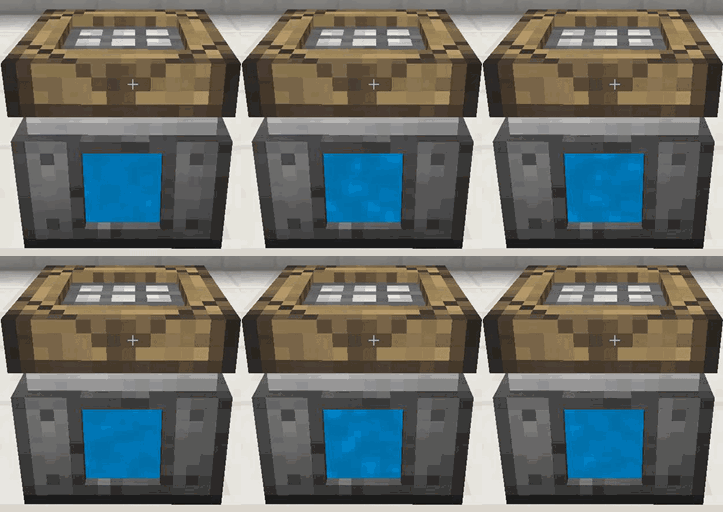
This is a small and simple mod that allows you to have a central modular workbench for all your crafting and smelting. The workbench can be configured exactly how you like it to be. Either you wanna have 4 crafting grids in one table to work on complex recipes or run 4 furnaces in the space of one block powered by one internal fuel source. Or maybe you wanna mix em up like this:
Upgrades:
The mod comes with various upgrades to help you with various task and improve the overall block after your needs. Here are some of the upgrades available right now:
To figure out what they all do download the mod and see for yourself.
Spotlight:
Credits:
Thanks to Vswe for making Steve's Workshop and CyanideX for all the textures he made!
Live development: The mod is being developed live at my twitch channel: http://www.twitch.tv/ewyboy
You can us on twitter: @EwyBoy
@JorVa
Como instalar Engineers Workshop
With Millida Launcher
Install Millida Launcher
The launcher is free: download it at millida.net/launcher and sign in with any nickname.
Click “Install” on this page
The launcher opens and installs the mod for Minecraft 1.10.2 automatically.
Launch the game
A profile with it appears in the launcher: click “Play”.
Manually
Download the file for your version
In the version list above, pick the file EngineersWorkshop-1.3.7-1.10.2.jar (318 KB) for your game version.
Put it in the mods folder
The folder is inside .minecraft (Windows: %appdata%\.minecraft\mods). If it does not exist, create it.
Launch the loader profile
Open “Mods” in the main menu: Engineers Workshop should be in the list.
Minecraft 1.10.2 runs on Java 8: with a different Java version the game may close right after launch.
Versões
Com dependências
| Minecraft | Loader | Arquivo | Data | Ações |
|---|---|---|---|---|
| 1.10.2 | — | EngineersWorkshop-1.3.7-1.10.2.jar318 KB |
FAQ
Which Minecraft versions does Engineers Workshop work on?
Only Minecraft 1.10.2: there are no files for other versions.
Which Java does Engineers Workshop need?
Minecraft 1.10.2 runs on Java 8. If the game closes right after launch, the usual cause is the wrong Java version in the profile settings.
Where can I download Engineers Workshop safely?
On this page: the file EngineersWorkshop-1.3.7-1.10.2.jar (318 KB) is stored on Millida’s server, with no link shorteners. SHA-1 checksum: c2461f877a4ea4e31a362ef560bd20e270efb047.
Avaliações
Seja o primeiro a avaliar Engineers Workshop


