
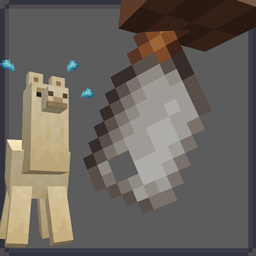
Drop the Meat Mod para Minecraft 1.20.1, 1.21.1
Adiciona carne para cada mob passivo.
 NeoForge
 Forge
ForgeSobre o mod Drop the Meat
This is a rather small and simple mod, just adding meat for every passive mob, which you can all cook. Villagers also occasionally drop their noses which you can eat as a delicacy or cook into a slime ball.
Every Drop can now be enabled and disabled through the config. You can also enable and disable butcher trades in the config. All meat drops are by default enabled, but only a few meat trades that I thought made sense are by default enabled.
A bunch of these will probably look inaccurate due to the fact that I could not or did not want to find more information about them.
If you're interested in even further vanilla friendly expansion of food then check out my other mod Vanilla Cookbook
Feel free to add this to your modpack.
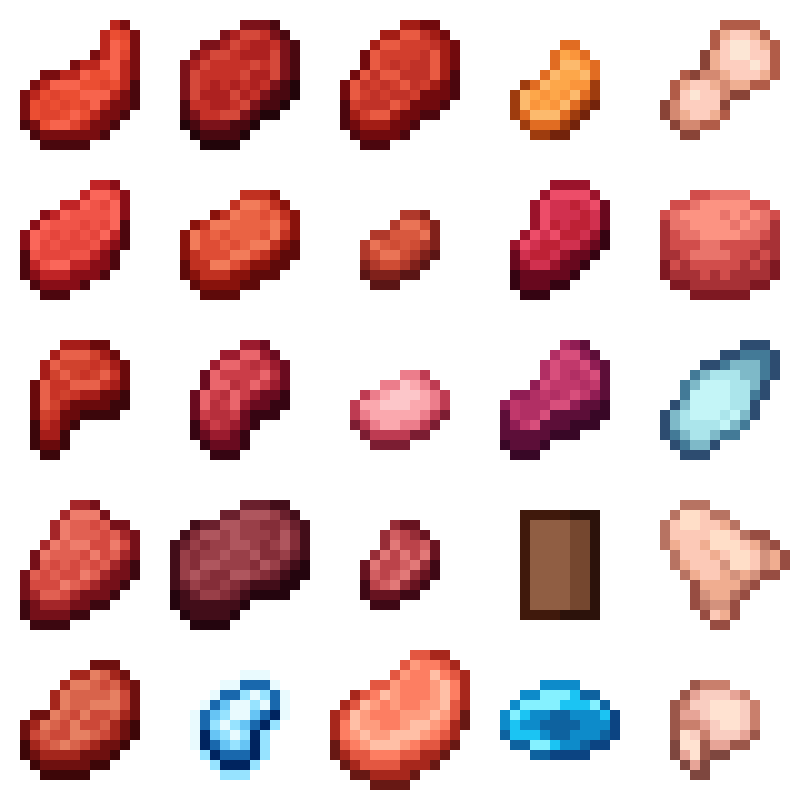
List of which meat gets dropped by which mob(s):
Raw Axolotl | Axolotls
Raw Bat | Bats
Raw Bear | Pandas and Polar Bears
Raw Bee | Bees
Raw Camel | Camels
Raw Cat | Cats and Ocelots
Raw Dolphin | Dolphins
Raw Frog | Frogs
Raw Fox | Foxes
Raw Goat | Goats
Raw Horse | Horses, Donkeys and Mules
Raw Iron Golem | Iron Golems
Raw Llama | Llamas and Trader Llamas
Raw Parrot | Parrots
Raw Sniffer | Sniffers
Raw Squid | Squids
Raw Strider | Striders
Raw Turtle | Turtles
Raw Villager and Villager Noses | Villagers and Wandering Traders
Raw Wolf | Wolves
Frozen Golem Nuggets | Snow Golems
Piglin Porkchops | Piglins and Piglin Brutes
All meat is cooked when the mobs are killed while burning
Como instalar Drop the Meat
With Millida Launcher
Install Millida Launcher
The launcher is free: download it at millida.net/launcher and sign in with any nickname.
Click “Install” on this page
The launcher opens and installs the mod for Minecraft 1.20.1–1.21.1 on Forge or NeoForge automatically.
Launch the game
A profile with it appears in the launcher: click “Play”.
Manually
Install Forge or NeoForge
The loader must match the game version of the mod file, for example Minecraft 1.21.1. After installing it, a separate profile appears in your launcher.
Download the file for your version
In the version list above, pick the file DropTheMeat-1.7.2.jar (126 KB) for your game version and loader.
Put it in the mods folder
The folder is inside .minecraft (Windows: %appdata%\.minecraft\mods). If it does not exist, create it.
Launch the loader profile
Open “Mods” in the main menu: Drop the Meat should be in the list.
Minecraft 1.21.1 runs on Java 21: with a different Java version the game may close right after launch.
Versões
Com dependências
| Minecraft | Loader | Arquivo | Data | Ações |
|---|---|---|---|---|
| 1.21.1 | NeoForge | DropTheMeat 1.21.1126 KB 1 | ||
| 1.20.1 | Forge, NeoForge | Drop the Meat 1.20.1106 KB |
FAQ
Which Minecraft versions does Drop the Meat work on?
There are files for 1.21.1, 1.20.1. The newest is 1.21.1.
Is Drop the Meat for Forge or Fabric?
There are files for Forge: 1.20.1 and for NeoForge: 1.20.1–1.21.1. There are no files for Fabric: a mod for another loader will not start.
Does Drop the Meat need other mods?
The author lists no required dependencies: the Forge or NeoForge loader is enough.
Which Java does Drop the Meat need?
Minecraft 1.21.1 runs on Java 21. If the game closes right after launch, the usual cause is the wrong Java version in the profile settings.
Where can I download Drop the Meat safely?
On this page: the file DropTheMeat-1.7.2.jar (126 KB) is stored on Millida’s server, with no link shorteners. SHA-1 checksum: 788f4f7e2ad61af1fc382592283655480178017d.
Avaliações
Seja o primeiro a avaliar Drop the Meat


