
Double Slabs Mod para Minecraft 1.21.1, 1.21.3
Adiciona melhorias a todas as lajes criadas no vanilla e em mods
 Fabric
 Forge
Forge NeoForge
Double Slabs
For the longest time I've been mildly infuriated by Minecraft slabs. Why on earth can't we place different types of slabs on top of each other??!! It makes zero sense to me so that's why I created this mod.
Double slabs is all about improving the vanilla and modded slabs through minor tweaks to their behaviour.
Features
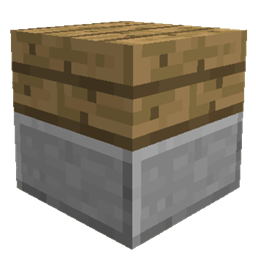
- Mixed Double Slabs - Have you ever wanted to place two slabs of different slab types on top of each other?? Well now you can!
- KleeSab like behaviour on Mixed Double Slabs (or two double slabs which are of the same type if the replace same type option is true). This means that slabs now break separately when mining a double slab and the speed of mining of the individual slab depends on which slab you are looking at and which tool you are using. For example: if you have a mixed oak slab and stone slab, trying to mine the oak slab with a pickaxe will be quite slow but mining the oak slab with an axe will be quicker and vice versa. This a survival mode feature only.
- Vertical slabs (excluding 1.20+ versions) - Simply hold sneak when holding a regular slab to place a vertical version! This also works with combining two vertical slabs including vertical slabs from Quark, just ensure you are not holding sneak to combine!
- Mod Compatibility - both the mixed double slab and vertical slab feature works with many other mods. Some mods require additional work to be supported.
Can I use this in my modpack?
Of course! This is the main reason I made this mod!
Have an issue?
Just let me know using the issues tab!
Showcase your creation here!
The popularity of this mod has blown me away (thank you so much!), so if you've created something using Double Slabs, be sure to send me a private message with an image and I might showcase your creation here! I'm sure you're all much better builders than I am!
Como instalar Double Slabs
With Millida Launcher
Install Millida Launcher
The launcher is free: download it at millida.net/launcher and sign in with any nickname.
Click “Install” on this page
The launcher opens and installs the mod for Minecraft 1.16.2–1.21.3 on Fabric, Forge or NeoForge automatically.
Launch the game
A profile with it appears in the launcher: click “Play”.
Manually
Install Fabric, Forge or NeoForge
The loader must match the game version of the mod file, for example Minecraft 1.21.3. After installing it, a separate profile appears in your launcher.
Download the file for your version
In the version list above, pick the file doubleslabs-fabric-1.21.3-0.1.0.jar (109 KB) for your game version and loader.
Put it in the mods folder
The folder is inside .minecraft (Windows: %appdata%\.minecraft\mods). If it does not exist, create it.
Launch the loader profile
Open “Mods” in the main menu: Double Slabs should be in the list.
Minecraft 1.21.3 runs on Java 21: with a different Java version the game may close right after launch.
Versões
Com dependências
| Minecraft | Loader | Arquivo | Data | Ações |
|---|---|---|---|---|
| 1.21.1 | Fabric | DoubleSlabs-Fabric-1.21.1-0.4.2188 KB 1 | ||
| 1.21.1 | NeoForge | DoubleSlabs-NeoForge-1.21.1-0.4.0176 KB 1 | ||
| 1.21.1 | Forge | DoubleSlabs-Forge-1.21.1-0.4.0178 KB 1 | ||
| 1.21.3 | Fabric | DoubleSlabs-Fabric-1.21.3-0.1.0109 KB | ||
| 1.21.3 | Forge | DoubleSlabs-Forge-1.21.3-0.1.0104 KB 1 | ||
| 1.21.3 | NeoForge | DoubleSlabs-NeoForge-1.21.3-0.1.0102 KB | ||
| 1.16.2 | — | DoubleSlabs-1.16-3.4.6267 KB |
Avaliações
Seja o primeiro a avaliar Double Slabs


